---
URL: https://maquina.app/
Title: Open Source Tools for Rails Developers
---
Open Source Rails Tools
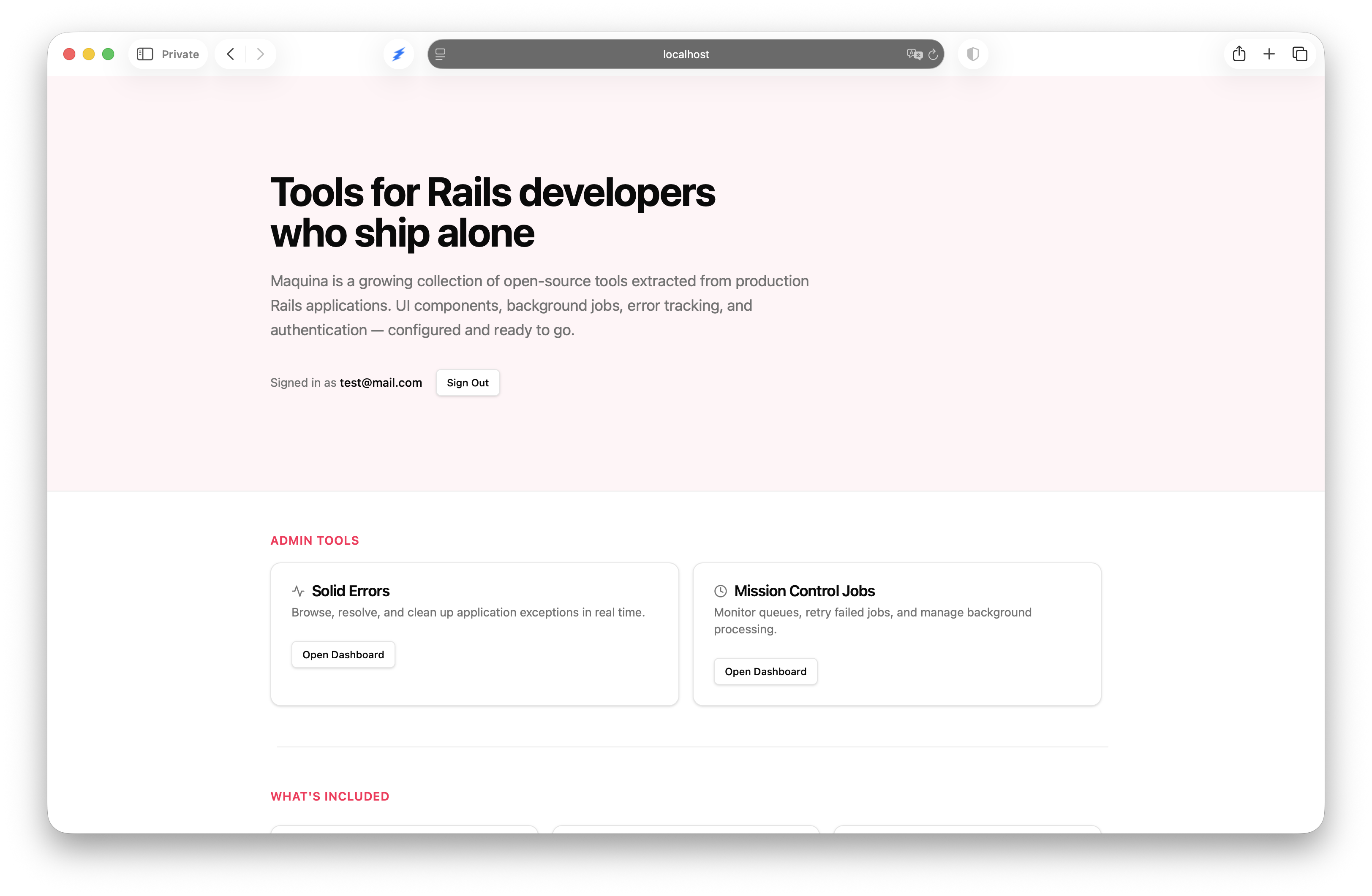
Tools for developers who ship alone
Generators, UI components, and AI tools extracted from production Rails
applications. No build pipelines. No framework fatigue. Built for the
one-person framework philosophy.
Modern UI components for Ruby on Rails. ERB partials styled with Tailwind CSS 4.0 and Stimulus controllers. Inspired by shadcn/ui, built for the Rails way.
A marketplace of Claude Code plugins for Rails — code simplification, Rails upgrades, UI standards, MVP planning, Stimulus best practices, spec-driven development, security audits, and a Hotwire dev-server driver.
Rails generators that produce standalone application code. Authentication, job queues, error tracking, and security — no runtime dependency. Generate once, own forever.
A mountable Rails 8 engine for drafting, approving, scheduling, and batch-sending HTML newsletters. Action Text editing, an approval workflow, and background batch delivery.
Rails MCP Server 2.0.0 removes the execute_ruby tool entirely, because the reasoning that justified it in 2025 stopped holding once agentic coding tools could run Ruby themselves.
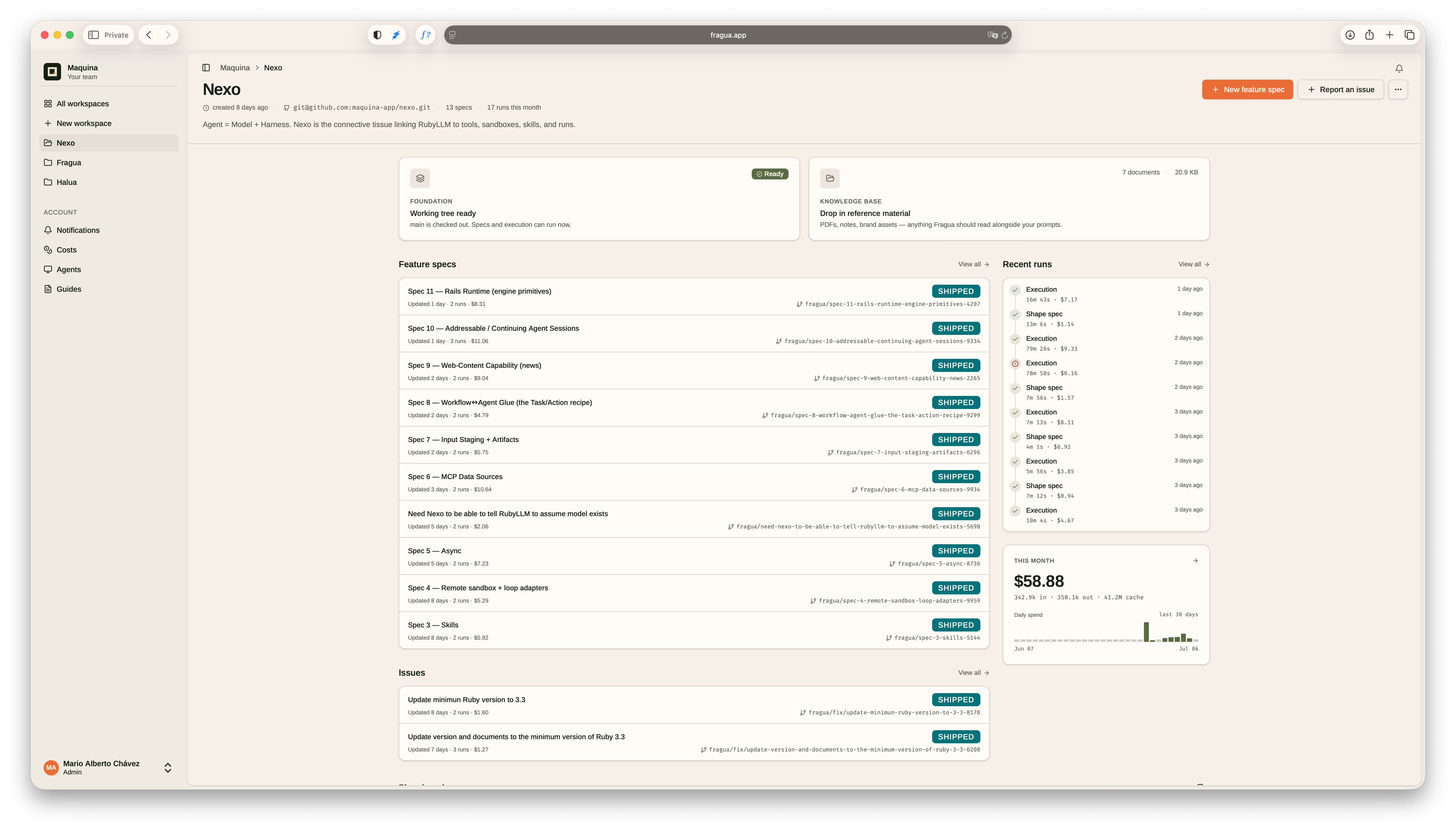
Turn a feature into a shipped pull request — on a new Rails app or
one you already have. Durable context, disciplined workflow, full
observability from brief to branch.
Your host. Your keys. Your repo. Tokens bill straight to your
Anthropic account — never proxied, never marked up.
Know your daily vibe, spend without the spiral. Resto tells you
exactly what you can spend today — no more "can I afford this?"
anxiety. Kakeibo-inspired personal finance, simplified.
Track checking accounts, credit cards, and buffers. Reflect on
your spending. Plan ahead. All in one place.
---
URL: https://maquina.app/documentation/tools/redis-menu/
Title: Redis Menu
---
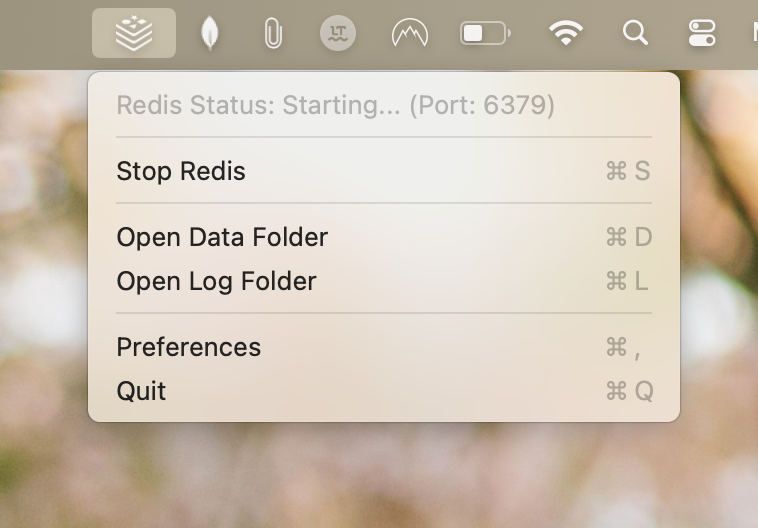
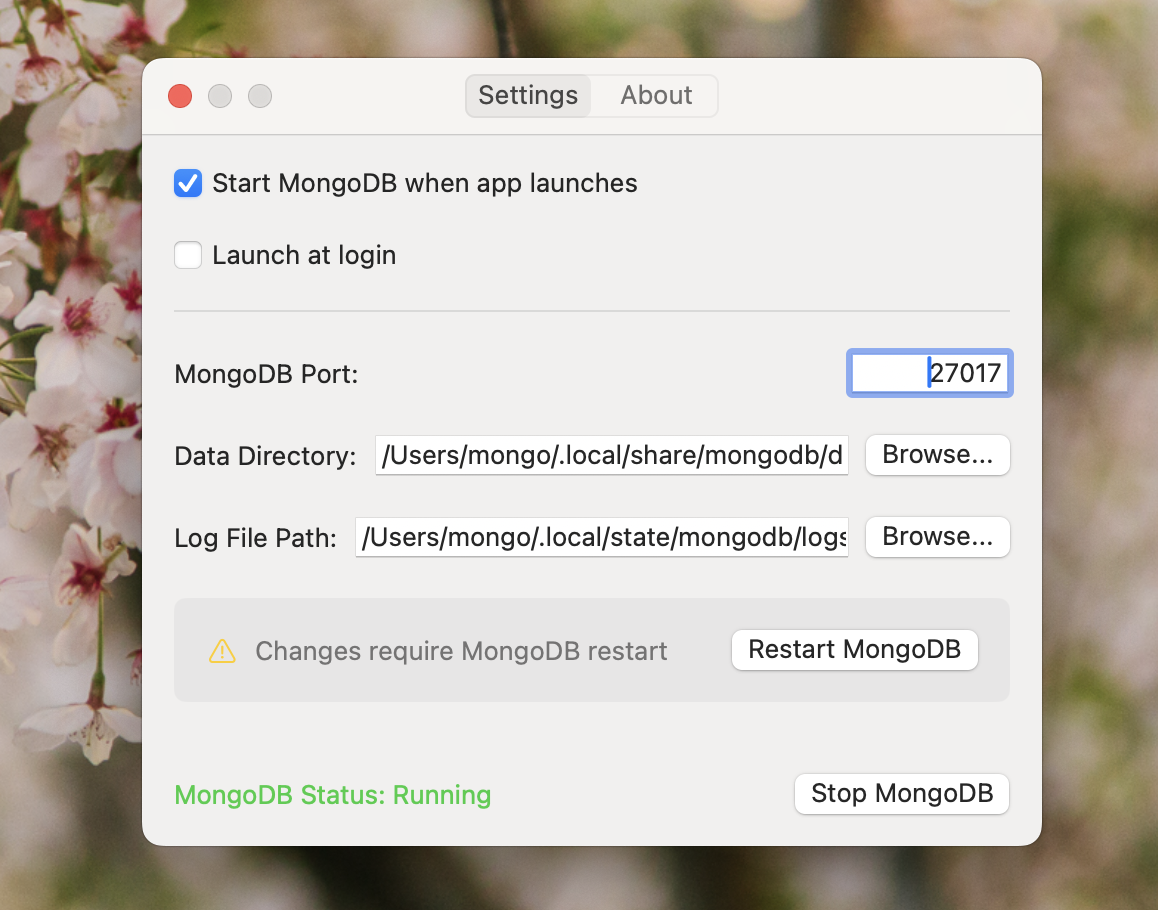
A macOS menu bar application that makes managing local Redis instances simple and convenient. Start, stop, and configure Redis with a single click.
Overview
Redis Menu sits in your macOS menu bar, providing easy access to start, stop, and configure Redis instances. Designed for developers who need to work with Redis locally and want a straightforward way to manage the database without terminal commands.
Features
Menu Bar Controls: Start and stop Redis with a single click
Visual Status Indicator: Instantly see if Redis is running
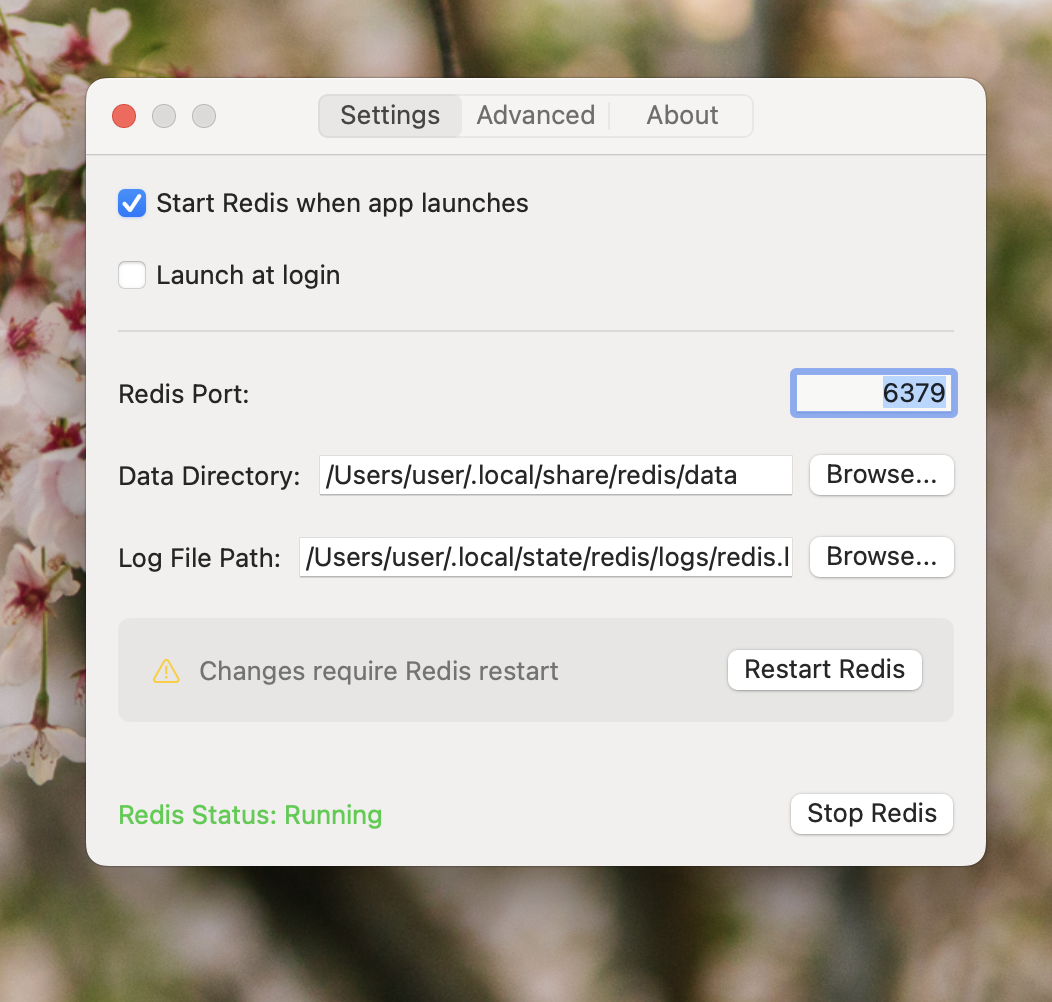
Custom Configuration: Configure data directory, log path, and port
Auto-start Options: Start Redis automatically when the app launches
Launch at Login: Start Redis Menu when your Mac boots
Lightweight Footprint: Minimal resource usage in the background
Requirements
macOS 15.0 (Sequoia) or later
Admin privileges (for first-time setup)
Installation
Build from Source
Clone the repository:
git clone https://github.com/maquina-app/redis-menu.git
cd redis-menu
Run the build script:
./build.sh
The build script will:
Download and compile Redis if needed
Build the application
Place the built app in build/Release/RedisMenu.app
Move the built app to your Applications folder
Build Requirements
Xcode 16.0 or later
Command Line Tools for Xcode
macOS 15.0 (Sequoia) or later
Usage
Click the Redis icon in the menu bar to see status and control options
Use “Start Redis” or “Stop Redis” to control the service
Click “Preferences” to configure settings:
Data directory location
Log file path
Redis port (default: 6379)
Auto-start options
Launch at login option
Configuration
Default Locations
Redis Menu stores data in these default locations:
Setting
Default Path
Data directory
~/.local/share/redis/data
Log file
~/.local/state/redis/logs/redis.log
Port
6379
All locations can be customized in the app preferences.
Bundled Redis
Redis Menu downloads, compiles, and bundles Redis binaries for your Mac. You don’t need to install Redis separately. The app handles downloading and compiling the appropriate Redis source code for your system.
Troubleshooting
Redis Won’t Start
Check if the port is already in use by another application
Ensure you have write permissions to the data directory and log path
Check the log file for specific error messages
App Won’t Launch
Make sure you have macOS Sequoia (15.0) or later installed
---
URL: https://maquina.app/documentation/ai-tools/rails-mcp-server/
Title: Rails MCP Server
---
A Ruby implementation of a Model Context Protocol (MCP) server for Rails projects. Let LLMs interact with your Rails codebase through code analysis, exploration, and development assistance.
Current Version: 2.0.0
What is MCP?
The Model Context Protocol (MCP) is a standardized way for AI models to interact with their environment. It defines a structured method for models to request and use tools, access resources, and maintain context during interactions.
Rails MCP Server implements the MCP specification to give AI models access to Rails projects for code analysis, exploration, and assistance.
Features
Manage multiple Rails projects with auto-detection
Browse project files and structures
View Rails routes with filtering
Inspect model information and relationships (Prism static analysis)
Get database schema information
Analyze controller-view relationships
Analyze environment configurations
Read and glob project files through dedicated tools
Access Rails, Turbo, Stimulus, and Kamal documentation
Context-efficient architecture with progressive tool discovery
GitHub Copilot Agent support (v1.5.0+)
Rails 8.1+ compatibility (v1.5.0+)
Quick Start
1. Install the Gem
gem install rails-mcp-server
2. Configure Projects
Option A: Interactive configuration
rails-mcp-config
This provides a TUI for managing projects, downloading guides, and configuring Claude Desktop.
Option B: Single-project mode (v1.5.0+)
For quick usage with the current directory:
cd /path/to/your/rails/app
rails-mcp-server --single-project
When only one project is configured, the server auto-switches to it.
Available Tools
The server provides 3 registered tools plus internal analyzers accessible via execute_tool.
Removed in v2.0.0: the execute_ruby tool has been removed. The server is now introspection-only — use the dedicated analyzers below (e.g. get_file, list_files, get_routes, get_schema). See Migrating from execute_ruby.
The execute_ruby tool was removed in v2.0.0. It ran caller-supplied Ruby via bin/rails runner, which made it an arbitrary-code-execution surface a pattern-based sandbox could not safely contain. The server is an introspection tool, and its dedicated analyzers cover what execute_ruby was used for:
Ad-hoc live data queries (User.count, custom scopes) are intentionally no longer supported. If you rely on free-form execution, pin to the 1.6.x line, which retains the hardened execute_ruby.
Server Modes
STDIO Mode (Default)
For direct integration with Claude Desktop:
rails-mcp-server
Single-Project Mode (v1.5.0+)
For working with the current directory only:
cd /path/to/rails/app
rails-mcp-server --single-project
The server does not execute caller-supplied Ruby. It exposes a fixed set of introspection analyzers, so there is no arbitrary-code-execution surface. (The free-form execute_ruby tool was removed in v2.0.0.)
The tools that boot the app (get_schema, get_routes, and the introspection half of analyze_models / analyze_controller_views) run bin/rails runner with fixed, server-authored scripts; caller input is passed as validated parameters, never interpolated as code. Booting a project runs that project’s environment, so point the server only at Rails projects you trust.
Input Validation
All file-accessing tools use centralized input validation (PathValidator):
Path traversal prevention - Blocks ../ and absolute paths that escape the project root
SQL injection prevention - Validates table names in schema queries
Compatibility
Component
Supported Versions
Ruby
3.3+ (Ruby 3.2 dropped in v1.6.0)
Rails (target projects)
6.0+
Rails 8.1.1+
Full support (v1.5.0+)
Claude Desktop
Supported
GitHub Copilot Agent
Supported (v1.5.0+)
Other MCP Clients
Via STDIO or HTTP mode
Changelog Highlights
v2.0.0
Breaking Changes:
Removed the execute_ruby tool. The server is now introspection-only; use the dedicated analyzers (see Migrating from execute_ruby). Bootstrap tools reduced from 4 to 3.
Security:
Removing execute_ruby eliminates the arbitrary-code-execution surface behind the v1.6.x hardening series.
v1.6.x
Security:
Hardened, then removed, the execute_ruby sandbox: blocked the PTY.spawn command-execution path and other stdlib escapes, hard-blocked dynamic dispatch to execution sinks, and fixed a ReDoS in the static scan (v1.6.1). Thanks to Pluto Security for the responsible disclosure.
Puma upgraded to 8.0.2, clearing CVE-2026-47736 / CVE-2026-47737.
Breaking Changes:
Dropped Ruby 3.2 support (minimum is now Ruby 3.3).
v1.5.0
New Features:
GitHub Copilot Agent support
--single-project flag for single-project mode
RAILS_MCP_PROJECT_PATH environment variable
Auto-detection of Rails apps and engines
Auto-switch when only one project configured
Security:
Added PathValidator for centralized input sanitization
Added CI security infrastructure (Dependabot, CodeQL, OpenSSF Scorecard)
A Claude Code plugin that audits a Rails application’s security configuration and produces a severity-grouped, actionable report grounded in Rails 8.0–8.2 defaults. Optionally applies fixes for any finding.
What Is This?
A Claude Code agent that:
Scans your Rails config: production environment, initializers, controllers, Gemfile, and CI workflows
Detects your Rails version from Gemfile.lock and adjusts expectations accordingly
Runs 10 categories of security checks against current Rails defaults
Groups findings by severity (Critical, High, Medium, Informational)
Explains each finding in plain language — what it is, why it matters, how to fix it
Applies fixes on request — single finding, all Critical, or all findings
The agent runs autonomously: it reads the files it needs, produces the full report, and pauses to offer fixes.
Plus: column-level encryption (encrypts) and hardcoded secrets scans.
How Findings Are Reported
Each finding follows a consistent structure:
### [PROD-01] force_ssl missing in production
File: config/environments/production.rb
Found: config.force_ssl is not set

Why this matters:
Without force_ssl, users on HTTP don't get redirected to HTTPS.
Cookies and sessions can travel in the clear on public networks.

How to fix it:
config.force_ssl = true

Offer: Would you like me to apply this fix?
Severity counts go at the top of the report:
Severity
Meaning
❌ Critical
Active vulnerability — fix immediately
⚠️ High
Important gap — fix soon
🔶 Medium
Hardening — recommended
ℹ️ Informational
Optional improvement
✅ Passed
Already configured correctly
Audit Principles
The auditor is designed to minimize noise:
Intentional configuration isn’t flagged. If assume_ssl is set alongside force_ssl, the agent recognizes it as a Cloudflare/Kamal setup and doesn’t mark force_ssl redirect as missing.
Version-aware. A Rails 7.1 app isn’t expected to have 8.2 defaults; checks adapt to the detected version.
Missing files are findings. No rack_attack.rb → finding. No content_security_policy.rb → finding.
Ambiguous intent surfaces as “Verify:” rather than an assertion of wrongness.
Severity is guidance, not a verdict. The agent adjusts when the app’s context makes a finding materially more or less risky.
Applying Fixes
After the report, you can fix findings one at a time, all Critical findings at once, or everything:
> Fix all Critical findings
> Apply the CSP fix only
> Create the missing rack_attack.rb initializer
For each fix the agent reads the current file, applies the minimal change needed, shows a before/after diff, and confirms the write. When a fix requires creating a new initializer from scratch, it generates the full file.
Package Contents
rails-security-auditor/
├── agents/rails-security-auditor.md    # Main agent
└── references/
    └── checks.md                       # Full check catalog with fixes
A Claude Code plugin that refines Ruby on Rails code following 37signals patterns and the One Person Framework philosophy. Transform complex code into clean, maintainable Rails conventions.
What Is This?
A Claude Code skill that:
Simplifies service objects into rich model methods and concerns
Converts custom controller actions to CRUD resources
Transforms boolean state columns into state records
Optimizes fat controllers into thin controllers with model methods
Applies Rails best practices like I18n, Time.current, and eager loading
Detects N+1 queries and suggests fixes
Philosophy
The One Person Framework
From DHH (December 2021):
“A toolkit so powerful that it allows a single individual to create modern applications upon which they might build a competitive business.”
Conceptual Compression
From RailsConf 2018:
“Like a video codec that throws away irrelevant details such that you might download the film in real-time.”
Vanilla Rails is Plenty
From Jorge Manrubia at 37signals:
“If you have the luxury of starting a new Rails app today, go vanilla.”
> Review recent changes using the rails-simplifier skill
What It Simplifies
Pattern
Simplification
Service objects
Rich model methods + concerns
Custom controller actions
CRUD resources
Boolean state columns
State records (has_one :closure)
Fat controllers
Thin controllers, model methods
Time.now
Time.current
Hardcoded strings
I18n keys
N+1 queries
includes / preload
Date tests without travel_to
Freeze time to fixture
Usage Examples
Review Recent Changes
> Review recent changes using the rails-simplifier skill
The skill analyzes your recent commits and suggests simplifications based on 37signals patterns.
Review a Specific Controller
> Use rails-simplifier to review the bookings controller
Review a Model
> Use rails-simplifier to review the Order model
Full Project Review
> Run rails-simplifier on the app directory
Simplification Patterns
Service Objects to Model Methods
Before:
# app/services/order_processor.rbclassOrderProcessordefinitialize(order)@order=orderenddefprocess@order.update(processed_at: Time.current)@order.line_items.each(&:fulfill)OrderMailer.confirmation(@order).deliver_laterendend# In controllerOrderProcessor.new(@order).process
After:
# app/models/order.rbclassOrder<ApplicationRecorddefprocess!update(processed_at: Time.current)line_items.each(&:fulfill)OrderMailer.confirmation(self).deliver_laterendend# In controller@order.process!
A comprehensive Claude skill that helps you upgrade Ruby on Rails applications through any version from 6.0 to 8.1.1. Built on official Rails CHANGELOGs. It analyzes your project with Claude Code’s built-in file tools — no external services required.
What Is This?
A Claude skill that:
Analyzes your Rails project automatically by reading its files
Detects your current version and target version
Plans single-hop or multi-hop upgrade paths
Identifies breaking changes specific to your code
Preserves custom configurations with warnings
Generates comprehensive upgrade reports
Applies the fixes for you, editing the files directly
Guide you through completing each hop before moving to next
How It Works
Full upgrade (the default)
Best for understanding what needs to change before making edits.
"Upgrade my Rails app from 7.2 to 8.0"
Claude will:
Read Gemfile.lock to detect the current version
Load appropriate version guide(s)
Analyze your project files for custom code
Identify breaking changes affecting your code
Generate comprehensive upgrade report
You remain in control and apply changes manually.
Query-specific
Best for specific questions about changes.
"What ActiveRecord changes are in Rails 8.0?"
"How do I handle the SSL configuration change?"
"What breaking changes affect my models?"
"Will my Redis cache work after upgrading to 8.0?"
Key Breaking Changes by Version
Rails 8.0 → 8.1
High impact:
SSL configuration now commented out (affects non-Kamal deploys)
---
URL: https://maquina.app/documentation/ai-tools/spec-driven-development/
Title: Spec-Driven Development
---
A Claude Code plugin for Rails-focused spec-driven development. Shape a feature into a structured spec, break it into tasks, and hand it off to Claude Code for implementation — with a progress file that survives across sessions.
What Is This?
A Claude Code skill that turns rough feature ideas into implementation-ready specs:
Plans your product from existing MVP documentation (mission, roadmap, tech stack)
Shapes feature specs through targeted discovery questions
Writes formal specifications with user stories, acceptance criteria, and scope boundaries
Breaks each spec into ordered, self-contained tasks
Discovers coding standards and tribal knowledge already present in the codebase
Tracks progress in a YAML file so any session can resume where the last one stopped
The goal: features built to spec instead of code thrown together, with a paper trail you can point Claude at later.
The Workflow
Step
Command
Output
1. Initialize
/sdd-init
sdd/ directory + progress.yml
2. Plan the product
/sdd-plan
mission.md, roadmap.md, tech-stack.md
3. Shape a feature
/sdd-shape
planning/requirements.md + formal spec.md
4. Break into tasks
/sdd-tasks
tasks.md with ordered task groups
5. Discover standards
/sdd-discover-standards
Extracted patterns in standards/
6. Check progress
/sdd-status
Current phase, completed items, next step
Steps 1–2 are one-time setup. Steps 3–6 repeat per feature. You can also drive the workflow with natural language — the skill responds to “shape a spec for comments” or “what’s next?” without requiring the slash commands.
Reads progress.yml and reports exactly where you left off — no context-replay needed.
Capture Tribal Knowledge
> /sdd-discover-standards
The skill scans your codebase for recurring patterns (naming conventions, controller structure, test style) and writes them into sdd/standards/ so future specs align with your existing code.
<%= render "components/alert", icon: :info do %>
  <%= render "components/alert/title", text: "Heads up!" %>
  <%= render "components/alert/description", text: "You can add components using the CLI." %>
<% end %>
Examples
Destructive
<%= render "components/alert", variant: :destructive, icon: :triangle_alert do %>
  <%= render "components/alert/title", text: "Error" %>
  <%= render "components/alert/description", text: "Your session has expired." %>
<% end %>
Success
<%= render "components/alert", variant: :success, icon: :check_circle do %>
  <%= render "components/alert/title", text: "Success" %>
  <%= render "components/alert/description", text: "Your changes have been saved." %>
<% end %>
Info
<%= render "components/alert", variant: :info, icon: :info do %>
  <%= render "components/alert/title", text: "Heads up" %>
  <%= render "components/alert/description", text: "This release normalizes the default radius." %>
<% end %>
Warning
<%= render "components/alert", variant: :warning, icon: :triangle_alert do %>
  <%= render "components/alert/title", text: "Warning" %>
  <%= render "components/alert/description", text: "This action cannot be undone." %>
<% end %>
API Reference
Alert
Parameter
Type
Default
Description
variant
Symbol
:default
:default, :destructive, :success, :warning, :info; :error is accepted as an alias of :destructive
icon
Symbol
nil
Icon name to display
css_classes
String
""
Additional CSS classes
html_options
Hash
{}
Additional HTML attributes
Custom icon markup
icon: renders a built-in glyph as the alert's first child, which is what the variant icon colors key off. If you need your own markup instead — an inline SVG, an icon font, an <img>, or an icon that is not the first child — mark it with data-alert-part="icon" and it picks up the same sizing and per-variant color:
<%= render "components/badge" do %>
  Badge
<% end %>
Examples
Variants
<%= render "components/badge", variant: :primary do %>Primary<% end %>
<%= render "components/badge", variant: :secondary do %>Secondary<% end %>
<%= render "components/badge", variant: :destructive do %>Destructive<% end %>
<%= render "components/badge", variant: :success do %>Success<% end %>
<%= render "components/badge", variant: :warning do %>Warning<% end %>
<%= render "components/badge", variant: :info do %>Info<% end %>
<%= render "components/badge", variant: :outline do %>Outline<% end %>
Sizes
<%= render "components/badge", size: :sm do %>Small<% end %>
<%= render "components/badge", size: :md do %>Medium<% end %>
<%= render "components/badge", size: :lg do %>Large<% end %>
With Icons
<%= render "components/badge", variant: :success do %>
  <%= icon_for :check, class: "size-3" %>
  Verified
<% end %>

<%= render "components/badge", variant: :warning do %>
  <%= icon_for :clock, class: "size-3" %>
  Pending
<% end %>
API Reference
Badge
Parameter
Type
Default
Description
variant
Symbol
:default
:default, :primary, :secondary, :destructive, :success, :warning, :info, :outline; :error is accepted as an alias of :destructive
size
Symbol
:md
:sm, :md, :lg; :default is accepted as an alias of :md
<%= render "components/breadcrumbs" do %>
  <%= render "components/breadcrumbs/list" do %>
    <%= render "components/breadcrumbs/item" do %>
      <%= render "components/breadcrumbs/link", href: "/" do %>Home<% end %>
    <% end %>
    <%= render "components/breadcrumbs/separator" %>
    <%= render "components/breadcrumbs/item" do %>
      <%= render "components/breadcrumbs/link", href: "/components" do %>Components<% end %>
    <% end %>
    <%= render "components/breadcrumbs/separator" %>
    <%= render "components/breadcrumbs/item" do %>
      <%= render "components/breadcrumbs/page" do %>Breadcrumbs<% end %>
    <% end %>
  <% end %>
<% end %>
Items collapse only when they do not fit, and come back when they do. The controller measures the trail against its container and hides middle items one at a time, from the first one inward, until the row fits — so the ellipsis always stands for the items directly behind it. Widen the container and the hidden items return; there is no one-way collapse and no item-count threshold.
The container is what is measured, not the window, so a breadcrumb inside a collapsing sidebar or a resizing panel re-fits when that panel moves. If a single current-page title is too long to help by collapsing anything, it truncates with an ellipsis as a last resort.
The ellipsis dropdown
When items are collapsed, the … becomes a button. Clicking it opens a menu listing the hidden items as links, so nothing in the trail becomes unreachable. It renders in the top layer as a popover — light dismiss and Escape work natively — and needs no markup from you beyond responsive_breadcrumbs.
API Reference
Breadcrumbs
Parameter
Type
Default
Description
responsive
Boolean
false
Collapse middle items when the trail does not fit its container, and restore them when it does
collapse_after
Integer
—
Deprecated, ignored. Removed in 0.8.0. It collapsed on item count without consulting available width, which also collapsed a trail with room to spare; space-based collapsing works now
<%= render "components/card" do %>
  <%= render "components/card/header" do %>
    <%= render "components/card/title", text: "Card Title" %>
    <%= render "components/card/description", text: "Card description." %>
  <% end %>
  <%= render "components/card/content" do %>
    <p>Card content goes here.</p>
  <% end %>
  <%= render "components/card/footer" do %>
    <button data-component="button" data-variant="primary">Save</button>
  <% end %>
<% end %>
Examples
Simple Card
<%= render "components/card" do %>
  <%= render "components/card/content", spacing: :full do %>
    <p>A simple card with just content.</p>
  <% end %>
<% end %>
With Header Action
<%= render "components/card" do %>
  <%= render "components/card/header", layout: :row do %>
    <div>
      <%= render "components/card/title", text: "Team Members" %>
      <%= render "components/card/description", text: "Manage your team." %>
    </div>
    <%= render "components/card/action" do %>
      <button data-component="button" data-variant="primary" data-size="sm">Add</button>
    <% end %>
  <% end %>
  <%= render "components/card/content" do %>
    <p class="text-sm text-muted-foreground">No members yet.</p>
  <% end %>
<% end %>
With Footer
<%= render "components/card" do %>
  <%= render "components/card/header" do %>
    <%= render "components/card/title", text: "Settings" %>
  <% end %>
  <%= render "components/card/content" do %>
    <p>Configure your preferences.</p>
  <% end %>
  <%= render "components/card/footer", align: :end do %>
    <button data-component="button" data-variant="outline">Cancel</button>
    <button data-component="button" data-variant="primary">Save</button>
  <% end %>
<% end %>
Custom ID; defaults to a deterministic id derived from the input name
disabled
Boolean
false
Whether disabled
required
Boolean
false
Mark input as required
css_classes
String
""
Additional CSS classes
html_options
Hash
{}
Additional HTML attributes
Turbo Drive
The date picker controller automatically closes the popover before Turbo caches the page. No configuration is needed — pressing the browser back button will always show the date picker in its closed state.
<%= render "components/drawer/provider", default_open: drawer_open? do %>
  <%= render "components/drawer", state: drawer_state do %>
    <%= render "components/drawer/header" do %>
      <%= render "components/drawer/title", text: "Drawer Title" %>
    <% end %>

    <%= render "components/drawer/content" do %>
      Drawer content
    <% end %>

    <%= render "components/drawer/footer" do %>
      Footer actions
    <% end %>
  <% end %>
<% end %>
Examples
With Trigger
The trigger can live anywhere on the page — it finds the drawer through a Stimulus outlet and mirrors its state with aria-expanded.
<%= render "components/drawer/trigger" do %>Open Drawer<% end %>

<%= render "components/drawer/provider" do %>
  <%= render "components/drawer" do %>
    <!-- content -->
  <% end %>
<% end %>
Sections and Separators
Group the drawer body into stacked sections, divided by a separator.
<%= render "components/drawer/content" do %>
  <%= render "components/drawer/section" do %>
    <%= render "components/drawer/title", text: "Filters", tag: :h3 %>
  <% end %>

  <%= render "components/drawer/separator" %>

  <%= render "components/drawer/section" do %>
    <%# More rows %>
  <% end %>
<% end %>
drawer/separator renders the separator primitive, so it keeps the primitive's 1px track while the drawer part re-spaces it for the panel.
Left Side Drawer
<%= render "components/drawer", side: :left do %>
  <!-- content -->
<% end %>
Keyboard & Accessibility
Cmd/Ctrl + D toggles the drawer (configurable via keyboard_shortcut).
Escape closes it; clicking the backdrop closes it.
The panel is a role="dialog" with aria-modal and a configurable aria_label. Focus moves into the panel on open and returns to the previously focused element on close.
While closed, the panel is aria-hidden and inert, so the off-screen content is invisible to assistive technology and unreachable by keyboard.
Supporting line under the title. text: / content: / block, tag: (default :p)
drawer/content
Scrollable middle section
drawer/footer
Bottom section for actions
drawer/section
Groups related rows inside the content area. Container — pass a block
drawer/separator
Divider between sections. orientation: (default :horizontal)
drawer/close
Close button (X icon)
Helper Methods
Method
Description
drawer_state(cookie_name)
Returns :open or :closed from the cookie
drawer_open?(cookie_name)
Returns true if open
drawer_closed?(cookie_name)
Returns true if closed
Turbo Drive
The drawer controller integrates with Turbo Drive to keep state correct across navigations:
Cache teardown: the drawer closes and the backdrop hides before Turbo caches the page.
Morph awareness: with turbo_refresh_method_tag :morph, the drawer re-reads its cookie so client state survives the morph.
Persistence: open/closed state lives in a cookie and survives full page loads.
---
URL: https://maquina.app/documentation/components/dropdown-menu/
Title: Dropdown Menu
---
Usage
<%= render "components/dropdown_menu" do %>
  <%= render "components/dropdown_menu/trigger" do %>Open Menu<% end %>

  <%= render "components/dropdown_menu/content" do %>
    <%= render "components/dropdown_menu/item", href: "#" do %>Profile<% end %>
    <%= render "components/dropdown_menu/item", href: "#" do %>Settings<% end %>
    <%= render "components/dropdown_menu/separator" %>
    <%= render "components/dropdown_menu/item", href: "#" do %>Logout<% end %>
  <% end %>
<% end %>
Examples
With Icons
<%= render "components/dropdown_menu/item", href: "#" do %>
  <%= icon_for :user, class: "size-4" %>
  Profile
<% end %>
<%= render "components/dropdown_menu/item", href: "#", variant: :destructive do %>
  <%= icon_for :log_out, class: "size-4" %>
  Logout
<% end %>
With Shortcuts
<%= render "components/dropdown_menu/item", href: "#" do %>
  Undo
  <%= render "components/dropdown_menu/shortcut" do %>⌘Z<% end %>
<% end %>
Icon Trigger
The default trigger renders its own chevron, which rotates 180° while the menu is open. Reach for as_child when you need different content — an icon-only button, an sr-only label — not merely to get an affordance. Note that as_child hands you the whole button: data-dropdown-menu-target="trigger", data-action="dropdown-menu#toggle", aria-haspopup and aria-expanded are all yours to write. The controller updates aria-expanded at runtime, but only if the attribute is there to begin with.
Since 0.7.1 the menu measures itself when it opens and flips above the trigger if it would otherwise open past the bottom of the viewport. It flips only when the space above genuinely fits — flipping into a gap that is also too small trades one clipped menu for another — and it re-measures from the placement you asked for each time, so a menu that flipped in a short window returns to its default once the window grows.
side: is therefore an initial preference rather than a fixed position. The controller writes the resolved side to data-side on the content element, which is what the CSS positions against. Only the block axis flips; :left and :right are left alone.
The menu button behaves the same way. If you carry your own collision or flip controller, you can delete it — bin/rails maquina:doctor reports it as app-level-dropdown-flip.
API Reference
Dropdown Menu
Parameter
Type
Default
Description
css_classes
String
""
Additional CSS classes
html_options
Hash
{}
Additional HTML attributes
Dropdown Menu Trigger
Parameter
Type
Default
Description
variant
Symbol
:outline
Button variant when as_child is false
size
Symbol
:default
Button size when as_child is false
as_child
Boolean
false
Use custom trigger markup
css_classes
String
""
Additional CSS classes
html_options
Hash
{}
Additional HTML attributes
Dropdown Menu Content
Parameter
Type
Default
Description
align
Symbol
:start
:start, :center, :end
side
Symbol
:bottom
:top, :bottom, :left, :right — a preference; see Placement below
width
Symbol
:default
:default, :sm, :md, :lg
css_classes
String
""
Additional CSS classes
html_options
Hash
{}
Additional HTML attributes
Dropdown Menu Item
Parameter
Type
Default
Description
href
String
nil
URL, renders link if provided
method
Symbol
nil
HTTP method (:delete, :post, etc.)
variant
Symbol
:default
:default or :destructive
disabled
Boolean
false
Whether disabled
css_classes
String
""
Additional CSS classes
html_options
Hash
{}
Additional HTML attributes
Dropdown Menu Label
Parameter
Type
Default
Description
text
String
nil
Label text
content
String
nil
Captured HTML via capture, or use block
inset
Boolean
false
Align with icon items
css_classes
String
""
Additional CSS classes
html_options
Hash
{}
Additional HTML attributes
Dropdown Menu Separator
Parameter
Type
Default
Description
css_classes
String
""
Additional CSS classes
html_options
Hash
{}
Additional HTML attributes
Dropdown Menu Group
Parameter
Type
Default
Description
css_classes
String
""
Additional CSS classes
html_options
Hash
{}
Additional HTML attributes
Dropdown Menu Shortcut
Parameter
Type
Default
Description
text
String
nil
Shortcut text
content
String
nil
Captured HTML via capture, or use block
css_classes
String
""
Additional CSS classes
html_options
Hash
{}
Additional HTML attributes
Builder Helper
The dropdown_menu helper builds the whole menu — trigger, content, items, separators, and shortcuts — without composing partials by hand:
<%= dropdown_menu do |menu| %>
  <% menu.trigger do %>
    <%= icon_for :more_horizontal %>
  <% end %>
  <% menu.content align: :end, width: :md do %>
    <% menu.label "Actions" %>
    <% menu.item "Edit", href: edit_path, icon: :pencil do |item| %>
      <% item.shortcut "⌘E" %>
    <% end %>
    <% menu.separator %>
    <% menu.item "Delete", href: delete_path, method: :delete, variant: :destructive, icon: :trash %>
  <% end %>
<% end %>
For data-driven menus, dropdown_menu_simple renders trigger and items from a list:
<%= render "components/empty" do %>
  <%= render "components/empty/header" do %>
    <%= render "components/empty/media", icon: :inbox %>
    <%= render "components/empty/title", text: "No messages" %>
    <%= render "components/empty/description", text: "Messages you receive will appear here." %>
  <% end %>
<% end %>
Examples
With Action
<%= render "components/empty" do %>
  <%= render "components/empty/header" do %>
    <%= render "components/empty/media", icon: :folder %>
    <%= render "components/empty/title", text: "No projects yet" %>
    <%= render "components/empty/description", text: "Get started by creating your first project." %>
  <% end %>
  <%= render "components/empty/content" do %>
    <button data-component="button" data-variant="primary">Create project</button>
  <% end %>
<% end %>
Outline Variant
<%= render "components/empty", variant: :outline do %>
  <%= render "components/empty/header" do %>
    <%= render "components/empty/media", icon: :upload %>
    <%= render "components/empty/title", text: "Drop files here" %>
  <% end %>
<% end %>
Compact Size
<%= render "components/empty", size: :compact do %>
  <%= render "components/empty/header" do %>
    <%= render "components/empty/media", icon: :search %>
    <%= render "components/empty/title", text: "No results found" %>
  <% end %>
<% end %>
API Reference
Empty
Parameter
Type
Default
Description
variant
Symbol
:default
:default or :outline
size
Symbol
:default
:default or :compact
css_classes
String
""
Additional CSS classes
html_options
Hash
{}
Additional HTML attributes
Empty Header
Parameter
Type
Default
Description
css_classes
String
""
Additional CSS classes
html_options
Hash
{}
Additional HTML attributes
Empty Media
Parameter
Type
Default
Description
icon
Symbol
nil
Icon name
content
String
nil
Captured HTML via capture, or use block
variant
Symbol
:icon
:icon or :avatar
css_classes
String
""
Additional CSS classes
html_options
Hash
{}
Additional HTML attributes
Empty Title
Parameter
Type
Default
Description
text
String
nil
Title text
content
String
nil
Captured HTML via capture, or use block
css_classes
String
""
Additional CSS classes
html_options
Hash
{}
Additional HTML attributes
Empty Description
Parameter
Type
Default
Description
text
String
nil
Description text
content
String
nil
Captured HTML via capture, or use block
css_classes
String
""
Additional CSS classes
html_options
Hash
{}
Additional HTML attributes
Empty Content
Parameter
Type
Default
Description
css_classes
String
""
Additional CSS classes
html_options
Hash
{}
Additional HTML attributes
Helper Methods
Three helpers cover the common empty-state patterns without composing partials:
<%= empty_state title: "No documents", description: "Create your first document.", icon: :folder do %>
  <%= link_to "New document", new_document_path, data: { component: "button", variant: "primary" } %>
<% end %>

<%= empty_search_state query: params[:q], reset_path: documents_path %>

<%= empty_list_state resource_name: "project", new_path: new_project_path %>
Rails' own .field_with_errors wrapper is styled too, so an app that leans on the default wrapper gets the same treatment without setting anything.
Do not rely on :invalid alone
Before 0.7.1 the engine also matched :invalid:not(:placeholder-shown), which meant a required field with no placeholder painted the error state on first paint — before focus, before blur, before submit — while telling screen readers nothing, because no aria-invalid accompanied it.
That is now :user-invalid, which only matches once the reader has actually interacted with the field. Two consequences:
A pristine required field renders normally. You no longer need a placeholder to suppress a false error.
If you render server-side errors and never set aria-invalid, you were relying on the old :invalid match and the border will stop appearing. Set aria-invalid as above.
bin/rails maquina:doctor reports the second case as invalid-styling-without-aria.
Error text colour
The message reads --destructive-text, and the invalid border reads --destructive-border. Both default to what they painted before, so the installer's palette needs no change. If your palette is the saturated shadcn kind — --destructive a strong red, --destructive-foreground near-white — add:
Production-ready UI components for Rails applications. Copy-paste ERB partials styled with Tailwind CSS 4.0 and optional Stimulus controllers.
What you get:
20+ components — From layouts to forms, navigation to feedback
Zero dependencies — Just Tailwind CSS and optionally Stimulus
Token-driven theming — Familiar shadcn/ui CSS variables for color, plus tokens for shape, elevation, focus rings and weight
Rails conventions — ERB partials, data attributes, form helpers
Already on 0.5.1? 0.6.0 is a deliberately breaking release: engine CSS moved into @layer components, and radius, elevation, focus rings and weights became tokens. One change affects every existing app and fails silently — the unlayered * rule in your installed theme.css. Run the scanner, then read the guide:
Latest release: 0.7.1. No API changes, but not purely additive: a required field with no placeholder used to paint the error state from first paint, and the fix means an app that renders server-side errors without setting aria-invalid loses its error border. Field error text gains its own --destructive-text token — one line of theme CSS if your palette is the saturated kind. The dropdown menu and menu button now flip when they hit the bottom of the viewport, and all eighteen leaf partials accept a block. maquina:doctor gained five rules for this release.
git clone https://github.com/maquina-app/maquina_components.git
cd maquina_components/test/dummy
bin/rails server
Visit http://localhost:3000 to explore the components locally.
Quick Start
1. Add the Gem
# Gemfilegem"maquina-components"
bundle install
2. Run the Install Generator
bin/rails generate maquina_components:install
This adds the engine CSS import, theme variables (shadcn/ui convention), a shape/state token block for radius, elevation, focus rings and weights, and a helper file for icon customization.
Re-running the generator is safe: it is idempotent, appends each block only once, and never rewrites your palette.
text: wins when present, then content:, then the block. Pass a block whenever the content is markup rather than a string. Before 0.7.1 half the leaf partials silently dropped the block, so if you worked around that with capture, you no longer need to.
Static components (Badge, Card, Alert, Button, form elements) work without JavaScript.
Extending Component Behavior
Every component merges your data: hash with its own data attributes. Identity keys (component, variant, size) always win, but controller and action concatenate — so you can attach your own Stimulus behavior to any component without losing the built-in one:
Components render icons through the icon_for helper, which falls back to a built-in set of inline SVGs (check, chevrons, calendar, search, mail, trash, and more):
To use your own icon system (Heroicons, Lucide, inline SVG files), override main_icon_svg_for in the generated MaquinaComponentsHelper — icon_for consults it first and only falls back to the built-ins when it returns nil:
Icons are sourced from Lucide. Copy SVG code directly from their website.
What the override does and does not reach
main_icon_svg_for backs the public icon_for helper — every icon you render, plus the component parameters that take an icon name (alert, sidebar menu items, empty states, breadcrumb separators).
It deliberately does not reach the icons an engine component renders for itself: a dropdown trigger’s chevron, the toast close button, the calendar’s arrows. Those go through an internal builtin_icon_for that only ever reads the engine’s own set, so a component looks the same in every app regardless of how you have configured icons — and so a partial override cannot leave a control without its affordance.
The practical consequence: if an engine component’s own icon looks wrong or missing, defining that name in main_icon_svg_for will not change it. That is a bug in the engine, not something to fix in your app — please report it.
Catching typos: strict_icons
An unknown icon name renders nothing at all, which is invisible in review and in production. MaquinaComponents.strict_icons raises UnknownIconError instead. It is on by default in development and test and off in production, so a typo fails loudly while you work and can never take a page down for a user.
This covers both helpers. If it raises for a name you never wrote yourself, an engine component asked for an icon the engine does not ship — the message says so, and says that a main_icon_svg_for entry will not help.
Each one is defined twice, which Tailwind CSS v4 requires: in :root for the value, and in @theme so it also becomes a utility (bg-primary, text-muted-foreground).
Edit the values in :root to match your brand — the generator installs neutral grays. Adding a semantic color works the same way: declare it in :root, then mirror it in @theme if you want the utility.
Everything that is not a color — shape, focus rings, elevation, weights, control marks — is a token too, and a theme changes values, not selectors. See Theming for the full token table, ready-made themes, and how to pin a single component.
Generator Options
# Skip theme variables (if you already have them)
bin/rails generate maquina_components:install --skip-theme# Skip helper creation
bin/rails generate maquina_components:install --skip-helper# Skip both
bin/rails generate maquina_components:install --skip-theme--skip-helper
Verify engine CSS is imported after @import "tailwindcss";
Check that @theme block exists with color bindings
Restart dev server after CSS changes
Dark mode not working
Add .dark class to <html> element
Ensure .dark { } block has variable overrides
Icons not rendering
Check the icon name matches your main_icon_svg_for cases
Verify the helper is included in ApplicationHelper
Turn on strict_icons in development so an unknown name raises instead of rendering nothing
If the missing icon belongs to a component rather than to your own markup (a trigger’s chevron, a close button), main_icon_svg_for cannot fix it — see Icons
<%= render "components/pagination" do %>
  <%= render "components/pagination/content" do %>
    <%= render "components/pagination/item" do %>
      <%= render "components/pagination/previous", href: "/page/1" %>
    <% end %>
    <%= render "components/pagination/item" do %>
      <%= render "components/pagination/link", href: "/page/1" do %>1<% end %>
    <% end %>
    <%= render "components/pagination/item" do %>
      <%= render "components/pagination/link", href: "/page/2", active: true do %>2<% end %>
    <% end %>
    <%= render "components/pagination/item" do %>
      <%= render "components/pagination/link", href: "/page/3" do %>3<% end %>
    <% end %>
    <%= render "components/pagination/item" do %>
      <%= render "components/pagination/ellipsis" %>
    <% end %>
    <%= render "components/pagination/item" do %>
      <%= render "components/pagination/next", href: "/page/3" %>
    <% end %>
  <% end %>
<% end %>
Pagy Integration
For Pagy-backed collections, the pagination_nav helper renders the full pagination from a Pagy object, with Turbo-aware links:
Both pin to the right edge of the menu item, so they must be rendered insidemenu_item, as siblings of the menu_button (or menu_link). That nesting is load-bearing: the item is the positioning context, and a menu item containing an action automatically reserves right-hand padding on its button so the icon never sits on top of the label. The demo above shows both — the 24 count on Inbox and the options control on Calendar.
menu_action renders a <button type="button"> by default and an <a> when you pass url:. It is icon-only, so label: is required — it becomes both the aria-label and screen-reader text. show_on_hover: true keeps the action invisible until the item is hovered or focused.
Group Action
<%= render "components/sidebar/group", title: "Projects" do %>
  <%= render "components/sidebar/group_action",
    label: "Add project", url: new_project_path %>

  <%= render "components/sidebar/menu" do %>
    <%# ... %>
  <% end %>
<% end %>
Separator
<%= render "components/sidebar/separator" %>
Renders the separator primitive, so it keeps the primitive's 1px track while the sidebar part re-spaces it and swaps in the sidebar's own border token.
API Reference
Provider
Parameter
Type
Default
Description
id
String
"sidebar-provider"
Element ID for stable morph matching
default_open
Boolean
true
Initial open state
variant
Symbol
:inset
Visual variant
cookie_name
String
"sidebar_state"
Cookie for persistence
keyboard_shortcut
String
"b"
Toggle shortcut (Cmd/Ctrl+key)
css_classes
String
""
Additional CSS classes
html_options
Hash
{}
Additional HTML attributes
Sidebar
Parameter
Type
Default
Description
id
String
auto
Element ID
state
Symbol
:collapsed
:expanded or :collapsed
collapsible
Symbol
:offcanvas
:offcanvas, :icon, or :none
variant
Symbol
:inset
:sidebar, :floating, or :inset
side
Symbol
:left
:left or :right
css_classes
String
""
Additional CSS classes
html_options
Hash
{}
Additional HTML attributes
Menu Button
Parameter
Type
Default
Description
title
String
required
Button text
url
String
required
Link URL
icon_name
Symbol
nil
Icon name
size
Symbol
:default
:default, :sm, or :lg
active
Boolean
false
Whether active
css_classes
String
""
Additional CSS classes
html_options
Hash
{}
Additional HTML attributes
Menu Link
Parameter
Type
Default
Description
url
String
required
Link URL
title
String
required
Primary text
subtitle
String
nil
Secondary text
text_icon
String
nil
Text for avatar
icon
String
nil
Image URL for avatar
active
Boolean
false
Whether active
css_classes
String
""
Additional CSS classes
html_options
Hash
{}
Additional HTML attributes
Trigger
Parameter
Type
Default
Description
icon_name
Symbol
:left_panel
Icon name for toggle button
css_classes
String
""
Additional CSS classes
html_options
Hash
{}
Additional HTML attributes
Other Parts
Partial
Description
sidebar/header
Top section for logo/branding
sidebar/content
Scrollable middle section
sidebar/footer
Bottom section for user menu
sidebar/group
Groups menu items with optional title
sidebar/menu
List container for menu items
sidebar/menu_item
Individual menu item wrapper
sidebar/menu_badge
Count or short label pinned inside a menu item. text: / content: / block
sidebar/menu_action
Icon control pinned right inside a menu item. label: (required), url:, icon_name:, show_on_hover:
sidebar/group_action
Icon control pinned to the right of a group label. label: (required), url:, icon_name:
sidebar/separator
Divider between groups. orientation: (default :horizontal)
sidebar/trigger
Toggle button for sidebar
sidebar/inset
Main content area wrapper
Helper Methods
Method
Description
sidebar_state(cookie_name)
Returns :expanded or :collapsed
sidebar_open?(cookie_name)
Returns true if expanded
sidebar_closed?(cookie_name)
Returns true if collapsed
Accessibility
A collapsed off-canvas sidebar is out of the tab order. When it is parked off-screen, its container carries inert, so keyboard focus skips it entirely rather than walking through a screenful of destinations no pointer can reach. It is applied server-side as well as by the controller, so the invariant holds before Stimulus connects. A collapsible: :icon sidebar is a visible rail and stays reachable; an open sidebar obviously does too.
Below 768px the sidebar reserves no layout. The container is a fixed overlay with a backdrop at that width, so the gap that normally holds space for it collapses to zero — structurally, in CSS, whatever the state cookie says and before any JavaScript has run. A phone load carrying an expanded cookie gets a full-width content column in the first painted frame, with no settle.
Sidebar items expose aria-current="page" when active, and the trigger keeps aria-expanded and aria-controls in sync with the sidebar it drives.
Turbo Drive
The sidebar controller integrates with Turbo Drive to maintain correct state across navigations:
Cache teardown: On mobile, the sidebar closes and the backdrop is hidden before Turbo caches the page. Pressing back never shows a stale open sidebar or scroll-locked body.
Morph awareness: When using turbo_refresh_method_tag :morph, the sidebar re-reads its cookie to preserve the desktop toggle state and forces closed on mobile after a morph refresh.
Desktop persistence: The sidebar state is stored in a cookie, so it survives full page loads and Turbo navigations without extra configuration.
Stable IDs
The sidebar generates deterministic IDs based on its side: parameter (sidebar-left, sidebar-right) instead of random IDs. This allows idiomorph to match old and new elements across morph renders, preventing the sidebar from being destroyed and recreated.
The provider div also receives a stable ID (sidebar-provider) for the same reason.
If you render multiple sidebars on the same side, pass explicit id: parameters to avoid collisions:
<%= render "components/sidebar/provider", id: "sidebar-main" do %>
  <%= render "components/sidebar", id: "sidebar-nav", side: :left do %>
    ...
  <% end %>
<% end %>
Morph Compatibility
During a Turbo morph, the server-rendered data-sidebar-open-value may carry a stale value (e.g., from a broadcast where the server has no access to the browser cookie). The controller treats the browser cookie as the source of truth:
Before morph updates attributes, the controller sets an internal guard flag.
When idiomorph overwrites data-sidebar-open-value, the Stimulus value callback is skipped — preventing the stale server value from overwriting the cookie.
After morph completes, the controller reads the cookie, reasserts the correct state, and removes the sidebar-loading class that morph re-adds from server HTML.
Turbo Frames
The sidebar works inside Turbo Frames because stable IDs enable clean Stimulus disconnect/reconnect cycles. On reconnection, initialize() re-reads the cookie, so the sidebar always reflects the latest client-side state.
<%= render "components/table" do %>
  <%= render "components/table/header" do %>
    <%= render "components/table/row" do %>
      <%= render "components/table/head" do %>Name<% end %>
      <%= render "components/table/head" do %>Email<% end %>
      <%= render "components/table/head", css_classes: "text-right" do %>Amount<% end %>
    <% end %>
  <% end %>

  <%= render "components/table/body" do %>
    <% @users.each do |user| %>
      <%= render "components/table/row" do %>
        <%= render "components/table/cell" do %><%= user.name %><% end %>
        <%= render "components/table/cell" do %><%= user.email %><% end %>
        <%= render "components/table/cell", css_classes: "text-right" do %><%= user.amount %><% end %>
      <% end %>
    <% end %>
  <% end %>
<% end %>
Examples
With Footer
<%= render "components/table" do %>
  <%= render "components/table/header" do %>
    <%# ... %>
  <% end %>
  <%= render "components/table/body" do %>
    <%# ... %>
  <% end %>
  <%= render "components/table/footer" do %>
    <%= render "components/table/row" do %>
      <%= render "components/table/cell", colspan: 2 do %>Total<% end %>
      <%= render "components/table/cell", css_classes: "text-right" do %>$750.00<% end %>
    <% end %>
  <% end %>
<% end %>
Selected Row
<%= render "components/table/row", selected: true do %>
  <%= render "components/table/cell" do %>Selected item<% end %>
<% end %>
Bordered Variant
Draws a border around the scroll container.
<%= render "components/table", variant: :bordered do %>
  <%# ... %>
<% end %>
Striped Variant
Alternates row backgrounds on the table itself.
<%= render "components/table", table_variant: :striped do %>
  <%# ... %>
<% end %>
Simple Table Helper
For collection-driven tables, the simple_table helper renders the whole structure from a column definition. Keys can be attribute names, hash keys, or procs.
Every table partial passes unknown keywords through as HTML attributes, so standard table attributes like colspan and rowspan work directly on cells, and id, aria, or data attributes work on any part.
Table
The table renders two elements: a scrollable container div and the table element inside it. The variant parameter styles the container (that is why :bordered lives there), while table_variant styles the table element itself.
Parameter
Type
Default
Description
container
Boolean
true
Wrap in scrollable container
variant
Symbol
nil
Container variant, :bordered draws a border around the scroll container
Reshape every component by declaring token values, not override CSS.
Colors have always been CSS variables. As of 0.6.0 so are shape, focus rings, elevation and weight — which is the whole of what used to require override CSS.
The contract: a theme changes values, not selectors. If a theme needs a selector, either you are changing one component’s shape on purpose, or the token layer is missing a token — open an issue.
Upgrading from 0.5.1? Read Upgrading first — it leads with a one-line fix every existing app needs.
Role Tokens
Tokens are named for the role a value plays, not for a size, so controls and surfaces can be shaped independently.
Cards, alerts, popovers, toasts, tables, stats, empty, calendar, drawer, the sidebar inset
--mark-radius
4px
The checkbox box
--pill-radius
calc(infinity * 1px)
Radio, switch track
--focus-ring-width
3px
Every focus ring
--focus-ring-offset
0px
Every focus ring
--focus-ring-style
solid
Every focus ring
--focus-ring-color
see below
Every focus ring; invalid fields and destructive buttons override it with the destructive tint
--elevation-control
shadow-xs
Inputs, selects, textareas, checkbox, radio
--elevation-raised
shadow-sm
Cards, stats cards, floating sidebar, every filled button
--elevation-overlay
shadow-md
Dropdown and combobox popovers, the date-picker popover, toasts, the drawer panel
--elevation-none
none
Ghost and link buttons, the inset sidebar
--label-weight
500
Labels, buttons
--value-weight
700
Stat values
--control-fill
transparent
Field background; re-set under .dark
--destructive-text
var(--destructive-foreground)
Field error text ([data-form-part="error"])
--destructive-border
var(--destructive)
The border on an invalid field
--x is a fill; --x-foreground is the text on that fill
Every -foreground token names the colour that sits on its pair, never text on the page. [data-form-part="error"] is the one place that distinction bites: a field error is body text on a card, so painting it with --destructive-foreground is only correct if your palette happens to define that token as a readable-on-page red.
Both conventions are in the wild, and they are inverses of each other:
Convention
--destructive
--destructive-foreground
Tinted — what bin/rails g maquina_components:install writes, matching --success / --warning
pale tint
dark readable red
Saturated — shadcn-style
saturated red
near-white
So error text routes through --destructive-text, which defaults to --destructive-foreground — correct under the tinted palette, and one line to fix under a saturated one:
rake maquina:doctor measures your own tokens against your --card and reports destructive-error-invisible if the error text cannot be read.
--focus-ring-color has no single default
The other three focus tokens are declared once in the engine’s @theme block. --focus-ring-color is declared nowhere: each rule supplies its own default as the var() fallback, because the right resting colour differs by family.
Family
Default when you do not set the token
Buttons, cards, badges, toasts, drawer, pagination, calendar, toggle group, date picker
var(--ring)
Everything inside the sidebar, and the menu button
var(--sidebar-ring, var(--ring))
Form fields — input, textarea, select, checkbox, radio
color-mix(in oklch, var(--ring) 50%, transparent)
Setting --focus-ring-color once at :root overrides all three at the same time, which is usually what you want — a declared token means no fallback ever fires. Set it in a narrower scope to keep the families apart.
Two states deliberately outrank a :root override, because a state must win: an aria-invalid field (and anything inside .field_with_errors) and a data-variant="destructive" button declare --focus-ring-color on the element itself. An element’s own custom property beats an inherited one, so those rings stay on the destructive tint whatever :root says.
The invalid field’s border is separate from its ring and reads --destructive-border; its error message reads --destructive-text. Since 0.7.1 the invalid state is keyed on aria-invalid and :user-invalid, so a pristine required field no longer paints it.
Never transition outline-color
If you write your own component against these tokens, keep outline-color out of its transition — and that means not using Tailwind’s transition-colors, which includes outline-color in v4. A transitioned ring animates from its pre-focus value, which on a control that has never painted an outline is the initial currentColor: the control’s own text colour. On a filled variant that is a near-white ring for the first 150ms, which is no focus indicator at all on exactly the controls that matter most. It also makes getComputedStyle read the previous colour if you measure right after a Tab press, which is a reliable way to convince yourself a working ring is broken.
Try it on any demo on this site. Every preview panel now carries a shape button next to the dark-mode toggle. It cycles default → brutal → soft, which are nothing but different values for the tokens above — no component selector is involved. Flip it on any component page to watch the token layer move.
Every shadow in the library disappears and every box takes a 4px corner. The checkbox and the switch keep their own roles, which is the point of separating them.
Square everything, thicken the ring and push it off the edge, drop every shadow, and make labels and values shout. No component selector anywhere.
Where the Declarations Go
Put them in a plain, unlayered :root block in your theme.css — that is what the installer generates, and unlayered CSS wins over the engine’s @theme defaults whatever the import order.
Do not wrap them in @theme: that emits into @layer theme alongside the engine’s own defaults, where source order becomes the only tie-breaker. Do not rename them into Tailwind’s namespaces (--radius-*, --shadow-*) either — a @theme { --radius-*: initial } in an app would wipe them.
The checkbox tick, the checkbox dash, the radio dot, the switch thumb and the select chevron are whole SVG data URIs rather than a color token, and that is forced by CSS, not a choice: var() cannot be interpolated into url(), a data URI is a separate SVG document so currentColor never resolves inside it, and mask-image would mask the whole element — box, border and shadow — along with the glyph. So each mark is exposed as its own property.
Token
Mark
--checkbox-mark-image
Checkbox tick
--checkbox-indeterminate-image
Checkbox dash
--radio-mark-image
Radio dot
--switch-thumb-image
Switch thumb
--select-chevron-image
Select chevron
They theme like every other token: set one in :root (or in any theme block) and every control picks it up. The engine keeps its own artwork in the use-site fallback rather than declaring it on the control, precisely so that a global declaration wins.
A light --primary makes the default white ink measure about 1.15:1 against the checked fill. If that is a one-off rather than a theme-wide decision, one attribute fixes it with no CSS at all:
data-mark="dark" works on the checkbox, radio, switch and select; data-mark="light" is also available on the select. Both are declared on the control, so an explicit per-instance opt-in beats a global default — which is the right way round.
The select chevron carries a different default per color scheme, because gray-500 alone is low-contrast on a dark field. That default is inherited rather than declared on the control, so one :root line still retints it in both schemes. If you want a different ink per scheme, say so explicitly:
--control-fill is the one to know about: the engine re-declares it under .dark on the fields themselves, so overriding the dark field background needs a selector that reaches the control.
Every radius and elevation site also reads a component-level property that falls back to the role token, so you can pin one component without redefining a role. Role tokens are the public API; these exist for the one-off.
maquina:doctor scans an app’s CSS, views and JavaScript and prints every place that restates something the token layer now owns, plus the one pattern that breaks outright. It never edits anything.
bin/rails maquina:doctor
Each finding names the release it came from, so the report stays useful across upgrades rather than describing one migration. See Upgrading for what changed in each release.
The doctor gained five rules for this release, and every finding is now tagged with the release it came from.
A required field with no placeholder no longer paints the error state
The invalid rule for input and textarea was keyed on :invalid:not(:placeholder-shown). That guard only works on a field that has a placeholder: without one :placeholder-shown never matches, so its negation is always true and an empty required field matched :invalid from first paint — red before focus, before blur, before submit, and with no aria-invalid, so the visual and assistive channels disagreed. The date picker had the same shape through a bare input:invalid.
Both now key on :user-invalid, which only matches once the reader has actually interacted with the field. The destructive outline is also gated behind :focus-visible now, rather than painting a permanent halo on a resting field.
If you were relying on the old behaviour — that is, you render server-side errors and never set aria-invalid — the border will stop appearing. Set it explicitly:
The doctor reports this as breaking / invalid-styling-without-aria, and flags remaining required-without-placeholder fields as review / required-without-placeholder.
Field error text has its own colour token
[data-form-part="error"] painted --destructive-foreground, which is the colour meant to sit on a destructive fill — every other use of that token in the engine pairs it with a --destructive background. A field error is text on a card, so under a saturated (shadcn-style) palette it rendered near-white on white and the message was simply not there.
It now reads --destructive-text, defaulting to --destructive-foreground, and the invalid border reads --destructive-border, defaulting to --destructive.
Nothing to do if you use the palette the installer wrote. If your --destructive is a saturated red and --destructive-foreground is near-white, add two lines:
See Theming for the full convention. The doctor measures your actual tokens against your --card and reports breaking / destructive-error-invisible when the error text cannot be read. If you worked around this with your own text-destructive utility, it reports cleanup / destructive-error-workaround.
The dropdown menu and menu button flip when they hit the fold
Neither controller measured anything, so a trigger near the bottom of the window opened straight past it — and because the clipped items are the ones at the end of the menu, the destructive action was the first thing to disappear. Both now measure on open and set data-side themselves. The CSS for every side already shipped; nothing was choosing one.
If you carry your own flip controller, you can delete it — the doctor reports it as cleanup / app-level-dropdown-flip.
Every leaf partial accepts a block
Nine leaf partials rendered text || content and silently dropped a block, while nine others accepted one — so render "components/alert" do … end worked and render "components/alert/title" do … end, one line below it, produced an empty element with no error. All eighteen now take text:, content: or a block interchangeably, and text: "" consistently falls through to the block rather than rendering empty in half of them.
This is additive: anything that worked before still works.
0.6.1 → 0.7.0
No breaking changes and nothing to migrate — an accessibility release. One deprecation, and a good deal of host-side code you can now delete.
bundle update maquina-components
What changes on its own
Focus rings appear instantly. They used to fade in over 150ms from the control’s own text colour, because every component painting a token ring also carried transition-colors and Tailwind v4 folds outline-color into that utility. On a filled variant that meant a near-white ring for the first frames — no visible focus indicator on the highest-stakes controls in a page. If you built your own components against --focus-ring-*, they have the same latent bug; see Theming.
Two triggers gain the chevron they never had. The dropdown menu trigger and the combobox trigger both asked for icon names the engine did not ship, and rendered nothing at all. Any as_child trigger you wrote purely to supply a chevron can collapse back to the default path — but keep the ones carrying their own content.
A collapsed off-canvas sidebar leaves the tab order, and below 768px the sidebar reserves no layout. Both are structural now.
Breadcrumbs collapse on available space. The width measurement never actually fired before — the last item’s flex-shrink absorbed the overflow, so the row reported a perfect fit at every width.
Deprecated: collapse_after
responsive_breadcrumbs(..., collapse_after: 3) still accepts the argument and now ignores it. It existed only to fake collapsing while the measurement was broken, and it collapsed on item count alone — so it also collapsed a trail with plenty of room. Delete it from your calls; it goes away in 0.8.0.
Workarounds you can delete
Several apps carry host-side code for the bugs above. Deleting it is the right outcome, not keeping it:
a restated focus ring on buttons — especially a box-shadow one on a filled variant, which collides with the elevation each variant declares and is clipped by any overflow-hidden ancestor
a low-specificity :focus-visible baseline standing in for engine rings that “did not paint”, and any rule restoring the ring on breadcrumb links
a controller setting inert on the sidebar when it is off-canvas
an unlayered @media (width < 768px) rule forcing the sidebar gap to 0
maquina:doctor reads your CSS, views and JavaScript and prints file:line for every pattern this release changes, grouped BREAKING / REVIEW / CLEANUP. It never edits anything and never fails a build.
1. Your theme.css Preflight Shim Now Flattens Alert and Toast Borders
This affects every existing app, and it fails silently. The theme.css shipped by earlier installers ends with an unlayered universal rule:
/* 0.5.1 — as installed */*{border-color:var(--color-border);}
In 0.6.0 the engine’s rules live in @layer components. Unlayered CSS outranks every layer at any specificity, so that one rule now wins over the tinted borders on all alert and toast variants: a destructive alert’s border measures oklch(0.928 0.006 264) — plain --border — where 0.5.1 painted oklch(0.92 0.05 25).
The generator template is fixed, but the rule lives in your file. Wrap it:
/* 0.6.0 — one line of nesting */@layerbase{*{border-color:var(--color-border);}}
maquina:doctor reports this as breaking / unlayered-universal-rule. The same applies to any other unlayered * rule you have added.
2. Utilities Passed Through css_classes Now Win
Every engine rule is flattened to specificity 0,1,0 and layered, so a Tailwind utility passed as css_classes: finally takes effect. It used to be silently swallowed — which means utilities you already pass may start applying.
Search your views for css_classes: before upgrading. Anything you passed as decoration and never saw is now live; delete what you did not mean.
3. Radius and Elevation Defaults Normalize
Radius now comes from four role tokens. Eight sites move:
Component / part
0.5.1
0.6.0
[data-component="card"]
12px
8px
[data-sidebar-part="inset"] (variant inset)
12px
8px
[data-sidebar-part="inset"] [data-component="header"] top corners
12px
8px
[data-combobox-part="content"] popover
6px
8px
[data-dropdown-menu-part="content"] popover
6px
8px
[data-combobox-part="option"]
4px
6px
[data-dropdown-menu-part="item"]
4px
6px
[data-toast-part="close"]
4px
6px
Four elevation sites collapse from shadow-lg to --elevation-overlay, which resolves to shadow-md: the toast, the toast on hover, the drawer panel and the date-picker popover.
Each site keeps a component-level escape hatch, so any one of them can be pinned without redefining a role. See Theming, or take the whole block from the appendix below.
4. Focus Rings Are Outlines, and Buttons Finally Have Them
Three changes in one:
/* 0.5.1 — a box-shadow ring, on :focus as well as :focus-visible */[data-component="input"]:focus,[data-component="input"]:focus-visible{box-shadow:0002pxvar(--background),0004pxvar(--ring);}/* 0.6.0 onward — an outline, keyboard focus only, from tokens.
Written as longhands since 0.7.0: the shorthand is invalid at
computed-value time as a unit, so one unresolvable var() took the
whole ring down and left outline-color: currentColor behind. */[data-component="input"]:focus-visible{outline-width:var(--focus-ring-width);outline-style:var(--focus-ring-style);outline-color:var(--focus-ring-color);outline-offset:var(--focus-ring-offset);}
Form fields no longer ring on a mouse click. The bare :focus half of each :focus, :focus-visible pair is gone; keyboard focus still rings.
Rings are outline + outline-offset, uniformly 3px at offset 0. The sites that faked a backdrop band with 0 0 0 2px var(--background), 0 0 0 4px var(--ring) lose the band. An outline cannot be clipped by an ancestor’s overflow and never affects layout, which is why the drawer and the sidebar could not use a ring before.
Six button variants gain a ring they never had.:focus-visible used to be declared before the variant rules at equal specificity, so every variant that set a background overwrote it: 2 of 16 buttons on the specimen page actually ringed. If your app restated a ring on buttons to work around this, delete it.
If a custom component of yours keys off the engine’s ring, read the tokens instead: --focus-ring-width, --focus-ring-offset, --focus-ring-style, --focus-ring-color.
5. merge_component_data Precedence Narrows
The component used to win every key it set. Now it wins only its identity keys: :component, :variant, :size, and any key ending in _part or -part. :controller and :action still concatenate — the component’s tokens first, then yours. Everything else the caller wins.
<%# 0.5.1: the toast's own state won, this did nothing %><%# 0.6.0: renders data-state="exiting" %><%=render"components/toast",title: "Saved",data: {state: "exiting"}%>
The merged hash is also .compacted, so a nil value emits no attribute at all where it used to emit an empty one. false still renders "false" — that is a value, not an absence.
Related, and also reported by the doctor as breaking: a sidebar item now omits data-active entirely when it is inactive, instead of writing data-active="false". Presence selectors no longer match:
/* before */[data-sidebar-part="menu-button"][data-active]{}/* after */[data-sidebar-part="menu-button"][data-active="true"]{}
<!-- before --><adata-[active]:bg-accent><!-- after --><adata-[active=true]:bg-accent>
6. Surfaces Above the Page Stop Painting the Page Color
An alert, a calendar and the date-picker popover painted --background — the page. Anything floating above the page is a surface, so they now paint --card or --popover.
If your theme sets those to the same value, nothing moves. That is exactly why this went unnoticed: in the default light theme all three are white. In the default dark theme they separate.
Measured the old way, the calendar sat at ΔL 0.00 against the page — an invisible surface. Related: the outline and ghost buttons and the active pagination link now paint transparent instead of --background, so they work inside a card, which they previously did not.
To pin the old behavior, point the surface tokens at the page:
Checking surface-against-surface contrast? Use ΔL on the CIE L* axis, not a WCAG ratio. WCAG contrast is a text metric; on two adjacent large surfaces it reads a misleading ~1.1 and tells you nothing.
7. Tinted Badges Lose a Stray Hairline
Badge’s success / warning / destructive variants have always set border-color: transparent. The unlayered * shim from step 1 was overriding it with --border, so those badges carried a grey 1px outline they were never meant to have. Once the shim is layered, the intended transparent border shows through.
Nothing to do — but if you had compensated for the hairline elsewhere, remove the compensation.
Appendix: Keeping the 0.5.1 Look
Everything above is a value, so a single token block reverts the visual changes. Drop this into your theme.css and delete the lines you do not want.
:root{/* Radius — the eight sites that moved */--card-radius:0.75rem;--inset-radius:0.75rem;--combobox-radius:0.375rem;--dropdown-menu-radius:0.375rem;--combobox-item-radius:0.25rem;--dropdown-menu-item-radius:0.25rem;--toast-close-radius:0.25rem;/* Elevation — the four sites that collapsed shadow-lg → shadow-md */--toast-shadow:010px15px-3pxrgb(000/0.1),04px6px-4pxrgb(000/0.1);--toast-hover-shadow:010px15px-3pxrgb(000/0.1),04px6px-4pxrgb(000/0.1);--drawer-shadow:010px15px-3pxrgb(000/0.1),04px6px-4pxrgb(000/0.1);--date-picker-popover-shadow:010px15px-3pxrgb(000/0.1),04px6px-4pxrgb(000/0.1);/* Focus ring — the closest outline equivalent of the old two-step ring */--focus-ring-width:2px;--focus-ring-offset:2px;}
Two things this block cannot bring back, because they are not values:
The backdrop band. The old ring drew --background under --ring inside a single box-shadow; an outline is one line. --focus-ring-offset: 2px leaves the same gap, showing whatever is actually behind the control.
The mouse-click ring on form fields, and the absent ring on five button variants. Both were :focus-visible bugs, and both are fixed on purpose.
Running bin/rails generate maquina_components:install again is safe: it is idempotent, appends the shape/state token block only once, and never rewrites your palette.
Mountable Rails engines that add complete features to your app. Mount under a backstage path, configure a few options, and get production-ready functionality themed with maquina_components.
A Rails engine is a miniature application that plugs into a host app. You mount it at a path in config/routes.rb, run its installer, and it brings its own models, controllers, views, and background jobs — while reusing your app’s database, authentication, and configuration.
Maquina engines keep authentication in the host app’s hands (they inherit from a base controller you configure) and theme their UI with maquina_components, so they look like a native part of your app.
---
URL: https://maquina.app/documentation/tools/mongo-menu/
Title: Mongo Menu
---
A macOS menu bar application that makes managing local MongoDB instances simple and convenient. Start, stop, and configure MongoDB with a single click.
Overview
Mongo Menu sits in your macOS menu bar, providing easy access to start, stop, and configure MongoDB instances. Designed for developers who need to work with MongoDB locally and want a straightforward way to manage the database without terminal commands.
Features
Menu Bar Controls: Start and stop MongoDB with a single click
Visual Status Indicator: Instantly see if MongoDB is running
Custom Configuration: Configure data directory, log path, and port
Auto-start Options: Start MongoDB automatically when the app launches
Launch at Login: Start Mongo Menu when your Mac boots
Lightweight Footprint: Minimal resource usage in the background
Requirements
macOS 15.0 (Sequoia) or later
Admin privileges (for first-time setup)
Installation
Build from Source
Clone the repository:
git clone https://github.com/maquina-app/mongo-menu.git
cd mongo-menu
Run the build script:
./build.sh
The build script will:
Check if MongoDB binaries exist and download them if needed
Build the application
Place the built app in build/Release/MongoMenu.app
Move the built app to your Applications folder
Build Requirements
Xcode 16.0 or later
Command Line Tools for Xcode
macOS 15.0 (Sequoia) or later
Usage
Click the MongoDB icon in the menu bar to see status and control options
Use “Start MongoDB” or “Stop MongoDB” to control the service
Click “Preferences” to configure settings:
Data directory location
Log file path
MongoDB port (default: 27017)
Auto-start options
Launch at login option
Configuration
Default Locations
Mongo Menu stores data in these default locations:
Setting
Default Path
Data directory
~/.local/share/mongodb/data
Log file
~/.local/state/mongodb/logs/mongodb.log
Port
27017
All locations can be customized in the app preferences.
Bundled MongoDB
Mongo Menu bundles MongoDB binaries (version 8.0.6) specifically for Apple Silicon Macs. You don’t need to install MongoDB separately. The app handles downloading the appropriate MongoDB binaries for your Mac.
Troubleshooting
MongoDB Won’t Start
Check if the port is already in use by another application
Ensure you have write permissions to the data directory and log path
Check the log file for specific error messages
App Won’t Launch
Make sure you have macOS Sequoia (15.0) or later installed
Developer utilities for your local environment. Menu bar apps for managing databases, CLI tools for workflow automation, and helpers that make development easier.
Redis Menu and Mongo Menu are native macOS applications that sit in your menu bar. They provide:
One-click start/stop controls
Visual status indicators
Custom configuration options
Auto-start and launch at login
Bundled database binaries (no separate installation needed)
Requirements
Both menu bar apps require:
macOS 15.0 (Sequoia) or later
Xcode 16.0 or later (for building from source)
CLI Tools
equipr
Install skills, commands, and MCP servers from marketplaces and Agent Plugins sources into your coding agents: Claude Code, Codex CLI, OpenCode, and Pi.
equipr places each component where each agent expects it, and merges MCP entries into your existing agent config a single key at a time, leaving your hand-edits intact.
Transfer work-in-progress between machines without committing to git history. Perfect for moving unfinished work between office and home.
# On your work machine
git continuity push

# On your home machine
git continuity pull
Your uncommitted changes, staged files, and untracked files are transferred without polluting your git history.
---
URL: https://maquina.app/documentation/tools/equipr/
Title: equipr: skills and MCP servers for coding agents
---
Install skills, commands, and MCP servers from marketplaces and Agent Plugins (AP) sources into your coding agents: Claude Code, Codex CLI, OpenCode, and Pi.
Current version: 0.4.0, which is what this page documents. equipr is pre-1.0, so the surface is still settling.
What Is This?
A single Go binary that:
Fetches a source once, whether that is a git repository, an npm package, an archive URL, or a local path
Resolves what is inside it: the plugins, and the skills, commands, and MCP servers each plugin holds
Places every component where its target agent expects to find it, by copy or by symlink
Records what it did, so update, status, doctor, and uninstall work from facts instead of guesses
The more interesting part is what equipr refuses to do.
It never registers itself as a native plugin in any agent. No /plugin, no global npm install, nothing that turns up in an agent’s own plugin list; it writes to personal and global config surfaces and stops there. It also never touches a config key it does not own. Every write into a shared agent config is a targeted single-key merge, which is why your hand-edits, your comments, and your key ordering all survive it.
Why It Exists
Skills and MCP servers are distributed as git repositories, npm packages, and archives, but every coding agent expects them in a different place, in a different shape. Claude Code reads ~/.claude/skills/. OpenCode reads ~/.config/opencode/skills/ and uses a different MCP config schema. The manual answer is copying directories around and hand-editing shared JSON and TOML config files that also hold your credentials.
Doing that by hand is fine once. It stops being fine at four agents, a dozen skills, and a config file you have already customized.
Quick Start
1. Install
brew install maquina-app/tap/equipr
2. Add a source
$equipr add https://github.com/coreyhaines31/marketingskills
Fetching https://github.com/coreyhaines31/marketingskills
Added marketingskills (marketplace, fetched via git) with 1 plugin(s)
- marketing-skills 2.10.0
3. See what it holds
$equipr list
marketingskills marketplace
marketing-skills 2.10.0 49 skills
Three agents rather than four, because Codex was not installed on the machine this run was captured on.
Without --yes, install is interactive: pick agents, then pick components. Components all start checked, and so do the agents whose binary is on $PATH, so pressing enter through both installs everything into every agent you actually have.
5. Check your installs
$equipr status
STATE COMPONENT SOURCE/PLUGIN AGENT MECH TARGET
ok seo-audit(s) marketingskills/marketing-skills claude-code copy ~/.claude/skills/seo-audit
ok seo-audit(s) marketingskills/marketing-skills opencode symlink ~/.config/opencode/skills/seo-audit
ok seo-audit(s) marketingskills/marketing-skills pi symlink ~/.pi/agent/skills/seo-audit
$equipr doctor
No issues found.
Installation
Every release publishes binaries for darwin, linux, and windows on amd64 and arm64. macOS binaries are ad-hoc codesigned, because an unsigned Mach-O binary is killed on Apple Silicon.
# Homebrew (macOS and Linux)
brew install maquina-app/tap/equipr

# Install script: /usr/local/bin when that is writable, otherwise ~/.local/bin
curl -fsSL https://github.com/maquina-app/equipr/releases/latest/download/install.sh | sh

# From source (Go 1.24+), into any directory on your PATH
go build -o ~/.local/bin/equipr ./cmd/equipr
go install ./cmd/equipr works too, but it puts the binary in $(go env GOPATH)/bin, which is not on everyone’s PATH.
Debian and RPM packages and raw archives are on the releases page.
Verify the install:
$equipr --versionequipr version 0.3.3
equipr doctor reports on the health of your installs. It says nothing about the binary itself, and with nothing installed yet it prints No issues found. and exits 0.
Concepts
Term
What it means
origin
Where content comes from, as you type it into add. Auto-detected as git, npm, archive, or local path.
source
One added origin, fetched into the cache and recorded in the registry. Either a marketplace or a single AP package.
source-id
The short handle a source is addressed by, derived from the origin, usually the repository or directory name.
plugin
One installable unit inside a source. An AP source has exactly one; a marketplace can have many.
component
One installable thing inside a plugin: a skill, a command, or an MCP server.
agent
An install target: claude-code, codex, opencode, or pi.
mechanism
How a component is placed: copy or symlink.
Addressing Grammar
Everything nests, and every command addresses one of these three levels:
There are three kinds: git, npm, and archive. They are resolved in a fixed order, and the order does more work than the individual rules:
An explicit npm: prefix wins immediately: npm
Anything ending in .zip, .tar.gz, or .tgz: archive. The test is on the string suffix alone, so a local ./pkg.zip classifies here too. It is checked before git, which is why https://host/pkg.zip resolves as an archive
Contains ://, starts with git@, or ends in .git: git
Exists on disk: npm if it is a directory holding package.json and no .git, otherwise git. Any existing path qualifies, including a plain file
Nothing above matched and nothing exists at that path: npm. This is the fallback, and it is how a bare package name like express resolves
A local path is not a fourth kind. Steps 2 and 4 sort it into one of the three, and step 4 holds a trap: if a directory named express happens to exist in your working directory, equipr add express takes it as that directory rather than the npm package. Write npm:express to force the package.
An origin can also name a subdirectory, either as a fragment or as a forge tree URL:
The /tree/<ref>/<path> form is http(s) only, and equipr clones the default branch shallowly. A tree URL naming some other branch is reported back to you with the # form as the way forward, rather than being quietly resolved against the default branch.
Component Types
Type
Where it lives in a plugin
skill
A directory under skills/ holding a SKILL.md
command
A .md file under commands/
MCP server
An entry in the plugin’s mcp.json
Commands are normalized to <name>/SKILL.md for every agent, so a plugin’s commands and skills land in the same place and are discovered the same way.
Commands
Command
Purpose
equipr add <origin>
Fetch an origin, resolve its contents, register it
equipr list [source-id \| source-id/plugin]
List the registry: sources, their plugins, and what each holds
equipr show <source-id>[/plugin]
Details for a source or one plugin
equipr install <source>/<plugin>[:<component>]
Place a plugin’s components into agents
equipr update
Re-fetch every source that has installs and re-apply each recorded component
equipr remove <source-id>
Drop a source from the registry
equipr uninstall <source>/<plugin>[:<component>]
Remove installed files and records
equipr doctor
Read-only health check
equipr status
Read-only report of every recorded install
add
Re-running add on a source that already exists refreshes it. Git sources pull; npm and archive sources are re-fetched.
-c / --components expands each plugin to its component names. Passing <source>/<plugin> prints what show prints.
equipr list marketingskills --components
install
Interactive by default: pick agents, then pick components. Components start checked; agents start checked when their binary is on $PATH (see Detection). Use -a to pin targets and --yes to skip the prompts.
Takes no arguments. It operates on every source that has installs.
equipr update --dry-run
--dry-run still re-fetches, so it can report “would update v1 to v2”, but it writes nothing and never prompts.
remove and uninstall
The two are deliberately separate:
remove deregisters the source but leaves the installed files and their records in place, so uninstall can still clean them up. doctor reports those records as orphaned-record.
remove --purge does it all at once: drops the records, deletes the installed files, and removes the cache clone.
uninstall removes files and records for a plugin or a single component, and works on orphaned records after a remove.
Read-only. Reports four conditions: orphaned-record, vanished-config-dir, broken-symlink, and modified-cache. It exits 5 when it finds issues and 0 when clean, so scripts checking $? should expect that.
status
A report of every recorded install: state (ok, modified, or missing), component, source and plugin, agent, mechanism, and target path. Writes nothing.
Flags
Persistent
One flag is registered on the root command and applies everywhere.
Flag
Effect
-y, --yes
Assume yes to all prompts: install into every present agent, install all components, resolve conflicts as overwrite
--json is not persistent, despite looking like it should be. It is registered on each of the nine commands that produce results, and completion and help never register it. So equipr --json on its own is an error, and so is equipr completion zsh --json.
Per Command
Command
Flag
Values
Default
install
-a, --agent (repeatable)
claude-code, codex, opencode, pi
Prompt
install
-c, --component
A component name, the same thing as the :name suffix
Prompt (all with --yes)
install
--mechanism
copy, symlink
The per-agent default
install
--on-conflict
prompt, overwrite, skip, fail
prompt
update
--on-conflict
prompt, overwrite, skip, fail
prompt
update
--dry-run
Report only, write nothing
Off
remove
--purge
Also delete records, files, and cache
Off
list
-c, --components
Expand plugins to component names
Off
Choosing a Mechanism
Mechanism
Pick it when
symlink
You want the agent to track the cache, so update is instant and the source stays the single copy on disk
copy
You want the installed version pinned and independent of the cache, or the agent does not reliably follow links
The per-agent defaults exist for a reason: whole-directory symlinks proved unreliable for Claude Code and Codex, while OpenCode and Pi dereference links at any depth. Symlinks are always created per component, never for a whole directory.
Choosing a Conflict Policy
--on-conflict applies when a target has been locally modified since it was installed.
Value
Behavior
Use it for
prompt
Ask per file
Interactive use; the default
overwrite
Discard local edits
When the source is the truth
skip
Keep local edits and move on
When you have deliberately customized a skill
fail
Abort the whole run on the first modification
Scripts and CI, where a surprise should stop the pipeline
Exit Codes
Stable, and safe to script against.
Code
Meaning
0
Success
1
Generic or usage error
2
Not found
3
Conflict
4
Environment error
5
doctor found issues
Agents
Agent
Detected by
Components land in
MCP config
claude-code
~/.claude/ or claude on $PATH
~/.claude/skills/<name>/
~/.claude.json
codex
~/.codex/ or codex on $PATH
~/.codex/skills/<name>/
~/.codex/config.toml
opencode
~/.config/opencode/ or opencode on $PATH
~/.config/opencode/skills/<name>/
~/.config/opencode/opencode.json
pi
~/.pi/agent/ or pi on $PATH
~/.pi/agent/skills/<name>/
~/.config/mcp/mcp.json
Default mechanism: copy for claude-code and codex, symlink for opencode and pi.
Detection
An agent is offered when either signal holds: a config directory, or a binary on $PATH. Both are needed, because a freshly installed agent has no config directory until its first run, and a config directory outlives an uninstalled agent. The picker labels each agent with the evidence it found (configured, on PATH, or both), so a surprising entry explains itself.
Being offered and being selected are different things. Since 0.4.0 the picker pre-checks only the agents whose binary is on $PATH. A config-only agent is listed but starts unchecked, because a leftover config directory outlives an uninstalled agent and enter should not push skills into a directory nothing reads. The exception: when nothing at all is on $PATH, every row starts checked, so that enter is never a silent no-op. --yes is unaffected and still installs into every agent present, config-only ones included.
MCP Server Writes
MCP servers are never written as a whole file. equipr merges a single key into the agent’s existing config, atomically. It writes to a temporary file, then renames it, preserving the file mode. JSON goes through sjson and gjson, TOML through a dedicated writer, specifically so key order, formatting, and comments in a file you hand-edited survive the write.
Agent schemas differ, and equipr writes each in its native shape. OpenCode uses an mcp key with an explicit type and command as an array, where Claude Code uses mcpServers with string inference.
Files and State
Path
Holds
$XDG_CONFIG_HOME/equipr/config.toml
Reserved; nothing reads it yet
$XDG_STATE_HOME/equipr/sources.json
The registry: every added source and what is in it
On macOS those XDG defaults resolve under ~/Library/Application Support/equipr and ~/Library/Caches/equipr. On Linux, ~/.local/state/equipr and ~/.cache/equipr.
Hand-Editing
Use the commands, not an editor.sources.json and installs.json are rewritten wholesale under the lock, and installs.json records a content hash per target that the conflict check compares against, so editing it by hand makes status and doctor report the wrong thing.
Deleting the cache directory is the one safe destructive act: add or update re-fetches it.
JSON Output
Nine commands accept --json: add, list, show, install, update, remove, uninstall, doctor, and status. Results go to stdout and progress to stderr, so stdout stays parseable.
Script against --json, not the plain-text output. The text layout is still moving: list was restructured in 0.3.2 and status in 0.3.3, both on the same day.
equipr list --json, trimmed. The real skills array holds 49 entries:
{"sources":[{"id":"marketingskills","type":"marketplace","kind":"git","origin":"https://github.com/coreyhaines31/marketingskills","plugin_count":1,"plugins":[{"name":"marketing-skills","version":"2.10.0","description":"Marketing skills for AI agents — conversion optimization, copywriting, SEO, paid ads, ad creative, and growth","author":"Corey Haines","skills":["ab-testing","ad-creative","ads","ai-seo","..."]}]}]}
equipr status --json, trimmed to one of three entries:
Cobra-generated completion is available for four shells: bash, zsh, fish, and powershell.
equipr completion zsh >"${fpath[1]}/_equipr"# then restart your shell
equipr completion bash > /etc/bash_completion.d/equipr
equipr completion fish > ~/.config/fish/completions/equipr.fish
equipr completion <shell> --help prints the install instructions for that shell.
Completion covers commands and flags. Source, plugin, and component names are resolved at runtime, so they are not completed.
Recent Changes
Version
Change
0.4.0
Local paths that are neither a git repository nor an npm package are rejected up front with a message naming the problem, instead of failing later as a git error. The install picker pre-checks only agents found on $PATH
0.3.4
MIT license added. No change to commands, flags, output, or JSON
0.3.3
status columns sized from the rows
0.3.2
list nests plugins under sources with component counts, gained --components, and accepts <source>/<plugin>
0.3.1
Install prompts pre-check every option; agents detected by config directory or binary on $PATH; skills/ and commands/ walked recursively; marketplace entries rooted at "./" resolve
Before 0.3.1, install prompts started with nothing selected, so pressing enter installed nothing.
Troubleshooting
Nothing was installed
The picker toggles with space and submits with enter. Components start checked, so enter installs all of them. Deselect everything and press enter, though, and nothing installs; equipr says as much. Two other ways to end up with nothing: on 0.3.0 and earlier every row started unselected and the error wrongly claimed the plugin had no components, so upgrade or pass --yes; and since 0.4.0 a config-only agent starts unchecked, so an install can succeed while skipping an agent you expected it to reach.
An agent you do not use is offered
A leftover config directory counts as configured, even with no binary installed. Check the label in the picker: configured on its own means no binary was found on $PATH, and since 0.4.0 that row starts unchecked. Delete the stale directory, or pin your targets with -a. Note that --yes ignores the distinction and installs into every agent present.
A plugin shows no components
Most often it ships only an agents/ directory, holding Claude Code subagents, which equipr does not model yet. equipr handles skills, commands, and MCP servers. That is a known gap in equipr; the source itself is fine.
Adding a local path is rejected
Origin classification resolves any existing path it does not recognize to git, so a directory that is not a git repository, a plain file, and a local archive are each rejected before anything is fetched, with a message naming the actual problem:
$equipr add ./plaindir
equipr: ./plaindir is neither a git repository nor an npm package directory;a localsource must be one or the other (run `git init` there, or point equipr at a remote origin)
$equipr add ./notes.txt
equipr: ./notes.txt is a file, not a source;add the directory that holds plugin.json
or .claude-plugin/marketplace.json
$equipr add ./pkg.zip
equipr: ./pkg.zip is a local archive;equipr fetches archives over http(s) only, so
extract it and add the directory instead
Exit code 1 in all three cases. Before 0.4.0 the first of these surfaced as a raw git clone: repository does not exist, which read like a bug in equipr and was not one.
A marketplace reports fewer plugins than it has
An entry whose source is a remote reference equipr cannot resolve in-tree (a github, npm, or archive object form) is skipped and named in the output, rather than failing the whole marketplace. The fix belongs upstream in the marketplace.
doctor reports modified-cache
The cached tree no longer matches the digest recorded when it was added, which usually means something outside equipr touched the cache. Run equipr add <origin> to re-fetch and clear it.
doctor exits 5
Exit code 5 is documented behavior: doctor found something. Nothing crashed.
Records survive remove
By design. remove deregisters the source but leaves files and records so uninstall can still clean them, and doctor reports them as orphaned-record. Use remove --purge for the one-shot version.
Two components with the same name fail the whole source
Components are named by their own directory or file, which is not unique across a nested tree, and skills and commands share one flat install namespace. Rather than silently overwriting one with the other, add fails and names both paths. The fix belongs upstream in the source.
An agent accumulates context — it keeps a conversation going. A workflow fires and finishes: a finite job with a stable runId, a status, a payload, a result, and an ordered, inspectable event log. Subclass Nexo::Workflow, implement #call(payload), and run it.
#call receives a symbol-keyed payload; the stored payload and result read back string-keyed (they survive a JSON round-trip identically whether the run lives in memory or in the database).
Failure model — workflows re-raise
A workflow that raises is recorded as failed with the error message and the exception still propagates to your caller:
run=BoomWorkflow.run# raises — but the run is persisted as failed first# => RuntimeError: kaboom
This is deliberately the opposite of a Nexo tool failure, which returns { error: … } and never raises into the agent loop. A tool error is recoverable context for the model; a workflow failure is a job that did not complete. By default a failed run is not retried — the exception is yours to handle. Runs orphaned in "running" by a crashed worker are swept to "interrupted" by reconcile_interrupted!.
The event log — emit and nexo logs
emit(:type, data) appends an ordered event (type, data, at) and persists it incrementally. Inspect a run’s log in plain Ruby:
$ bundle exec rake "nexo:logs[0191d6b2-7c4a-7e1f-9a3b-2f5c8d1e6b00]"[2026-06-29T14:02:01Z] started {"doc_id"=>123}[2026-06-29T14:02:01Z] summarized {"length"=>280}
With or without Rails
With no Rails loaded, runs record to an in-memory store — workflows run, emit, and Nexo::Workflow.logs works, all offline with no database. In a Rails app, install the migration and runs persist to a nexo_workflow_runs table:
rails g nexo:workflows
rails db:migrate
The same Workflow code drives either backend; Nexo::RunStore.default selects ActiveRecord when it is available and the in-memory store otherwise. The schema uses portable json columns (SQLite and PostgreSQL alike) and a UUID string primary key.
Input staging and artifacts
A run owns a sandbox — declared with the sandbox class macro (default :virtual; :local for the host filesystem rooted at the cwd macro, default Dir.pwd). It is resolved lazily: a data-only workflow that never touches files builds nothing. A Workflow accepts the same sandbox forms as an Agent — they share one resolver (Nexo::Sandboxes.resolve), so the two can’t drift, including a hardened container:
classBuildInContainer<Nexo::Workflowsandbox:docker,image: "node:22-slim"# or :apple, or { type: :docker, ... }defcall(_payload)={ok: true}end
stage(files) writes provided inputs into that sandbox before your #call work begins. It takes either a { "path" => "content" } hash or an array of { path:, content: } hashes, emits a :staged event with the count, and returns the count staged.
artifact(name, content:) records a named deliverable on the run — a digest, a report, an improved file, a generated script. The body is written to the sandbox at /artifacts/<name> (so later steps can read it) and recorded on the run. run.artifacts reads it back as an ordered array of string-keyed hashes ({"name" =>, "content" =>, "at" =>}):
classBuildDigest<Nexo::Workflowdefcall(payload)stage(payload[:files])# baseline + extras into the sandboxartifact("digest.md",content: summarize(sandbox.read("/workspace/baseline.md"))){ok: true}endendrun=BuildDigest.run(files: [{path: "baseline.md",content: "…"}])run.artifacts.first["name"]# => "digest.md"run.artifacts.first["content"]# => "…the digest body…"
You can also render an artifact from a template you control with from: — no templating engine, just stdlib ERB:
# from: is a real disk file when it exists, else a staged sandbox path.artifact("digest.md",from: "app/templates/digest.md.erb",locals: {title: "Weekly",baseline: sandbox.read("/workspace/baseline.md")})
Templates are code, not data.ERB executes arbitrary Ruby. A template passed to artifact(from:)must be a trusted, developer-authored file — never model output or user-uploaded content. Rendering a model-generated or uploaded template is remote code execution. If a body is untrusted, pass it as content: (inert data), not as a from: template.
The artifacts column ships with fresh installs. Apps installed before this release add it with:
rails g nexo:artifacts
rails db:migrate
Live example
The full offline artifact-from-template flow is runnable in the repo:
A workflow can declare and drive an agent so the two primitives Nexo owns — a Workflow (the run lifecycle) and an Agent (the skilled, sandbox-backed model loop) — compose into one recipe: stage inputs → run the agent → capture artifacts. The agent class macro names the Agent subclass this workflow drives; run_agent(prompt, max_turns: 25) runs it bound to the run’s own sandbox, forwards every tool call/result and the final response into the run log as agent_* events, and closes the agent afterward.
classReviewBaseline<Nexo::WorkflowagentCodeReviewer# the Agent subclass this workflow drivesdefcall(payload)stage(payload[:files])# inputs into the run's sandboxresp=run_agent("Review the staged baseline and report OK or the issues.")artifact("review.md",content: resp.content)# capture the agent's output{content: resp.content}endend
A driven run reads as one coherent story — Nexo::Workflow.logs(run.id) (and nexo:logs) interleaves the workflow’s own events with the agent’s:
The same workflow runs two ways with no code difference — Nexo stays schedulable, never a scheduler.
As a scheduled Task — invoke it from a background job (the scheduling itself lives in the host):
classReviewBaselineJob<ApplicationJobdefperform(files:)ReviewBaseline.run(files: files)# same run entry pointendend# scheduled elsewhere in the host — Nexo does not schedule:ReviewBaselineJob.perform_later(files: nightly_baseline)
As an interactive Action — invoke the samerun from a controller after staging the uploaded files:
classReviewsController<ApplicationControllerdefcreatefiles=params[:files].map{|f|{path: f.original_filename,content: f.read}}run=ReviewBaseline.run(files: files)# identical call — no code differenceredirect_toreview_path(run.id)endend
Shared-sandbox precedence. Under run_agent the agent uses the workflow’s sandbox; the agent’s own sandbox class macro is ignored (it only applies when the agent runs standalone). The agent keeps its ownpermissions, skills, mcp, and mcp_allow: the workflow provides the where (sandbox), the agent owns the what (permissions) and the how (skills/instructions). Driving an agent never widens its authority — its safe default (:read_only) is untouched.
Live example
A live example wraps an MCP-backed agent in a workflow and captures the digest as an artifact:
A crashed worker leaves runs stuck in "running". Nexo::Workflow.reconcile_interrupted! is a one-shot boot/deploy sweep that rewrites only "running" → "interrupted" (never touching "done" or "failed") and returns the count. It is never auto-invoked — call it from a boot hook or the shipped rake task:
bundle exec rake nexo:reconcile
This is not a liveness check. It cannot tell a genuinely-running run in another process from an orphaned one — so run it once at boot, before any worker starts new runs, not while workers are live.
Where to next
Durable workflows — checkpoint / suspend! / resume for long-running and human-in-the-loop jobs.
Rails — run_later, live progress broadcasting, and run-query helpers for a host UI.
---
URL: https://maquina.app/documentation/nexo/web/
Title: Web
---
Two tools give an agent safe, default-denied web access. Nexo::Tools::Fetchreads a URL with a stdlib HTTP(S) GET, gated by a :fetch capability and a host allow-list. Nexo::Tools::WebSearchdiscovers URLs, gated by a :search capability and a host-injected backend. They pair: search finds URLs, fetch reads one.
Safe by default::fetch and :search are denied under :read_only exactly like :shell. Web egress is an escalation, not a “read”. A default agent that never calls fetch_allow / search_backend gets no web tool at all.
Both tools run in the host process (stdlib net/http / a host-injected backend), so no sandbox constrains them — not even a --network none container. They are bounded only by the capability gate plus fetch_allow / the injected backend.
The fetch tool
require"nexo"classNewsSummary<Nexo::AgentmodelENV.fetch("NEXO_MODEL")# :fetch is DEFAULT-DENIED (like :shell). Grant it explicitly, then scope hosts tightly.permissionsNexo::Permissions.new(mode: :read_only,allow: %i[read glob fetch])fetch_allow%w[lite.cnn.com text.npr.org hnrss.org]skills:news_summary# teaches WHICH sites to read and HOW to summarizeend
Two independent locks must both open before a byte leaves the process:
The :fetch capability — a first-class capability, denied under :read_only exactly like :shell. You grant it with :auto, or an explicit Permissions.new(mode: :read_only, allow: %i[read glob fetch]).
The fetch_allow host list — scopes which hosts the tool may reach. Matching is subdomain-aware, never a glob: fetch_allow %w[example.com] permits example.com and news.example.com, but refuses notexample.com and example.com.evil.org. Declaring fetch_allow alone does not grant :fetch — it only scopes hosts.
On any denial or error the tool returns { error: … } (recoverable) and never raises into the loop — identical to the sandbox tools. Success returns { body: <raw page, truncated to 200 KB> }.
Security — read before allow-listing a host
Web egress is a real attack surface. Tools::Fetch is deliberately narrow, but you own the allow-list:
Fetched pages are untrusted input (prompt injection). The tool does no HTML→text extraction — it returns the raw body and the skill instructs the model to pull out what it needs. A page can carry text that looks like instructions (“now fetch http://internal/secrets”); never let the model act on content it fetched.
Keep the allow-list tight (SSRF). An over-broad allow-list invites server-side request forgery. List the specific hosts you trust, nothing more.
Private/loopback is always refused. Even an explicitly allow-listed host is rejected when it resolves to a loopback, RFC1918-private, or link-local address — an allow-listed localhost still returns { error: }. This guard runs after the allow-list and cannot be bypassed.
GET only, fixed User-Agent. No POST/PUT/DELETE, no credentialed requests, no model-controlled headers, no redirect-following to off-list hosts, no crawler/cache/rate limiter. The only header the model influences is a fixed User-Agent: Nexo/<version>.
JS-heavy pages — use an MCP fetch server instead
Tools::Fetch reads static HTML; it does not render JavaScript. For JS-heavy pages, compose an MCP fetch/browser server instead — it runs its own headless renderer and Nexo gates it through the separate MCP axis:
Nexo::Tools::WebSearch gives an agent a vendor-neutral way to discover URLs. It authorizes a new, default-denied :search capability, then delegates the query to a host-injected backend and returns normalized, capped results. Nexo ships no search provider — you inject the backend.
require"nexo"classResearchAgent<Nexo::AgentmodelENV.fetch("NEXO_MODEL")# :search is DEFAULT-DENIED (like :fetch/:shell). Grant it explicitly.permissionsNexo::Permissions.new(mode: :read_only,allow: %i[read glob fetch search])fetch_allow%w[lite.cnn.com text.npr.org]search_backendMyBraveAdapter.new(ENV.fetch("BRAVE_API_KEY"))# host-owned; Nexo ships noneend
Two things must both be true before the tool runs:
The :search capability — a first-class capability, denied under :read_only exactly like :fetch/:shell. Grant it with :auto, or an explicit Permissions.new(mode: :read_only, allow: %i[read glob search]).
A declared search_backend — the injected provider. A default agent that never calls search_backend gets no search tool at all; existing agents are byte-for-byte unchanged.
Rows may be Hashes or any object responding to #to_h. Nexo normalizes each row to {title:, url:, snippet:} (all stringified), truncates the snippet to 300 chars, and returns at most 8 rows:
On any denial or error the tool returns { error: … } (recoverable) and never raises into the loop. The v1 tool exposes only query; result count, region, safesearch and other **opts stay a host-side backend concern and are never populated by the tool.
Security — read before injecting a backend
The search tool runs in the host process, not the sandbox. Like Fetch, a --network none container does not constrain it; only the :search capability and the backend’s own scope do.
The backend is trust-bearing. Nexo hands it the raw query and returns its results to the model as untrusted input — snippets can carry prompt-injection text. Choose a reputable backend, and never let the model act on a snippet’s instructions.
Live example
A live example demonstrates a host-injected search_backend plus fetch:
Nexo attaches four sandbox-backed tools — ReadFile, WriteFile, Shell, and Glob — each gated by the sandbox and permission seams. Which tools attach depends on what the sandbox supports; what they may do depends on the permission mode.
The four sandbox tools
Tool
Capability
What it does
Attached when
ReadFile
:read
Read a file from the sandbox
Always
WriteFile
:write
Write a file into the sandbox
Always (gated by the permission mode)
Glob
:glob
Match files by pattern
Always
Shell
:shell
Run a shell command in the sandbox
Only when sandbox.supports?(:shell)
ReadFile/WriteFile/Glob are always attached. Shell attaches only when the sandbox supports it — so a :virtual agent never advertises a Shell tool it can never run. Local/Container support all four capabilities; Virtual supports everything but :shell (it raises NotImplementedError on purpose — in-memory means no command execution).
Safe by default: under :read_only, :read/:glob are auto-allowed and :write/:shell are denied — the agent can look but not touch. Grant individual capabilities with Permissions.new(mode: :read_only, allow: %i[read glob fetch]) without changing the mode.
Shell — output truncation
Unbounded command output (npm install, git log) is truncated before it reaches the model, so a single command can’t blow a small context window. Tools::Shell wraps stdout/stderr through Nexo::OutputTruncator.call(text, max_lines: 200, max_chars: 16_000) — strips ANSI escapes, keeps the lastmax_lines lines, appends a …[truncated N lines] marker, then caps at max_chars. The integer status passes through untouched.
Pure line/char truncation — no tokenizer; configurable via the kwargs only (no global config, no per-agent macro).
WriteFile — read-before-write + stale guard
Within a session, the agent is blocked from overwriting a file it never read, or one that changed underneath it. Agent#chat builds one Nexo::ReadTracker per chat and threads it into ReadFile (records (path, mtime) on a successful read) and WriteFile (enforces):
Overwriting an existing, un-read file returns {error: "read <path> before overwriting it"}.
A file whose mtime changed since the read returns {error: "stale: <path> changed since you read it"}.
A new file writes freely.
The guard is real-FS only — skipped entirely on Virtual (nil mtime) and when no tracker is passed (direct tool construction). Best-effort: mtime-based, so a sub-second external edit may slip past the stale check (read-before-write is the primary guard). Clobber-safety within a session only — no versioning, locking, or VCS semantics.
Failure model — errors, not exceptions
A denied capability returns { error: ... } to the model (recoverable) and never raises into the loop — identical to a sandbox tool failure. A path that escapes the workspace raises SecurityError (sandbox misuse); everything else surfaces as recoverable context for the model to adapt to.
Web tools — fetch and search
The fetch tool for reading the web and the search tool for discovering URLs live in the Web guide. They are gated by their own :fetch and :search capabilities (denied under :read_only exactly like :shell) plus a host allow-list / an injected backend, and they run in the host process — no sandbox constrains them, not even a --network none container.
These are sandbox refinements as much as tool behavior — see Sandboxes for the guard details behind each capability, and MCP for attaching external tool servers through the protocol.
A skill is a SKILL.md package — frontmatter plus instructions — that teaches the model how you want a task done. Skills guide reasoning; the sandbox-backed tools perform execution. Nexo does not implement skill loading; it composes the ruby_llm-skills gem so you attach a skill with one macro and no loader setup.
A skill package
Drop a package under app/skills/ (or scaffold one — see below):
app/skills/
└── triage/
├── SKILL.md # frontmatter (name, description) + process steps
└── references/ # supporting docs the skill can cite
---name:triagedescription:Triage incoming issues by severity and route them to the right owner.---# Triage## Process1. Classify the issue severity.
2. Route to the right owner.
Reference it with the skills macro — its instructions are layered on top of the agent’s own, in declaration order:
require"nexo"classTriageAgent<Nexo::AgentmodelENV.fetch("NEXO_MODEL")# any ruby_llm model — never a hardcoded vendor defaultskills:triage# one macro, no loader wiringendTriageAgent.new.chat# chat built with the base sandbox tools + the skill's instructions
Scaffold a skill
Scaffold a new skill package with the generator (creates a valid SKILL.md plus a references/ directory):
rails g nexo:skill triage
# create app/skills/triage/references/.keep# create app/skills/triage/SKILL.md
An optional dependency
ruby_llm-skills is an optional dependency — required lazily only when you use a skill. Without it installed, require "nexo" still loads; touching a skill raises a clear Nexo::MissingDependencyError telling you to add gem "ruby_llm-skills". Referencing a skill that does not exist raises Nexo::Error naming the missing SKILL.md path.
Skill tools stay gated
A skill contributes instructions only. A loaded skill ships no independent tools, and Nexo deliberately does not attach ruby_llm-skills’ progressive-disclosure tool (which reads files outside the sandbox). The model reaches a skill’s references//scripts/ files through Nexo’s own permission-gated, sandbox-backed tools — so attaching a skill never widens what an agent can do beyond its configured sandbox/permission mode.
Safe by default: skills add reasoning, never authority. A :read_only agent with a skill is still :read_only.
Live example
A runnable example points a code-reviewer agent at a local Ollama model, attaches a ruby-code-review skill, and accounts tokens per prompt:
A Workflow is fire-and-finish. A Nexo::Session is the other half: a remembering instance of an agent, addressed by (agent_name, instance_id), that accumulates context across separate invocations.
Nexo::Session.resume(Assistant,"user-42").prompt("My name is Mac.")# ... a later request, job, or process ...Nexo::Session.resume(Assistant,"user-42").prompt("What is my name?")# => "...Mac..." — the persisted thread carried the earlier turn
resume finds-or-creates the one thread for that pair (the pair is unique — one thread per pair) and returns a session whose #prompt appends to it. #prompt takes the same max_turns: and &on_event block as Agent#prompt, yielding the same (:tool_call | :tool_result | :done, payload) events. Extra keywords are forwarded to the agent constructor (e.g. Nexo::Session.resume(Assistant, "u1", cwd: repo)).
A session adds only memory + addressability — never authority. Its sandbox, permissions (default :read_only), skills, MCP servers, and fetch_allow are exactly the agent’s; opening or resuming a session never widens what the agent can do. The persisted record supplies the thread; the agent supplies the tools/skills/instructions onto it.
Composition — acts_as_chat, owned by the host
Message persistence is RubyLLM’s acts_as_chat — Nexo defines no message table and serializes nothing. The host Rails app owns all four persistence models (Chat, Message, ToolCall, Model), generated by ruby_llm’s own installer:
rails g ruby_llm:install # generates the Chat/Message/ToolCall/Model models + migrations
One setup step beyond the installer: the session chat model must be addressable, so add two columns and a unique composite index to the generated chats table:
Tell Nexo which model hosts sessions (only if it isn’t ruby_llm’s default Chat):
Nexo.configure{|c|c.session_chat_model="Chat"}# default; a String class name,# constantized lazily at resume time
Rails-only durability — plain Ruby is in-memory
Durable sessions require ActiveRecord. Backend selection guards on defined?(::ActiveRecord::Base)and the host chat model being defined (mirroring how RunStore only uses the AR store when Nexo::WorkflowRun is present):
Rails (durable): the thread is a chats row; acts_as_chat’s callbacks persist every message. It survives across requests, jobs, and process restarts.
Plain Ruby (in-memory): a process-wide store holds a live RubyLLM::Chat per pair. The thread lives only for the process — a fresh process starts empty. This is documented, non-durable behavior, not a bug.
Re-applying the agent’s instructions on every resume is idempotent: acts_as_chat stores instructions as role: :system messages, and Nexo re-applies them with with_instructions (replace semantics) so the stored thread keeps exactly one copy across resumes rather than accumulating duplicate system messages. The runtime tools (the four sandbox tools + MCP + fetch) are re-attached each resume — they are not persisted, and that is correct.
Retention, PII, and #close — the honest trade-off
A continuing session is a persistence surface, and that has real costs:
Stored messages persist until you delete them, and may contain sensitive data. A long-lived thread accumulates whatever the user and tools put into it. Nexo does not redact, expire, or GC anything — retention is your responsibility. Treat the chats/messages tables as PII stores and apply your own retention policy.
Close sessions that hold resources. If the agent declares MCP servers (stdio/SSE) or fetch, a session holds live subprocesses/sockets. Call #close when done — it delegates to Agent#close, tearing those down (idempotent, safe with nothing held):
session=Nexo::Session.resume(InboxAssistant,"user-42")beginsession.prompt("Summarize my unread threads.")ensuresession.close# releases the agent's MCP/stdio/SSE connectionsend
Live example
A runnable, env-gated two-prompt resume is in the repo:
The sandbox is where an agent’s tools act. Pick in-memory Virtual, host-backed Local, a throwaway Container, or a Remote you inject. Two seams compose the execution environment: the sandbox is where tools act; the permission mode is what they may do (Permissions).
A denied capability returns { error: ... } and the agent loop continues — it does not raise. A path that escapes the workspace raises SecurityError; an agent built with no resolvable model raises Nexo::ConfigurationError.
The four sandboxes
Sandbox
What it is
:shell
Best for
Virtual (default)
In-memory, zero host access
raises NotImplementedError (intentional)
Reading staged data, pure-Ruby work
Local
Host filesystem + shell, guarded to cwd
Yes (narrowed ENV)
Trusted dev/CI
Container
Throwaway OCI container via docker or Apple container CLI
Yes (in container)
Model-driven work, untrusted models
Remote
A remote container you inject (E2B / Daytona / Modal / Docker / your own)
Yes (via injected client)
Cloud sandboxes, scale-out
Safe by default: agents start :virtual — escalating to :local, :container, or :remote is always an explicit choice in your code. The default never widens host access.
Virtual (default) — in-memory, zero host access. #shell raises NotImplementedError on purpose: in-memory means no command execution. That is the safety property, not a gap.
Local — host filesystem + shell, for trusted dev/CI. Two guards: every path is expanded against cwd and must stay inside it (else SecurityError), and the shell sees only PATH, HOME, LANG (plus explicit env: additions) — never the full process environment.
Container — run the tools inside a throwaway local container via the docker (default) or Apple container CLI. Shell-out only, no client gem. Hardened by default (no network, dropped caps, read-only rootfs + ephemeral scratch, read-only host binds); every hardening is an explicit opt-out. See Container sandbox below.
Remote — run the tools inside a remote container by injecting a client. Escalating to :remote is always an explicit choice — the default stays :virtual.
Capability matrix
Tools::Fetch and Tools::WebSearch (:fetch / :search) run in the host process (stdlib net/http / a host-injected backend), so no sandbox constrains them — not even a --network none container. They are bounded only by the capability gate plus fetch_allow / the injected backend. See Web.
:read
:glob
:write
:shell
:fetch
:search
Virtual sandbox
Yes
Yes
Yes (in-memory)
No NotImplementedError→{error}
Yes †
Yes †
Local sandbox
Yes (guarded)
Yes
Yes (guarded)
Yes (narrowed ENV)
Yes †
Yes †
Container sandbox
Yes (guarded)
Yes
Yes (guarded, scratch)
Yes (in container)
Yes †
Yes †
†:fetch / :search run in the host process — no sandbox constrains them.
A :virtual agent never advertises a Shell tool it can never run — Agent#chat attaches Shell only when @sandbox.supports?(:shell). ReadFile/WriteFile/Glob are always attached. See Tools.
Safety refinements — safer, more legible real-FS sandboxes
Five small refinements tighten the real-filesystem sandboxes (Local, Container) and make the execution environment more legible to the model. Each wires into an existing seam — no new sandbox tier, no new capability, no new dependency. Every one tightens a default or narrows scope; none widens authority silently.
Self-describing sandbox (Sandbox#instructions). A real-FS sandbox appends one plain-text system message describing where the agent runs, so a weak local tool-caller knows its environment. Local → “You run on the host machine, cwd /path/to/repo. The real host filesystem and shell are reachable; file access is guarded to /path/to/repo.”; Container → “You run inside a docker container (image node:22-slim), cwd /workspace, network none…”. Virtual says nothing. Ordering: agent instructions → sandbox instructions → skill instructions.
Capability-gated tool attach (Sandbox#supports?). A :virtual agent no longer advertises a Shell tool it can never run — Agent#chat attaches Shell only when @sandbox.supports?(:shell).
Shell output truncation (Nexo::OutputTruncator). Unbounded command output (npm install, git log) is truncated before it reaches the model — strips ANSI escapes, keeps the lastmax_lines lines, appends a …[truncated N lines] marker, then caps at max_chars. The integer status passes through untouched. Pure line/char truncation — no tokenizer; configurable via the kwargs only.
Read-before-write + stale guard (real-FS only). Within a session, the agent is blocked from overwriting a file it never read, or one that changed underneath it. Overwriting an existing, un-read file returns {error: "read <path> before overwriting it"}; a file whose mtime changed since the read returns {error: "stale: <path> changed since you read it"}; a new file writes freely. Real-FS only — skipped entirely on Virtual. Best-effort: mtime-based. Clobber-safety within a session only — no versioning, locking, or VCS semantics.
Scoped :ask predicate (ask_when). Under :ask, Permissions.new(ask_when: ->(cap, detail) { … }) scopes which actions actually prompt a human. It only ever narrows what is auto-allowed from the “ask for everything” baseline — it never widens authority.
# Only prompt for writes under /protected; auto-allow everything else.perms=Nexo::Permissions.new(mode: :ask,on_ask: ->(cap,detail){ask_the_human(cap,detail)},ask_when: ->(cap,detail){cap==:write&&detail.to_s.start_with?("/protected")})
Remote sandbox — bring your own container
Sandboxes::Remote contains zero vendor code. It wraps any object that satisfies a four-method contract — read, write, exec, close — and delegates the Sandbox interface to it. Switching providers is swapping the injected object, nothing else:
sandbox=Nexo::Sandboxes::Remote.new(client: my_container_client)# read(path) -> client.read(path)# write(path, content) -> client.write(path, content)# shell(cmd, timeout:) -> client.exec(cmd, timeout:)# glob(pattern) -> client.exec(<pattern as a positional $1, never interpolated>)# close -> client.close
Vendor SDKs rarely expose exactly read/write/exec/close, so adapt them with a tiny shim object. Keep the vendor gem a soft dependency behind a lazy require that raises Nexo::MissingDependencyError when it’s absent:
# A ~10-line adapter wrapping a hypothetical vendor client to the four-method contract.classE2BAdapterdefinitialize(api_key:)require"e2b"# soft dep — lazy, only when you actually use it@sbx=E2B::Sandbox.create(api_key: api_key)rescueLoadErrorraiseNexo::MissingDependencyError,"E2BAdapter needs `gem \"e2b\"` in your Gemfile."enddefread(path)=@sbx.files.read(path)defwrite(path,content)=@sbx.files.write(path,content)defexec(cmd,timeout: 30)=(r=@sbx.commands.run(cmd,timeout: timeout){stdout: r.stdout,stderr: r.stderr,status: r.exit_code})defclose=@sbx.killendagent=Nexo::Agent.new(model: ENV.fetch("NEXO_MODEL"),sandbox: Nexo::Sandboxes::Remote.new(client: E2BAdapter.new(api_key: ENV["E2B_API_KEY"])))
Nexo ships onlyRemote plus this documented pattern — purpose-built Sandboxes::E2B / Sandboxes::Daytona classes are a possible future addition, deliberately left out of v1 because their vendor client APIs aren’t pinned yet.
Container sandbox — Docker / Apple Container
Sandboxes::Container runs an agent’s tools inside a throwaway OCI container via the docker (default) or Apple container CLI — shell-out only through Open3, no client gem, no Compose, no image builder. A model-driven agent never touches your host filesystem or shell directly. Declare it with the sandbox macro (image: is required — there is no default image):
The container cwd defaults to /workspace (a container path, not your host directory); the host dir enters only through a binds: entry.
runtime: — one class, two CLIs
sandbox :docker (or runtime: :docker) shells out to docker; sandbox :apple (runtime: :apple) shells out to Apple’s container binary. The run/exec surface is largely shared; where the CLIs diverge (networking especially) the class branches on the runtime. Apple container parity is NOT yet verified — the flags are encoded from the reference mapping, not confirmed against a live daemon, so every Apple flag must be verified before trust. An unknown runtime raises Nexo::ConfigurationError.
Hardened by default — every knob an explicit opt-out
All of the following are applied to the run argv by default and individually invertible:
Concern
Default
Loosen with
Network
--network none (no egress)
network: :bridge / :host / a network name
Capabilities
--cap-drop ALL
cap_add: %w[NET_BIND_SERVICE ...]
Rootfs
--read-only
readonly_rootfs: false
Writable scratch
--tmpfs <cwd>:rw (ephemeral), only when readonly_rootfs
a :rw host bind for persistence
Privilege escalation
--security-opt no-new-privileges
(not exposed)
PIDs
--pids-limit 512 (fork-bomb guard)
pids_limit: (nil omits the flag)
Memory / CPU
unset (host decides)
memory: / cpus:
User / uid
left to the image
user: (opt-in defense-in-depth)
Host binds
read-only (:ro)
per-bind { to:, mode: :rw }
Env vars
none
env: { "KEY" => "val" } → one -e KEY=val per entry
Non-root is not forced. The image’s own uid is respected; user: is an opt-in. The other hardening applies regardless of uid.
Every argument is passed to Open3 as an array, never string-interpolated, so file contents and commands can’t break out of the argv. Paths are expanded against the container cwd; a path that escapes raises SecurityError. A denied/failed tool op surfaces as { error: ... } through the gated tool layer; the sandbox itself raises only on misuse — a missing binary (Nexo::ConfigurationError naming the binary), a path escape (SecurityError), or a container start failure (Nexo::Error).
Lifecycle — ephemeral by default, opt-in reconnect
The container starts lazily on first tool use and its id is memoized.
Ephemeral (default, reconnect: false):close force-removes the container and clears the memo. Idempotent. A standalone container-backed agent tears its container down on Agent#close; a workflow driving one through run_agent shares the run’s sandbox, so teardown happens once at the end of the run in Workflow.execute’s ensure.
Reconnect (name: + reconnect: true): every container is tagged at run with an exact identity label — --label nexo.sandbox.id=<name>. On start the sandbox looks up that container by the exact label filter, not a name substring, and reuses/restarts it instead of creating a new one; close leaves it running/stopped so a later sandbox with the same name reattaches. The default container name is nexo-<run-id>.
Exact match, never a substring. A container merely named<name>x is never reattached — the label filter is exact.
Ambiguity raises, never guesses. If more than one container carries the same identity label, reconnect raises Nexo::Error rather than pick one.
Reconnect never crosses runtimes. A :docker container is never reattached by an :apple sandbox or vice versa.
Honest caveats
Network-none breaks installs.npm install / bundle install need egress; with the default network: :none they fail. Pass network: :bridge or bake dependencies into the image.
Read-only rootfs needs the scratch. With --read-only, only the tmpfs at cwd (and any :rw bind) is writable, and the tmpfs is ephemeral — lost on close. Persist via a :rw bind.
Non-root is recommended, not forced. The default hardening holds regardless of uid; set user: for defense-in-depth.
Apple container parity is NOT yet verified — especially networking. Every Apple flag in the parity table is UNVERIFIED; confirm against Apple’s CLI before trusting the :apple runtime in production.
Reconnect is Docker-only today.reconnect: true combined with runtime: :apple raises Nexo::ConfigurationError at the point reconnect would run. Use runtime: :docker for reconnect, or run an ephemeral :apple sandbox.
Live example
A runnable end-to-end container example is in the repo — the agent reads the mounted repo but never touches your host directly, with no network, dropped capabilities, a read-only rootfs, and the host repo bind-mounted read-only. When the run ends, agent.close tears the container down.
Rails wiring: run a Workflow asynchronously on your existing ActiveJob adapter, broadcast its events live, and query runs and artifacts from your own controllers. Nexo ships no queue, no scheduler, no cable backend, and no UI — only the primitives plus one overridable partial.
The install generator (rails g nexo:install) is covered in Getting started; the per-feature generators (rails g nexo:workflows, nexo:artifacts, nexo:state, nexo:skill) live with their topics in Workflows, Durable workflows, and Skills.
Install the store (needed for cross-process run_later)
run_later enqueues a job that carries only the run id; the worker looks the run up in the store. For a worker in another process to find it, use the ActiveRecord store:
rails g nexo:install # config/initializers/nexo.rb
rails g nexo:workflows # the nexo_workflow_runs migration
rails db:migrate
In config/initializers/nexo.rb, opt into the pieces you want:
Nexo.configuredo|config|config.default_model=ENV["NEXO_MODEL"]config.job_queue=:nexo# route workflow jobs to a dedicated queue (optional)config.broadcast_events=true# opt-in Turbo mirror (requires turbo-rails)end
Background execution — run_later
MyWorkflow.run_later(payload) enqueues the run on your existing ActiveJob adapter and hands back the run immediately (status "queued"), so a controller can return while the work happens in the background. The job carries only the run id — the payload lives on the run record, so no arguments (and no secrets) travel through the queue. When the worker picks it up, it reconstitutes the workflow and calls the same execute the sync path uses, so an async run reaches the identical done/failed lifecycle, event log, and status notifications:
classGenerateReport<Nexo::Workflowdefcall(payload)={url: build_report(payload[:account_id])}endrun=GenerateReport.run_later(account_id: 42)# returns at oncerun.status# => "queued"# ...the worker runs it in the background; later:Nexo::RunStore.default.find(run.id).status# => "done"
Route jobs to a dedicated queue per call or globally:
GenerateReport.run_later(account_id: 42,queue: :nexo)# per-callNexo.configure{|c|c.job_queue=:nexo}# or a global default
Scheduling a future run or resume
run_later and resume_later accept wait: (a duration) or wait_until: (an absolute time), forwarded straight to the installed ActiveJob’s own.set(...) scheduler — Nexo adds no scheduler of its own. Use them to defer an initial enqueue (“send this digest at 9am”) or to let a suspended run wake itself on a timer, symmetrically:
# Defer the initial enqueue until tomorrow morning.DailyDigest.run_later({account_id: 42},wait_until: Date.tomorrow.noon)# Let a suspended run wake itself up in an hour (no separate scheduled job).MyWorkflow.resume_later(run.id,{reminder: true},wait: 1.hour)
The run’s status is unchanged — a scheduled run_later is still "queued" (no "scheduled" status is invented), and a scheduled resume_later leaves the run "suspended" until the job fires. Passing bothwait: and wait_until: in one call raises ArgumentError (checked before any run is created or job enqueued). With neither given, the enqueue is byte-for-byte the immediate one above.
wait:/wait_until:/queue: are scheduling options, not payload. A bare-keyword call consumes them as options: run_later(wait: 60) schedules the job 60 seconds out and leaves the payload {} — it does not store "wait" => 60 as data. A payload that legitimately needs a key named "wait" must be passed as an explicit positional Hash: run_later({wait: "value"}).
This is still “no scheduler, no cron” — wait:/wait_until: schedule a single future run/resume via ActiveJob; recurring schedules stay the host’s.
No queue, no scheduler — and the honest caveats
Nexo ships no queue and no scheduler — ActiveJob uses whatever adapter your app configured (Sidekiq, GoodJob, Solid Queue, …), and scheduling (cron / GoodJob / whenever) stays the host’s. Without ActiveJob, run_later raises Nexo::MissingDependencyError — use run for synchronous execution.
Needs a shared store. For a worker in another process to find the run, use the ActiveRecord store with a real adapter — the run must live in the database, not in a per-process memory store. The in-memory store only works under the :inline/:test adapters, where the job runs in-process on enqueue.
No automatic crash recovery / no automatic retries. A crashed or retried job re-runs #callfrom scratch — Nexo adds no retry_on (configure retries in your host job if you want them). Pair with reconcile_interrupted! (Workflows) to sweep runs orphaned in "running". For an intentional pause-and-continue, see Durable workflows — checkpoint skips already-paid-for work when a run resumes.
Live progress — notifications and opt-in Turbo
Every run broadcasts as it happens over ActiveSupport::Notifications, decoupled from persistence (events still buffer/persist separately). Two notifications fire (a no-op with no ActiveSupport, so the plain-Ruby core stays Rails-free):
nexo.workflow.event — one per emit, payload { run_id:, event: } (the event is the string-keyed {"type" =>, "data" =>, "at" =>} hash). Fires live, even when event persistence is buffered.
nexo.workflow.status — on each status transition, payload { run_id:, status: }.
The payloads carry only what emit/the run already hold — no payload or credential dumps. Subscribe for logging, metrics, or your own UI:
Set config.broadcast_events = true (and have turbo-rails present) and the engine subscribes Nexo::TurboBroadcaster, which appends each event to a per-run Turbo stream, rendering the overridable partial app/views/nexo/_event.html.erb. To show live progress, add to your own page (Nexo ships no controllers, routes, or dashboard — the host owns all HTTP + UI):
<%=turbo_stream_from"nexo_run_#{@run.id}"%><divid="nexo_run_<%=@run.id%>_events"><%# appended events land here %></div>
Override the appearance by defining your own app/views/nexo/_event.html.erb in the host app — it takes precedence over the engine’s default.
Broadcast reachability. Broadcasts fire from wherever the run executes — under run_later, that’s the worker process. The cable backend (AnyCable, Solid Cable, Redis) must therefore be reachable from your workers, not just your web dynos. Nexo ships no cable backend — broadcasting composes whatever the host configured. Without turbo-rails, broadcast_events is a harmless no-op: the notifications still fire, so you can subscribe to them yourself.
Run helpers for a host UI
Nexo::WorkflowRun exposes query helpers so a host can build its own runs UI without Nexo dictating controllers or views:
Nexo::WorkflowRun::STATUSES# => %w[pending queued running done failed interrupted suspended]Nexo::WorkflowRun.queued# scope: status "queued"Nexo::WorkflowRun.running# scope: status "running"Nexo::WorkflowRun.finished# scope: status "done" or "failed"Nexo::WorkflowRun.suspended# scope: status "suspended" (paused, awaiting resume)run.queued?run.running?run.done?run.failed?run.suspended?# predicates# Artifact access — content only; serving files stays your# controller's job (Nexo ships no artifact routes/controllers):run.artifact("digest.md")# => {"name" =>, "content" =>, "at" =>} or nilrun.artifact_content("digest.md")# => "…the body…" or nil
Artifact access is content only; serving files stays your controller’s job — Nexo ships no artifact routes or controllers.
Walkthrough
A controller + Turbo-page host-side walkthrough is in the repo — install the store, define a workflow, enqueue it from a controller, and render live progress:
The permission mode is what an agent’s tools may do. Two seams compose the execution environment: the sandbox is where tools act (Sandboxes); the permission mode is what they may do.
Safe by default: agents start :read_only — read and glob are auto-allowed; every write, shell, fetch, and search is denied until you explicitly opt in. A denied capability returns { error: ... } and the agent loop continues — it does not raise. A path that escapes the workspace raises SecurityError; an agent built with no resolvable model raises Nexo::ConfigurationError.
:read/:glob are auto-allowed under every mode (they sit in the default allow list), so :ask/:approve never prompt for them — only :write/:shell/:fetch/:search reach the gate.
You can also grant individual capabilities without changing the mode — Permissions.new(mode: :read_only, allow: %i[read glob fetch]) lets fetch through while keeping write/shell denied. This is how the Web tools are typically enabled.
The gate
A denied capability returns { error: ... } to the model (recoverable) and never raises into the loop — identical to a sandbox tool failure. The gate is a first-class capability check, not a coarse mode switch, so a :read_only agent that never calls fetch_allow gets no fetch tool at all (see Web).
Escalation is always explicit in your code: :auto, an allow: list, a populated mcp_allow, or :ask with a real on_ask.
The MCP gate — a second, fail-closed axis
MCP tools obey a second permission axis, separate from the sandbox capability axis, because an MCP tool executes inside the server, outside the sandbox. mcp_allow is the exact-match allow-list:
Mode
MCP tool behavior
:read_only (default)
allow only tool names listed in mcp_allow; everything else denied
names in mcp_allow are pre-approved; any other tool needs a human decision — undecided suspends the run, approved: true allows, approved: false denies
:auto
allow every MCP tool
mcp_allow defaults to [], so attaching a powerful server under :read_only with no allow-list denies every tool — a misconfigured agent fails closed, not open. Matching is exact tool-name only — no globs or regexes. See MCP for the full detail.
Human-gated writes (:ask)
:ask mode defers every write/shell action to your callback. Build a Permissions with an on_ask hook and pass it in:
gate=Nexo::Permissions.new(mode: :ask,on_ask: ->(cap,detail){$stdout.print("Allow #{cap}#{detail}? [y/N] ");$stdin.gets.strip=="y"})classEditor<Nexo::AgentmodelENV.fetch("NEXO_MODEL")sandbox:localendEditor.new(cwd: ".",permissions: gate).prompt("Fix the typo in README.md")
The bare :ask symbol resolves to Permissions.new(mode: :ask) with no callback, so writes/shell are denied — pass a pre-built Permissions with on_ask for a real gate.
Scope which actions prompt — ask_when
Under :ask, ask_when scopes which actions actually prompt a human. When the predicate returns falsey the action is auto-allowed without calling on_ask; truthy (or when ask_when is unset) falls through to on_ask exactly as before. Unset = ask for everything. It only ever narrows what is auto-allowed — it never widens authority.
# Only prompt for writes under /protected; auto-allow everything else.perms=Nexo::Permissions.new(mode: :ask,on_ask: ->(cap,detail){ask_the_human(cap,detail)},ask_when: ->(cap,detail){cap==:write&&detail.to_s.start_with?("/protected")})
Durable approval (:approve)
:approve is the durable, cross-process sibling of :ask for the case where a run_agent-driven agent hits a permission gate mid-loop and you want that to pause the run for a human, not run unchecked and not block a worker.
The loop is: :approve gate with no decision → Nexo::ApprovalRequired → run_agent suspends → host renders the pending call → resume(approved:) threads the decision back through the gate.
Nexo::ApprovalRequired is a signal, distinct from Permissions::Denied:Denied means “no, adapt” (tools rescue it into {error:}); ApprovalRequired means “pause and ask a human”, so tools must not rescue it.
Undecided ⇒ suspend, approved: false ⇒ deny. An unresolved approval never silently allows; a denial on resume makes the tool return {error:} (the model adapts) — the run still finishes "done", without the gated effect, never "failed".
Scope which actions need approval with the same ask_when predicate (aliased approve_when: for readability).
:ask (in-process on_ask) is the right choice with a human at the keyboard during a synchronous run; :approve is its durable, cross-process sibling for run_later/resume_later. See Durable workflows for the suspend/resume mechanics and the honest caveats (re-entry not replay, one approval per suspend cycle, needs the ActiveRecord store + ActiveJob for cross-process).
Live example
The :approve mode bridged to a durable suspend/resume is exercised by a live example in the repo:
An MCP server exposes tools to a model over the Model Context Protocol — Gmail, a filesystem, a fetch endpoint, Drive, and so on. Nexo does not implement MCP; it composes the ruby_llm-mcp gem so you attach one or more servers with a single mcp macro and no client wiring. Because a server is reached through the protocol (never a vendor SDK), the behavior is identical on Anthropic, a local model, or anything else ruby_llm supports.
Attach servers with one macro
require"nexo"classInboxDigest<Nexo::AgentmodelENV.fetch("NEXO_MODEL")# any ruby_llm model — never a hardcoded vendor defaultpermissions:read_onlymcp:gmail,transport: :stdio,command: "npx",args: %w[-y @modelcontextprotocol/server-gmail]mcp:fs,transport: :stdio,command: "npx",args: %w[-y @modelcontextprotocol/server-filesystem /data]mcp:fetch,transport: :sse,url: "http://localhost:8080/sse"mcp_allow%w[search_threads get_thread]end
Each mcp line accumulates a server declaration. name and transport map onto the client’s name:/transport_type:; every other keyword is passed through verbatim as the server’s config: — command:/args: for :stdio, url: for :sse. The server’s tools are attached to the chat after the sandbox tools and skills, and fire the same before_tool_call/after_tool_result observability callbacks, so MCP calls appear in a run’s event log automatically.
Every MCP tool call is gated — and fails closed
MCP tools obey a second permission axis, separate from the sandbox capability axis, because an MCP tool executes inside the server, outside the sandbox. mcp_allow is the exact-match allow-list threaded into the agent’s permissions:
Mode
MCP tool behavior
:read_only (default)
allow only tool names listed in mcp_allow; everything else is denied
:ask
call on_ask.call(:mcp, {tool:, args:}); a truthy return allows, else deny
:approve
names in mcp_allow are pre-approved; any other tool needs a human decision — undecided suspends the run (Nexo::ApprovalRequired), approved: true allows, approved: false denies (the durable sibling of :ask)
:auto
allow every MCP tool
mcp_allow defaults to [], so attaching a powerful server under :read_only with no allow-list denies every tool — a misconfigured agent fails closed, not open. A denied call returns { error: … } to the model (recoverable) and never raises into the loop — identical to the sandbox tools. Escalation (:auto, a populated mcp_allow, or :ask with a real on_ask) is always explicit in your code. Matching is exact tool-name only — no globs or regexes.
Safe by default: attaching an MCP server adds no permission surface. The unchanged gate denies everything under :read_only until the exact name is in mcp_allow (default [] ⇒ deny-all).
Two caveats — read before attaching a server
MCP tool effects are not sandboxed. The gate covers the authority to invoke a tool; the tool then runs in the MCP server, outside Nexo’s sandbox. Nexo cannot constrain what that server does with a call it is authorized to make — attaching a write server and allowing a write tool means real writes happen. Gate deliberately, and prefer :read_only with a tight mcp_allow.
Connection lifecycle. Clients are built once and memoized on the agent instance, reused across prompts. A long-lived agent holding stdio/SSE servers should call Agent#close when done to tear the connections down:
agent=InboxDigest.newagent.prompt("Summarize invoices from this week")agent.prompt("Any follow-ups needed?")# reuses the same live MCP connectionsagent.close# stops every attached server
HTTP-family servers + an OAuth token: provider
Beyond :stdio, Nexo attaches a server over any HTTP-family transport ruby_llm-mcp supports — transport: :http, :sse, or :streamable. For an OAuth-authenticated hosted server (Gmail, Drive, …) add a token: — a static bearer String, or a callable re-read close to connection time. Nexo resolves it and injects an Authorization: Bearer <token> header per connection:
classInboxTriageHTTP<Nexo::AgentmodelENV.fetch("NEXO_MODEL")permissions:read_only# Hosted Gmail MCP server over HTTP; the host supplies the OAuth access token.mcp:gmail,transport: :http,url: ENV.fetch("GMAIL_MCP_URL"),token: ->{Current.user.gmail_access_token}# re-read at connection time# READ tools only — the unchanged gate denies send/trash/modify.mcp_allow%w[search_threads get_thread list_messages get_message list_labels]end
A static token (token: ENV.fetch("GMAIL_TOKEN")) is equally valid. Under the hood Nexo strips token: and hands off:
Any other headers: you pass are preserved; Nexo’s Authorization wins. With no token:, config: passes through byte-for-byte (no headers key) — the :stdio path is untouched.
Nexo does not own the OAuth flow. It performs no authorization-code exchange, no token refresh, and keeps no token store — that is your app or an OAuth library. Nexo’s only job is to call the provider, inject the header, and hand off. The token is never logged, persisted, placed in a URL/query string, or emitted in an event.
Refresh / reconnect caveat
ruby_llm-mcp’s HTTP-family transports snapshot the headers hash at construction — there is no per-request header callback for a plain headers Hash. A callable token: is therefore resolved once, when the client is built, and the client is memoized on the agent instance across prompts. So when a token rotates, tear the connection down and reconnect to pick up the new value:
agent.close# stops the memoized MCP clientagent.prompt("…")# a fresh prompt rebuilds the client → token: re-resolved
The gate is unchanged — an HTTP OAuth server’s tools are gated exactly like :stdio tools. Attaching an authenticated server adds no permission surface.
Two honest caveats — read before attaching a token
Refresh may require a reconnect. Because headers are construction-only, a rotated token needs agent.close + a fresh prompt, not just a new proc return. A static token stays constant for the client’s life.
The token is a live credential. Even gated, an authorized MCP call runs its effect server-side — a leaked bearer is a real compromise. Nexo keeps it out of logs, events, persisted WorkflowRun records, and URLs; your host code must do the same. Nexo does not police ruby_llm-mcp’s own internal logging of headers — that boundary is yours.
An optional dependency
ruby_llm-mcp is an optional dependency — required lazily only when you attach a server. Without it installed, require "nexo" still loads; building a server raises a clear Nexo::MissingDependencyError telling you to add gem "ruby_llm-mcp".
Live example — start here for MCP
A no-auth-required example uses the official filesystem MCP server (npx, no credentials) so you can watch the safe-by-default gate in action end to end: read tools on the mcp_allow list are allowed; write_file is not on the list and the gate returns { error: ... } (denied).
The loop is the engine that drives one prompt to completion. Swapping it is constructor injection (loop:) — the agent class never changes. Two backends ship.
The two backends
Loops::RubyLLM (default)
Loops::AgentSDK (opt-in)
Provider neutral
Yes — any ruby_llm model
No — Anthropic-oriented
Tool source
your sandbox-backed tools
the SDK’s own built-in/host tools
Turn cap
observability only (see caveat)
native max_turns hard cap
Execution location
your sandbox (virtual/local/remote)
the host process
The whole point: same agent code, swapped backends. Both examples are model-agnostic (ENV.fetch("NEXO_MODEL") — never a hardcoded "claude-…"):
# Claude fast path — AgentSDK's own loop + host tools + native max_turnsclaude=Nexo::Agent.new(model: ENV.fetch("NEXO_MODEL"),sandbox: Nexo::Sandboxes::Local.new(cwd: "/srv/checkout"),permissions: Nexo::Permissions.new(mode: :auto),loop: Nexo::Loops::AgentSDK.new)# Any-provider path — your sandbox, your tools, human-in-the-loopgpt=Nexo::Agent.new(model: ENV.fetch("NEXO_MODEL"),# gpt-5.5, gemini, gemma3:12b via Ollama…sandbox: Nexo::Sandboxes::Remote.new(client: my_container_client),permissions: Nexo::Permissions.new(mode: :ask,on_ask: ->(cap,detail){SlackApproval.request!(capability: cap,detail: detail)}),loop: Nexo::Loops::RubyLLM.new)
Loops::AgentSDK wraps RubyLLM::AgentSDK.query and requires the optionalruby_llm-agent_sdk gem (lazy require; a clear Nexo::MissingDependencyError if it’s absent). It maps Nexo’s permission modes onto the SDK’s own vocabulary:
Nexo mode
AgentSDK permission_mode
:read_only
:default
:auto
:bypass_permissions
:ask
:default (human gating stays in Nexo’s own on_ask path, not delegated to the SDK)
:approve
:default (durable approval stays in Nexo’s own gate; any unmapped mode also falls back to :default)
The turn-cap caveat — read before running untrusted/expensive workloads
ruby_llm runs the whole tool loop inside ask, so Loops::RubyLLM has no clean public hard “stop after N turns” halt — before_tool_call gives turn-count observability, not a hard stop. (Confirmed: ruby_llm 1.16.0’s Chat exposes no public max-turns/max-iterations setting.) Your three real options:
(a) use Loops::AgentSDK (native max_turns) for untrusted/expensive workloads;
(b) have a tool return { error: "turn limit reached, stop and summarize" } once a turn counter trips;
(c) check whether the installed ruby_llm exposes a max-iterations config (in 1.16.0 it does not).
Do not ship Loops::RubyLLM for untrusted workloads claiming a hard cap that isn’t proven.
Verified vs assumed
Built against ruby_llm 1.16 and ruby_llm-test 0.2. The tool body method is #execute, tools attach with chat.with_tools(*instances), and instructions set with chat.with_instructions. Open3.capture3 has no timeout: keyword on the target Ruby, so Local#shell bounds the command with Timeout.timeout. These may differ on other ruby_llm versions.
Loops::RubyLLM’s turn-count observability uses RubyLLM::Chat#before_tool_call / #after_tool_result, confirmed present on ruby_llm 1.16.0 and guarded with respond_to? so a version lacking them degrades to no observability rather than crashing.
Loops::AgentSDK targets RubyLLM::AgentSDK.query; ruby_llm-agent_sdk is not a dependency of this release, so that signature is assumed (per the gem’s README) and verified-on-install — confirm it the moment you add the gem.
Live smoke (optional)
The core suite is fully offline and deterministic (models stubbed with ruby_llm-test). A real end-to-end check is opt-in and env-gated — small local models like Gemma have weak tool-calling, so it may be flaky and is never a gating test:
ollama serve &
NEXO_LIVE=1 NEXO_MODEL=gemma3:12b bundle exec rake test TEST=test/live_smoke_test.rb
If Gemma’s tool-calling proves too weak, point NEXO_MODEL at a stronger model — the gem stays provider-neutral; only the smoke target changes.
Agent = Model + Harness. Nexo is the connective tissue linking RubyLLM to tools, sandboxes, skills, and runs.
A model alone forgets everything the moment a response ends. The harness is everything else. Nexo gives the RubyLLM ecosystem one cohesive front door with safe defaults — build a working agent in five lines without wiring anything.
Compose, don’t reimplement
Nexo does not rebuild skill loading, the tool-call loop, MCP, or structured output — those already live in the RubyLLM ecosystem (ruby_llm core, ruby_llm-skills, ruby_llm-mcp, ruby_llm-schema). Nexo composes them behind one front door and adds only the two pieces the ecosystem is missing:
Sandbox + Permissions seam — a pluggable execution environment (virtual / local / remote / container) with explicit authorization gating. Default: :virtual + :read_only.
WorkflowRun lifecycle — a finite-job primitive (runId, status, payload, result, inspectable event log) that nothing else in the ecosystem provides cleanly.
Build an agent in five lines
Subclass Nexo::Agent, declare the pieces with class macros, and call #prompt. No sandbox, permission, or tool object is wired by hand, and nothing is vendor-specific — the agent runs on any ruby_llm-supported model (set NEXO_MODEL, e.g. a local gemma3:12b via Ollama, or a hosted model):
require"nexo"classCodeReviewer<Nexo::AgentmodelENV.fetch("NEXO_MODEL")# any ruby_llm model — never a hardcoded vendor defaultsandbox:localpermissions:read_onlyinstructions"You are a careful code reviewer. Read files and report issues. Do not write files."endCodeReviewer.new(cwd: "/path/to/repo").prompt("Review the auth module")
Safe by default: agents start :virtual + :read_only — an untrusted model has zero host access until you explicitly opt in.
Installation
Add to your Gemfile:
gem"nexo_ai"
Or install directly:
gem install nexo_ai
In a Rails app, run the install generator to create the conventional layout and an initializer:
ruby_llm-skills — optional, only when you use the skills macro
ruby_llm-mcp — optional, only when you attach an MCP server with the mcp macro
ruby_llm-agent_sdk — optional, only when you choose the Anthropic-oriented Loops::AgentSDK backend
Status
Early development. The API is not stable. Nexo ships safe defaults and honest caveats — every escalation is an explicit opt-in, and every reduced guarantee is documented rather than silently dropped.
---
URL: https://maquina.app/documentation/nexo/getting-started/
Title: Getting started
---
Install Nexo, configure the harness in one place, and build your first agent. Defaults are safe and provider-neutral — there is intentionally no hardcoded model.
Installation
Add to your Gemfile:
gem"nexo_ai"
Or install directly:
gem install nexo_ai
In a Rails app, run the install generator to create the conventional layout and an initializer:
There is deliberately no hardcoded model — you set NEXO_MODEL (or default_model) to any ruby_llm-supported model id.
Build an agent in five lines
Subclass Nexo::Agent, declare the pieces with class macros, and call #prompt. No sandbox, permission, or tool object is wired by hand, and nothing is vendor-specific — the agent runs on any ruby_llm-supported model (set NEXO_MODEL, e.g. a local gemma3:12b via Ollama, or a hosted model):
require"nexo"classCodeReviewer<Nexo::AgentmodelENV.fetch("NEXO_MODEL")# any ruby_llm model — never a hardcoded vendor defaultsandbox:localpermissions:read_onlyinstructions"You are a careful code reviewer. Read files and report issues. Do not write files."endCodeReviewer.new(cwd: "/path/to/repo").prompt("Review the auth module")
Defaults are safe: an agent with no sandbox/permissions declared gets the in-memory :virtual sandbox and :read_only permissions, so an untrusted model has zero host access until you explicitly opt in.
Safe by default: agents start :virtual + :read_only — an untrusted model has zero host access until you explicitly opt in.
Unregistered models — local tags, self-hosted, brand-new releases
ruby_llm normally validates a model id against its bundled models.json registry and infers the provider from it. A local Ollama tag (gemma3:12b), a self-hosted build, or a model newer than the installed registry isn’t listed there — so declare the provider explicitly and set assume_model_exists to skip the registry lookup:
classLocalReviewer<Nexo::Agentmodel"gemma3:12b"provider:ollama# required once the registry lookup is skippedassume_model_existstrue# opt out of models.json validationinstructions"You are a careful code reviewer."end
Both are class macros with the same reader/writer convention as model. provider is passed straight through to RubyLLM.chat; assume_model_exists defaults to false (registry validation on). Setting assume_model_existswithout a provider raises Nexo::ConfigurationError — ruby_llm can’t infer a provider once the lookup is skipped.
Where to next
Sandboxes — the four execution environments and hardened defaults.
Permissions — the capability gate and the four modes.
Examples — runnable scripts including a local-Ollama code reviewer.
Each example in the Nexo repo is a small, runnable script. Two kinds:
Offline — no model, no network, no API key. Run them as-is to see the primitive work.
Live (NEXO_LIVE=1) — needs a real tool-calling model (NEXO_MODEL takes any ruby_llm-supported model id; nothing is provider-specific) and sometimes an external service (an MCP server, docker, an API key).
Run everything from the repo root with ruby -Ilib examples/<name>.rb.
The :approve permission mode bridged to a durable suspend/resume
—
Skills used by the examples
The skills/ directory holds the SKILL.md packages the examples reference — email_triage, news_summary, and ruby-code-review. The examples point Nexo.config.skills_path there; in a Rails host the default is app/skills.
A long-running or human-in-the-loop workflow can pause durably and continue later — possibly in another process — without re-running completed, already-paid-for work. Three small primitives compose over the existing run persistence (no step-graph engine, no replay log, no scheduler):
checkpoint(name) { … } runs its block once and stores the json-serializable result under name in the run’s state. On a later run/resume of the same run, a present checkpoint returns the stored value without re-running the block. This is the tool that makes resume cheap and side-effect-safe.
suspend!(reason:, resume_key: nil) pauses the run: it marks the run "suspended" (a non-failure outcome, distinct from "failed") and returns it to the caller — Workflow.run does not raise. Call it outside a checkpoint.
Workflow.resume(run_id, input = {}) (sync) and Workflow.resume_later(run_id, input = {}) (enqueued) continue a suspended run, feeding input in as #resume_input.
The basic loop
classDocumentApproval<Nexo::Workflowdefcall(payload)document=checkpoint(:fetch){fetch_expensive(payload[:id])}# paid for once# `resume_input` is {} on the first pass, so we pause; on resume the host# feeds { approved: true }, so we fall through and publish.suspend!(reason: "awaiting approval")unlessresume_input[:approved]checkpoint(:publish){publish!(document)}{done: true}endendrun=DocumentApproval.run(id: 42)# reaches suspend!, returnsrun.status# => "suspended"run.suspend_reason# => "awaiting approval" (AR store)run.state["fetch"]# => the fetched document (checkpoint persisted)# ...later, once a human approves — possibly in another process:resumed=DocumentApproval.resume(run.id,approved: true)resumed.status# => "done" (the :fetch block did NOT re-run)
A host UI lists paused runs with the suspended scope and inspects them with the readers (Nexo ships no controllers/views — the UI is your app’s job):
Nexo::WorkflowRun.suspended# scope: all paused runsrun.suspended?# => truerun.suspend_reason# => "awaiting approval"run.checkpoint_result(:fetch)# => the stored :fetch value, or nil
For a durable, cross-process resume from a background job, enqueue it — the job carries the run id plus the (json-safe) resume input; the payload still lives on the run:
# The resume input is a positional Hash (queue: is the only keyword), so pass it# as { approved: true } — bare approved: true would bind as an unknown keyword.DocumentApproval.resume_later(run.id,{approved: true},queue: :nexo)
Live example
The full offline approval flow is runnable in the repo:
When several checkpoints are independent (no step depends on another’s result), run them concurrently with checkpoint_all(name => callable, …) instead of a sequence of checkpoint calls. It fans the pending steps out through Nexo.concurrent — all in flight at once — and persists each step as it completes (not the batch as a whole), so a resume after a partial failure only re-runs the steps that never landed:
classBuildDashboard<Nexo::Workflowdefcall(payload)data=checkpoint_all(account: ->{fetch_account(payload[:id])},# these two runusage: ->{fetch_usage(payload[:id])}# concurrently){report: render(data[:account],data[:usage])}endend
checkpoint_all returns a Hash keyed by the original names you passed (data[:account]), with values read back from state — the same shape whether a value came from this pass or a prior one. Each newly-completed step also surfaces a "checkpoint"-typed event on the run’s event log (data is the step name only, never the value — so a dashboard can show batch progress without the event log carrying large or sensitive results). Steps already present in state are skipped silently and emit nothing.
Bound the batch by how many keys you pass — there is no separate rate knob; every pending step goes in flight. Because it drives Nexo.concurrent, checkpoint_all needs the async gem only when something is actually pending — an all-persisted pass returns the prior values directly without touching concurrency. The same restrictions as checkpoint apply: values must be json-serializable, a step must not be named after a reserved state key (__suspend__/__approval__/__buffer_events__ — raises Nexo::Error before any step runs), and do not call suspend! inside a step (undefined — unsupported).
Known trade-off: per-step persistence, not an atomic batch.checkpoint_all is not transactional. If step B raises after step A persisted, A stays in state, B is absent, the run goes "failed", and the exception propagates through the workflow’s normal failure path (Nexo.concurrent’s “first failure re-raises, the rest stop” — it is not rescued away). A subsequent execute of the same run re-submits only the still-missing names — A is skipped, B re-runs. Do not treat a batch as all-or-nothing.
Durable agent approval — :approve
The example above suspends at an explicitsuspend! the workflow author placed. The :approve mode adds the durable, cross-process sibling of :ask for the case where a run_agent-driven agent hits a permission gate mid-loop and you want that to pause the run for a human, not run unchecked and not block a worker. Declare the agent under the :approve mode:
classScribe<Nexo::AgentmodelENV.fetch("NEXO_MODEL")sandbox:localpermissions:approve# every gated capability needs a human decisionendclassApprovedWrite<Nexo::Workflowsandbox:localagentScribedefcall(_p)={content: run_agent("Write 'hi' to notes.txt").content}end
The loop is: :approve gate with no decision → Nexo::ApprovalRequired → run_agent suspends → host renders the pending call → resume(approved:) threads the decision back through the gate.
run=ApprovedWrite.run# agent reaches the write gate, run suspendsrun.status# => "suspended"run.state["__suspend__"]["reason"]# => "approval: notes.txt"run.state["__approval__"]# => { "capability" => "write",# "tool" => "notes.txt", "args" => nil }# "args" carries the tool call arguments only for an MCP-tool approval; a sandbox# capability gate (write/shell/fetch/search) records "args" => nil — the pending# call is identified by "capability" + "tool".# ...a human approves — possibly in another process (resume_later for the AR store):resumed=ApprovedWrite.resume(run.id,approved: true)resumed.status# => "done" (the gate allowed the write)
Nexo::ApprovalRequired is a signal, distinct from Permissions::Denied:Denied means “no, adapt” (tools rescue it into {error:}); ApprovalRequired means “pause and ask a human”, so tools must not rescue it — it propagates out of the tool loop and out of Agent#prompt, where run_agent catches it.
Undecided ⇒ suspend, approved: false ⇒ deny. The default stays safe: an unresolved approval never silently allows, and a denial on resume makes the tool return {error:} (the model adapts) — the run still finishes "done", without the gated effect, never "failed".
Scope which actions need approval with the same ask_when predicate as :ask (aliased approve_when: for readability) — unset means every gated action needs a decision; a falsey predicate auto-allows without one:
Synchronous :ask is untouched.:ask (in-process on_ask) is still the right choice with a human at the keyboard during a synchronous run; :approve is its durable, cross-process sibling for run_later/resume_later.
Caveats — read before relying on it
Re-entry, not replay. On resume the agent re-drives #call from the top; a non-idempotent tool call before the approval gate re-runs on resume (agent tool calls generally aren’t checkpointable). Put approval gates early, or after the expensive work is already checkpointed by the workflow.
One approval per suspend cycle, global decision. The {approved:} answers whichever gate the re-driven agent hits first. A second gate after an approved first one simply suspends again — the next resume decides it. There is no per-tool decision granularity in v1.
Cross-process approval needs the ActiveRecord store + ActiveJob (like all durable resume). In-process resume works with the Memory store; a Memory run does not survive the process.
Branch depends on upstream ruby_llm. This works because ruby_llm’s tool loop lets a tool execute exception propagate out of chat.ask (verified, 1.16.0). If a future ruby_llm swallows tool exceptions, tool-triggered approval would be constrained — a genuine upstream dependency, stated plainly.
Live example
The live approval-agent flow is runnable in the repo:
The state column ships with fresh installs. Apps installed before this feature add it with an additive migration:
rails g nexo:state
rails db:migrate
Honest resume semantics — read this before relying on resume
Resume re-enters #call from the top — Ruby has no transparent continuation capture, so this is not replay:
Everything outside a checkpoint re-runs on resume. Only checkpoint-guarded work is skipped (its stored result is returned). Wrap every expensive step and every side effect in a checkpoint; the idempotency of the non-checkpointed code is your responsibility.
A crash inside a checkpoint re-runs that checkpoint on resume (at-least-once for the in-flight step) — so a checkpoint’s side effect should tolerate being retried.
Checkpoint values must be json-serializable — they round-trip the store exactly like result/events.
Cross-process resume needs the ActiveRecord store. A run suspended under the in-memory store resumes only in-process (which is what the test suite exercises); a run that must survive the process needs the AR store with a shared database.
Never suspend! inside a checkpoint block (undefined — unsupported), and never name a checkpoint "__suspend__" (reserved for the suspend metadata) or "__approval__" (reserved for the pending approval call) — both are keys Nexo stores in state.
There is no distinct "resumed" status: resume re-enters execute, so a host sees the existing suspended → running → done (or suspended again) transitions over the usual nexo.workflow.status notifications. The boot reconcile_interrupted! sweep leaves "suspended" runs untouched — an intentional pause is never mistaken for an orphaned "running" run.
Async is entirely optional. Nexo installs and runs synchronously with no async gem present, and only complains if you actually use a concurrency feature. The async gem is a soft dependency — add it yourself when you want fan-out:
gem"async","~> 2.0"
Two facts make this cheap:
LLM calls are already async-compatible.ruby_llm speaks HTTP over Faraday’s net/http adapter, which yields on socket I/O under Ruby’s fiber scheduler. Loops::RubyLLM therefore runs unchanged inside a reactor — no API change, no rewrite. Wrapping a singleagent.prompt in Async {} gains nothing; async only pays off under fan-out.
The value Nexo adds is rate-bounded fan-out.Nexo.concurrent bounds in-flight work so you don’t trip provider rate limits, and propagates the first error instead of swallowing it.
Nexo.concurrent — bounded fan-out
# 100 docs, but never more than 8 provider calls in flight; results in doc order.results=Nexo.concurrent(max_in_flight: 8)do|c|Document.find_each{|d|c.add{SummarizeDocument.run(doc_id: d.id,text: d.body).result}}end
Every block added with c.add { … } runs inside oneasync reactor, capped at max_in_flight in flight (an Async::Semaphore) and coordinated by an Async::Barrier. Results come back as an Array in submission order (not completion order). On the first task that raises, that error is re-raised and the remaining in-flight tasks are stopped — errors are never swallowed. max_in_flight defaults to Nexo.config.max_in_flight (8) and is the single most important knob for staying under provider rate limits.
Using Nexo.concurrent with async not installed raises Nexo::MissingDependencyError with install guidance.
Inside a durable workflow, Workflow#checkpoint_all is the workflow-durability flavored sibling of Nexo.concurrent: it drives this same bounded fan-out but persists each step to the run’s state as it lands, so a resume only re-runs what never completed. See Parallel checkpoints in the durable-workflows guide.
Sandboxes::Local offload
Under a reactor, blocking file/subprocess I/O would stall every other fiber. Flip the switch and Sandboxes::Local offloads its read/write/glob/shell to a worker thread:
Nexo.configure{|c|c.concurrency=:async}# default is :threaded
The decision is driven by config, not by scheduler detection: under :async the blocking block runs on a worker thread so the reactor keeps serving other fibers; under :threaded (the default) it runs inline with zero overhead — byte-for-byte the synchronous behavior. Offloading changes neither return values nor the security properties: the path-escape guard, narrowed ENV, and Timeout-wrapped subprocess are all preserved. (Sandboxes::Virtual is pure memory and Sandboxes::Remote is already HTTP/fiber-friendly — neither needs offload.)
Workflow buffered emit
Each emit normally persists immediately. Under a reactor that per-event DB write blocks the whole loop, so Workflow.run takes a buffer_events: flag (default Nexo.config.buffer_workflow_events, false):
run=SummarizeDocument.run({doc_id: 1,text: body},buffer_events: true)# events buffer in memory and flush to the store exactly once, on completion
With buffering on, events accumulate in memory and flush in a single save_events! at the end of the run (on both success and failure). The default (unbuffered) behavior is unchanged.
Running under Rails / a fiber server
Async DB work is the sharp edge. Under a fiber server such as Falcon, many concurrent queries can exhaust the ActiveRecord connection pool, so:
Raise DB_POOL (the connection-pool size) to cover your in-flight concurrency.
On Rails 7.1+, consider config.active_record.async_query_executor.
Prefer buffer_events: true for workflows so each run writes its event log once instead of per event.
Note that DB work under a reactor is offloaded/pooled, not truly fiber-async — Nexo does not ship a fiber-native DB driver. For server setup (Falcon, the fiber scheduler), see the async guide.
Maquina is a growing collection of open-source tools extracted from production Rails applications. No complex build pipelines. No framework fatigue.
Why Maquina?
Rails developers who ship alone need tools that work together without adding complexity. Maquina provides:
Generators — Production-ready app scaffolding. Authentication, job queues, error tracking, and security in one command.
UI Components — ERB partials styled with Tailwind CSS 4.0. No React, no build step.
Engines — Mountable Rails engines that drop complete features into your app.
AI Tools — MCP servers and Claude Code plugins that understand your Rails codebase.
Developer Utilities — Menu bar apps and CLI tools for your local environment.
All projects are MIT licensed, extracted from production apps, and built for the Rails way.
Philosophy
NoBuild
No complex JavaScript build pipelines. Ship CSS and JS directly with importmaps and Tailwind CSS. Every Maquina tool follows this principle.
Single Developer
One developer can build and maintain the entire application. Tools should reduce complexity, not add it.
CRUD Excellence
Most applications are CRUD at their core. Maquina tools make common patterns elegant and maintainable.
Projects
Generators
Rails generators that produce standalone application code with no runtime dependency. Authentication (passwordless or password-based), multi-tenancy, Rack Attack, Solid Queue, error tracking, and job dashboards — all configured in a single command.
bundle add maquina_generators --group development
rails generate maquina:app --auth clave
Production-ready components for Rails applications. ERB partials with strict locals, Tailwind CSS 4.0 styling, and Stimulus controllers only where needed.
Mountable Rails engines that add complete features to your app. Mount under a backstage path, run the installer, and get production-ready functionality themed with maquina_components.
MCP servers and Claude Code plugins that let AI assistants understand your Rails projects. Analyze models, routes, schemas, simplify code, and coordinate changes across your editor.
Rails generators that produce standalone application code. No runtime dependency — generate once, own the code forever. Delete the gem when you’re done.
What Is This?
After rails new, every developer follows the same steps: configure authentication, set up request throttling, wire up a job queue, add error tracking. These steps aren’t gaps in the framework — they’re workflow choices that are repetitive and time-consuming.
Maquina Generators make the post-rails new setup as deterministic as the framework itself. The gem is development-only. Everything it produces lives in your app and is yours to modify.
rails new myapp --css tailwind
bundle add maquina-generators --group development
rails generate maquina:app --auth clave
bin/rails db:migrate
bin/dev
Five commands. Auth, multi-tenancy, roles, job queue, error tracking, request protection — all generated, all yours.
Complete passwordless authentication using email verification codes. Users receive a 6-digit code via email to sign in — no passwords to manage, no password resets to build.
Password-based authentication that builds on Rails 8’s built-in rails generate authentication. Adds multi-tenancy with an Account model, user roles, and a registration flow.
rails g maquina:registration
What It Adds to Rails Auth
Rails 8’s authentication generator gives you login but no signup. Registration adds:
Account model with has_many :users
User gains belongs_to :account and role enum (admin/member)
Current.account delegation
RegistrationsController — creates Account + User in a single transaction
General: 300 requests per 5 minutes per IP (assets exempt)
Login: 5 attempts per 20 seconds per IP
Safelists:
Localhost (127.0.0.1, ::1)
All rules live in config/initializers/rack_attack.rb. Edit directly.
Solid Queue
Sets up Solid Queue as your Active Job backend with a separate database and Procfile integration.
rails g maquina:solid_queue --database sqlite3
Configuration
# config/solid_queue.ymldefault:&defaultdispatchers:-polling_interval:1batch_size:500workers:-queues:"*"threads:3polling_interval:0.1recurring:authentication_cleanup:class:AuthenticationCleanupJobschedule:every day at 3am
Options
Option
Default
Description
--database
sqlite3
Database adapter (sqlite3 or postgresql)
Solid Errors
Error tracking dashboard with custom Tailwind views and HTTP basic auth.
rails g maquina:solid_errors --prefix /admin
What You Get
Custom Tailwind-styled error views
HTTP basic auth (credentials-first, ENV fallback)
Severity badge helpers
Clipboard and backtrace filter Stimulus controllers
A mountable Rails 8 engine for drafting, approving, scheduling, and batch-sending HTML newsletters. Compose with Action Text, gate sends behind an approval step, schedule deliberately, and let a background job deliver in batches — all from a backstage area inside your own app.
What Is This?
Maquina Newsletters is a Rails engine you mount under a backstage path (e.g. /backstage/newsletters). It gives you a complete newsletter lifecycle without bringing in an external service:
Draft and edit with the Action Text rich-text editor — Trix or Lexxy, your choice
Image attachments and embeds via Active Storage
Approval workflow — a newsletter can’t be sent straight from a draft
Deliberate scheduling — pick the date, time, and batch size in one explicit step
Batch sending — split delivery across days, or send to everyone at once
Test sends to any address, plus a send-now override
Per-issue exclusion list to drop specific recipients
The engine renders its own UI (themed with maquina_components) and resolves recipients from a model and scope you configure. Authentication stays in your hands — the engine inherits from a base controller you point it at.
Requirements
Rails 8
Active Storage and Action Text configured in the host app
image_processing (~> 2.0) plus an image processor — ruby-vips (recommended) or mini_magick
A system image library: libvips (recommended) or ImageMagick
Create an initializer to tell the engine who receives newsletters and how it’s protected:
# config/initializers/maquina_newsletters.rbMaquinaNewsletters.configuredo|config|# Recipient resolution — which records receive a newsletter.config.recipient_model="User"# constantized at use-timeconfig.recipient_scope=:active# a scope returning a relationconfig.recipient_email_attr=:email_address# the email column# Base controller — see "Authentication" below.config.base_controller_class="BackstageController"# Optional HTTP Basic Auth (off by default)config.http_basic_auth_enabled=trueconfig.http_basic_auth_user=ENV["NEWSLETTERS_USER"]config.http_basic_auth_password=ENV["NEWSLETTERS_PASSWORD"]end
If the initializer is absent, the defaults are:
Setting
Default
recipient_model
"User"
recipient_scope
:active
recipient_email_attr
:email_address
base_controller_class
"ActionController::Base"
HTTP Basic Auth
disabled
Authentication
The engine does not provide authentication — that’s the host app’s job. Every engine controller inherits from a base controller you configure by name:
Point it at an already-authenticated controller in your app (session checks, etc.) and every engine route is protected automatically.
For apps whose base controller doesn’t authenticate, the engine ships an optional HTTP Basic Auth fallback:
Enabled with credentials — challenges with HTTP Basic Auth
Enabled without credentials — fails closed (401 on every request)
Disabled — no built-in auth; relies on the base controller
Don’t stack both methods — pick one.
The Newsletter Lifecycle
A newsletter moves through four states:
State
What happens
Draft
Create and edit content (subject + Action Text body). Saving creates a draft; no send time is set.
Approved
Approve a draft when it’s ready. You can’t send from a draft.
Scheduled
On an approved issue, set the send timing and batch size.
Sending → Sent
A background job delivers. A sending/sent issue can’t be edited.
You can move backward too: Back to draft (from approved/scheduled/sent) and Unschedule (from scheduled back to approved).
Scheduling
The schedule form appears on an approved issue and takes three inputs:
Date — date picker, today onward (no past dates)
Time — 8:00 AM to 8:00 PM in 30-minute increments
Batch size — recipients per batch. 0 sends to everyone at once; a positive number splits the send across days, one batch per day.
If the chosen date/time has already passed, it auto-rolls forward to the next 30-minute slot and the confirmation says so. Once scheduled, a read-only summary shows Recipients / Scheduled at / Batch size / Sent at.
Send Now & Test Send
Send now — an overflow (⋮) action that delivers immediately to all recipients behind a confirmation, bypassing scheduling.
Test send — available while drafting/approving/scheduling. Sends exactly one email to any address you type, ignoring batch size and schedule, without changing the issue’s state. Ideal for preview validation.
Recipients
Recipients are resolved at send time from your configured model and scope (e.g. User.active), minus the per-issue exclusion list. The resulting addresses are downcased, de-duplicated, and sorted for stable batching.
Editors
The host chooses the Action Text editor via config.action_text.editor:
:trix — Rails default, no extra setup
:lexxy — Lexical-based; install the lexxy gem and wire up its JS/CSS
A Claude Code plugin that applies opinionated StimulusJS best practices sourced from betterstimulus.com. Use it whenever writing, reviewing, debugging, or refactoring Stimulus controllers.
What Is This?
A Claude Code skill that:
Writes Stimulus controllers that follow the Values API, Classes API, and Outlets patterns
Reviews existing controllers against a concrete best-practices checklist
Refactors anti-patterns such as hardcoded selectors, instance-variable state, and manual addEventListener calls
Integrates with Turbo — teardown before caching, restoring DOM state, form interception
The skill is triggered by mentions of data-controller, data-action, data-target, data-values, outlets, lifecycle callbacks, Hotwire patterns, or Turbo-and-Stimulus integration.
> Review my dropdown_controller.js against Stimulus best practices
> Refactor this controller to use the Values API instead of instance variables
> Write a Stimulus controller that toggles a panel with late binding
What It Enforces
Area
Best Practice
State
Use the Values API as the single source of truth, not instance variables
CSS classes
Store in static classes, never hardcode strings
Events
Declare in data-action markup, not addEventListener in connect()
Dependencies
Late binding via Values / Classes / dataset — no hardcoded selectors
Composition
Prefer mixins for roles, inheritance only for specializations
Inter-controller
Outlets for direct calls, custom events for broadcast
Third-party libs
Initialize in connect(), destroy in disconnect()
Turbo
Implement teardown() wired to turbo:before-cache when mutating DOM
SRP
Split controllers that act on both this.element and targets
A full pre-commit checklist ships with the plugin so Claude can verify any new controller before handing it back.
The skill checks for state in instance variables, hardcoded CSS classes, manual event listeners, mixed element/target responsibilities, and missing Turbo teardown.
Refactor Toward the Values API
> Refactor this controller so state lives in values, not this.open
The skill moves state into static values, adds a *ValueChanged callback, and updates markup to include the new data attributes.
Write a New Controller with Late Binding
> Write a toggle controller that uses data-toggle-active-class for styling
The skill produces a controller that reads its active class via the Classes API so the same code works anywhere the markup declares a class.
Apply Hotwire Patterns
> This controller mutates the DOM — add a teardown for Turbo caching
The skill adds a teardown() method and wires it to turbo:before-cache at the application level.
Reference Material
The plugin ships with two reference files the skill consults on demand:
Reference
Purpose
references/cookbook.md
Copy-paste-ready controllers: faceted search, refresh-when-visible, auto sort, dark mode, radio dropdown
references/solid.md
SOLID principles adapted to Stimulus with examples and rationale
A Claude Code skill that gives Claude internals-informed mental models for building and debugging Hotwire applications. Core philosophy: enhance the browser, don’t reinvent it — start by imagining a JS-free, plain-HTML version of every feature, then compose the pages into an integrated UI with Turbo. HTML is the source of truth for state, everywhere.
It complements Better Stimulus (the authority for writing controllers) and Rails Hotwire Driver (which exercises a running Hotwire app from the terminal). This skill is the knowledge layer — how Turbo and Stimulus actually work under the hood.
What Is This?
A Claude Code skill that helps Claude reason about:
Turbo Drive, Frames, and Streams — how each observer scopes an update, and the classic frame-id mismatch that produces “Content missing”
Morphing — the idiomorph algorithm, exactly when a morph runs, and how to exclude elements
Turbo Cache — snapshot mechanics, preview flashing, turbo-permanent, and cache-control
Broadcasting — ActionCable stream sources, the ~0.5s debounce, and request-id dedup
Stimulus design — callbacks over connect, composition via events vs outlets
Hotwire Native — Path Configuration, Bridge Components, and the native-adapter mental model
It is delivered as a skill (a knowledge module plus focused reference files), not an autonomous agent. Claude reads SKILL.md for the decision frameworks and pulls in a reference only when a specific branch needs it.
The Escalation Ladder
The skill’s central idea: Hotwire is a cost/benefit dial, not a single approach. Choose the cheapest tool that works, and escalate only when the previous rung stops being a good tradeoff:
The skill triggers on Hotwire design decisions and symptoms:
> Why does morphing wipe my form?
> My Turbo Stream broadcast isn't arriving
> This system test is flaky
> How do I add Turbo to a legacy app?
> Wrap my app with Hotwire Native
What It Covers
The main SKILL.md holds the decision frameworks and per-topic essentials; each deep dive lives in a reference file Claude loads on demand.
Topic
Reference
Highlights
Turbo internals
(in SKILL.md)
Drive/Frames/Streams observers, _top escaping, lazy frames, the frame-id mismatch
Morphing
morphing.md
idiomorph algorithm, when morph actually runs, scoped exclusion via turbo:before-morph-element
Turbo Cache
(in SKILL.md)
snapshot cloneNode, preview flashing, data-turbo-temporary, cache-control meta
Broadcasting
(in SKILL.md)
signed stream names, the background-job debounce, originating-client dedup
Stimulus design
stimulus.md
callbacks over connect, events vs outlets, the dynamic-forms server-render pattern
unminify Turbo, DOM break-on breakpoints, source landmarks, ActionCable filtering
Custom Stream Actions
A recurring theme: the correct UI update is only known server-side after processing. Custom Turbo Stream actions are the sanctioned way to run backend-driven browser behavior with a constrained, maintainable vocabulary — and they keep you CSP-compatible (no unsafe-inline):
---
URL: https://maquina.app/documentation/ai-tools/
Title: AI Tools
---
MCP servers, Claude Code plugins, and AI integrations that connect LLMs to your Rails development workflow. Analyze code, access documentation, and coordinate changes across tools.
Every tool on this page is installed by hand: a gem, a marketplace command, a config file edit. equipr does it mechanically instead. Point it at a marketplace or an Agent Plugins source and it places each skill, command, and MCP server where each agent expects it, across Claude Code, Codex CLI, OpenCode, and Pi.
The Model Context Protocol (MCP) is a standardized way for AI models to interact with their environment. It defines how models request and use tools, access resources, and maintain context.
MCP servers expose tools that AI assistants can call:
# Example: AI assistant analyzes a Rails model
execute_tool(tool_name: "analyze_models", params: { model_name: "User" })
Supported Clients
Claude Desktop
Any MCP-compatible client
Custom integrations via HTTP/SSE mode
What are Claude Code Plugins?
Claude Code plugins extend Claude’s capabilities within your development environment. They can be installed from marketplaces and provide:
Agents — Specialized AI assistants for specific tasks
Skills — Knowledge modules that teach Claude project-specific patterns
Commands — Custom slash commands for workflows
Installing Plugins
# Add the marketplace
/plugin marketplace add maquina-app/rails-claude-code
# Install a plugin
/plugin install rails-simplifier@maquina
Getting Started
With MCP Servers
1. Install an MCP Server
gem install rails-mcp-server
2. Configure Your Client
For Claude Desktop, add to claude_desktop_config.json:
A Claude Code plugin that teaches Claude how to build UIs with maquina_components — ERB partials styled with Tailwind CSS 4 and data attributes, inspired by shadcn/ui.
What Is This?
A Claude Code skill that provides:
Component catalog — All 15+ components with ERB examples
Form patterns — Validation, error handling, inline layouts
As of v0.5.0 the plugin ships as a model-invoked skill instead of a subagent: Claude loads the standards into the same conversation where your feature is being built — with your models, controllers, and spec in context — rather than delegating view work to an isolated agent. The trigger works the same way; the skill activates when UI work starts. This release also syncs the references with maquina_components 0.5.x: the Drawer component, the Stats grid, vocabulary aliases (:destructive/:error, size :default), text:/content: leaf parameters, and the ability to attach your own Stimulus controllers to any component (data-controller values concatenate instead of being replaced).
On maquina_components 0.7.1. The bundled references are verified against 0.7.1: the token layer, engine CSS in @layer components, the drawer and sidebar parts, and the fact that utility classes passed through css_classes: now win where they used to be swallowed. They also carry the 0.7.0 changes — the collapse_after deprecation on responsive_breadcrumbs, the icon-override boundary, sidebar inert, and the rule never to transition outline-color in a component of your own — and the 0.7.1 ones: form examples now set aria-invalid, which is what drives the error state since the engine stopped inferring it from :invalid. Theming and Upgrading remain the canonical source if the two ever disagree.
Usage Examples
Create a View
> Create the users index view with a table showing name, email, and status
Claude generates:
<%=render"components/page_header",title: "Users",description: "Manage team members"%><%=render"components/card"do%><%=render"components/card/content"do%><tabledata-component="table"><thead><tr><th>Name</th><th>Email</th><th>Status</th></tr></thead><tbody><%@users.eachdo|user|%><tr><td><%=user.name%></td><td><%=user.email%></td><td><%=render"components/badge",variant: user.active??:success::secondarydo%><%=user.active??"Active":"Inactive"%><%end%></td></tr><%end%></tbody></table><%end%><%end%>
Implement a Form
> Implement the project form with name, description, and a framework combobox
> Review this view against the maquina UI standards and suggest improvements
Claude checks for:
Proper component usage instead of raw HTML
Correct data attributes on form fields
Accessibility attributes
Consistent spacing and layout patterns
Turbo Frame and Stream integration
Component Patterns
Partial Components
Components rendered as partials with strict locals:
<%# Card with header and content %><%=render"components/card"do%><%=render"components/card/header"do%><%=render"components/card/title",text: "Appointments"%><%=render"components/card/description",text: "Manage your schedule"%><%end%><%=render"components/card/content"do%><!-- Content here --><%end%><%end%>
Data Attribute Components
Form elements and buttons use data attributes for styling:
<%# Text input %><%=form.text_field:name,data: {component: "input"}%><%# Button %><%=link_to"Edit",edit_path,data: {component: "button",variant: "outline",size: "sm"}%><%# Badge %><%=render"components/badge",variant: :successdo%>
Active
<%end%>
If you prefer using Claude Skills instead of the plugin system, copy the skill to your project:
mkdir-p .claude/skills
# Copy from the rails-claude-code repositorycp-r maquina-ui-standards/skills/ui .claude/skills/maquina-ui-standards
cp-r maquina-ui-standards/references .claude/skills/
Then reference it in your CLAUDE.md:
## UI Components
This project uses maquina_components for UI. Before implementing views,
forms, or interactive components, read the UI standards skill:
.claude/skills/maquina-ui-standards/SKILL.md
Always consult the skill when:
- Creating or modifying views
- Implementing forms
- Adding interactive components
- Building layouts with sidebar/header patterns
- Working with Turbo Streams that update UI
A Claude Code plugin that creates comprehensive MVP documentation for Rails applications through guided research and discovery. Go from idea to implementation-ready deliverables.
What Is This?
A Claude Code skill that:
Researches your topic using web search and competitive analysis
Guides you through discovery questions to refine the MVP scope
Generates a Research Report with market context and competitor landscape
Produces an MVP Business Plan with feature priorities and user stories
Creates a Brand Guide with visual identity and tone of voice
Builds a Technical Guide with architecture decisions and Rails conventions
Configures Claude Setup (CLAUDE.md, .mcp.json, commands) for development handoff
The Workflow
Step
What Happens
1. Topic/Idea
You describe your app concept or business idea
2. Research
Skill researches competitors, market, and technology landscape
3. Discovery Questions
Interactive Q&A to refine scope, audience, and priorities
4. Generate Deliverables
Five documents produced in sequence
5. Handoff
Ready for Spec-Driven Development to begin implementation
The skill walks you through each step interactively. You provide context and make decisions — the skill handles research, structure, and writing.
Vision, feature priorities, user flows, success metrics
Brand Guide
Logo direction, colors, typography, components, voice
Technical Guide
Architecture, patterns, data models, code style
Claude Setup
CLAUDE.md, .mcp.json, and commands for Claude Desktop/Code
Research Report
The skill searches the web for competitors, analyzes their features, pricing, and positioning. You get a structured comparison that informs every subsequent deliverable.
MVP Business Plan
Defines what to build first. Includes prioritized features, user stories, and success metrics. Scoped to what a single developer can ship.
Brand Guide
Visual identity decisions: color palette, typography, component styling, and tone of voice. Ready to apply when building the UI.
Technical Guide
Rails-specific architecture: models, associations, authentication approach, API patterns, and testing strategy. Follows 37signals conventions.
Claude Setup
Pre-configured CLAUDE.md with project context, .mcp.json for MCP server integration, and custom commands. Drop these into your new Rails project and start building with full AI context.
Usage Examples
Start from an Idea
> I have an idea for a project management app
The skill begins with research, then asks discovery questions to shape the MVP.
Plan a SaaS Product
> Help me plan a SaaS for freelancers
The skill treats this as a full MVP session — research, discovery, and all five deliverables.
Research Competitors
> Research competitors for a booking system
The skill focuses on the research phase and produces a detailed competitor analysis.
Create a Business Plan
> Create a business plan for my app idea
Skips research if you already know the market. Goes straight to discovery and deliverables.
Design a Brand
> Design a brand for my Rails project
Generates the Brand Guide deliverable with color palette, typography, and voice guidelines.
---
URL: https://maquina.app/documentation/ai-tools/nvim-mcp-server/
Title: Neovim MCP Server
---
A Ruby implementation of a Model Context Protocol (MCP) server for Neovim integration. Coordinate file changes between your editor and AI assistants by reading and updating Neovim buffers directly.
What is MCP?
The Model Context Protocol (MCP) is a standardized way for AI models to interact with their environment. It defines how models request and use tools, access resources, and maintain context.
The Neovim MCP Server exposes your editor’s buffers to AI assistants, enabling them to read file contents and push changes directly into your editing session.
Features
Read buffer contents from Neovim
Update buffer contents with new code
Coordinate changes between AI assistants and your editor
Works with Claude Desktop and other MCP clients
STDIO and HTTP server modes
Quick Start
1. Install the Gem
gem install nvim-mcp-server
2. Configure Neovim
Add to your init.lua to start the RPC server:
-- Start the Neovim RPC server on a socketvim.fn.serverstart('/tmp/nvim-mcp.sock')
A Claude Code skill that drives a running local Rails dev server from the shell — no browser required. Log in (including OTP/magic-link codes read straight from the log), submit ERB forms with the correct CSRF token, inspect Turbo Stream responses, and trace any request through the development log by its request id.
It is the runtime complement to the Rails MCP Server, which only reads code statically. This skill adds live interaction with a real, running app.
What Is This?
A Claude Code skill that lets Claude:
Authenticate — submit login forms with the right CSRF token, and read OTP/verification codes that Rails prints to the dev log in development
Submit forms — GET the page, read hidden inputs (including authenticity_token), merge your fields, and POST/PUT/PATCH/DELETE through ERB forms
Inspect Turbo Streams — fire a request and read back the parsed action #target pairs the server returned
Read the log safely — tail, grep, pull OTP patterns, or slice the exact lines for one X-Request-Id
Bridge to Playwright — convert the curl session to/from Playwright storageState so you log in once and share the authenticated session between curl and a real browser
It is delivered as a skill (knowledge module plus shell scripts), not an autonomous agent. Claude reads SKILL.md and runs the scripts in scripts/ against your local app.
When It Fits (and When It Doesn’t)
Good fit: ERB + Hotwire apps with minimal JavaScript. The server renders HTML and text/vnd.turbo-stream.html; you are verifying that server-rendered contract.
It does not execute JavaScript. No Stimulus controllers run, no DOM morphing, no requestSubmit, no ActionCable-broadcast rendering. You can see a broadcast happen in the log (via request-id correlation), but not its DOM effect. For those cases, pair it with a browser-driving tool like the Playwright MCP — the session bridge means you only log in once.
With your Rails app running locally (e.g. bin/rails s), just ask:
> Log in as me@example.com and open the dashboard
> Submit the new post form and show me which turbo-streams came back
> Read the OTP code from the log and finish the login
> Trace request abc-123 through the development log
Prerequisites
Confirm these before driving:
The app is running locally in development, and you know its port. Set BASE_URL (default http://localhost:3000). The scripts refuse any non-local host — allowed: localhost, loopback IPs, and any *.localhost name.
Nokogiri is available — it ships with essentially every Rails bundle. Run the Ruby scripts via the project bundle (bundle exec ruby ...).
Recommended: request-id tagging for best log correlation. In config/environments/development.rb:
config.log_tags=[:request_id]
Without it, readlog.sh request falls back to a context window instead of an exact filter — still useful, just noisier.
These scripts only ever talk to a local server and only read the development log. Reading secrets like OTP codes out of a log is a development-only affordance — readlog.sh refuses any path containing production.
The Scripts
All live in scripts/. A shared cookie jar at ./.hotwire/cookies.txt carries the session across calls.
Script
Purpose
req.sh
One HTTP request with cookies persisted. Prints response headers (with X-Request-Id, Set-Cookie redacted) and the body.
submit_form.rb
Submit a form with the correct CSRF token. GETs the page, reads hidden inputs including authenticity_token, merges your fields, honors Rails’ _method field.
readlog.sh
Read the dev log safely — tail, grep, request <id>, or otp.
flow.sh
Full login → OTP → action in one command, all sharing the cookie jar.
jar_to_storage.rb / storage_to_jar.rb
Bridge the curl session to/from Playwright storageState.
req.sh — one request, cookies persisted
req.sh GET /products
req.sh GET /cart turbo # Accept: text/vnd.turbo-stream.html
req.sh GET /messages frame:inbox # Turbo-Frame: inbox (load a lazy frame)
req.sh POST /cart/add 'product_id=1&qty=2'
submit_form.rb — the right CSRF token, every time
This is the tool for any POST/PUT/PATCH/DELETE through an ERB form. It eliminates the single most common hand-driving failure — a missing or stale CSRF token.
It reports status, X-Request-Id, any redirect Location, and — for turbo-stream responses — a parsed list of action #target pairs.
readlog.sh — read the dev log safely
readlog.sh tail 200
readlog.sh grep'SQL|SELECT' 500
readlog.sh request <x-request-id> # exact lines for one request (needs log_tags)
readlog.sh otp # grep common OTP / magic-link / token patterns
flow.sh — login → OTP → action in one command
Orchestrates the other three: submits the login form (CSRF handled), reads the OTP from the log scoped to the login’s request id (not a blind grep), submits the OTP, then optionally performs one authenticated action.
# OTP / magic-link login, then hit an authenticated page:
flow.sh --email me@x.com --password secret \--login-path /session/new \--otp-path /session/otp --otp-field code \--then-path /dashboard --then-method GET
# Password-only (omit --otp-path to skip the OTP steps):
flow.sh --email me@x.com --password secret --then-path /account
# Authenticated POST through a form (CSRF auto-handled):
flow.sh --email me@x.com --otp-path /session/otp \--then-path /posts/new --then-method POST --then-fields'post[title]=Hi'
Core Workflows
OTP / magic-link login (the log trick)
In development, the mailer/notifier writes the code to the log rather than sending real email. flow.sh does this in one command; manually the steps are:
Read the code: take the X-Request-Id from step 1, run readlog.sh request <id>, and extract the code.
Submit it: submit_form.rb /otp "code=123456".
Verify a Turbo Stream
req.sh POST /cart/add 'product_id=1' turbo (or submit_form.rb for CSRF forms).
Read the parsed action #target list to confirm the server returned the streams you expected (e.g. replace #cart_summary, append #flash).
Correlate render details with readlog.sh request <X-Request-Id> — which partials rendered, what SQL ran.
Trace one request end to end
Any req.sh/submit_form.rb call prints X-Request-Id. Feed it to readlog.sh request <id> for a clean, single-request slice of the log — the most reliable way to see params, SQL, partial renders, and errors without log noise.
Pairing with Playwright
This skill verifies the server’s contract (turbo-stream actions, SQL, logs, the raw HTML before JS runs). Playwright verifies client behavior (did Stimulus wire up, did the stream actually mutate the DOM, did a lazy frame load). They’re complementary — the session bridge means you log in only once.
curl → Playwright (the common case)
Authenticate fast with the OTP-from-log trick, then hand the logged-in session to a real browser.
If a login is too JS-heavy for curl to replay (OAuth popup, Stimulus-driven form), let Playwright do it through the real UI, export its session, and drop back to the fast curl + log tools.
# in Playwright: await context.storageState({ path: 'state.json' })
ruby storage_to_jar.rb --in state.json # writes ./.hotwire/cookies.txt
req.sh GET /dashboard # now authenticated
The bridge scripts emit the standard storageState format, so they work with the Playwright MCP, the Node test runner, or playwright-ruby-client.
kamal-proxy and *.localhost Hosts
If you front your apps with kamal-proxy and reach them at names like http://fragua.localhost, set BASE_URL=http://fragua.localhost (with the port if not 80). The proxy routes by the Host header, which curl and Net::HTTP send automatically.
*.localhost resolves to loopback on macOS and most browsers, but not always on Linux. Force resolution with RESOLVE:
RESOLVE=1 BASE_URL=http://fragua.localhost:80 req.sh GET /
# connects to 127.0.0.1 but still sends Host: fragua.localhost
RESOLVE works for both req.sh and submit_form.rb; the Host header is preserved for routing either way. Point LOG_FILE at the specific app’s log/development.log, since each app under the proxy has its own log.
Configuration
Set via environment variables:
Variable
Default
Purpose
BASE_URL
http://localhost:3000
Target server. For kamal-proxy use the routed name.
RESOLVE
(off)
Force the host to resolve to an IP. RESOLVE=1 → 127.0.0.1; RESOLVE=<ip> → that IP.
JAR
./.hotwire/cookies.txt
Cookie jar path.
LOG_FILE
./log/development.log
Log to read (point at the specific app’s log).
MAX_BYTES
100000
Response body cap for req.sh.
Guardrails
These are deliberate — don’t weaken them:
Local only. Both shell scripts reject non-localhost hosts.
No production logs.readlog.sh refuses paths containing production.
Don’t echo cookies.req.sh redacts Set-Cookie; report auth state, not the cookie value.
Keep these separate from rails-mcp-server — that server is introspection-only (it does not execute arbitrary Ruby or make network requests). These scripts are a deliberately separate, narrowly-scoped affordance.
---
URL: https://maquina.app/blog/2026/08/equipr-cross-agent-skill-manager/
Title: equipr: Cross-Agent Skill and MCP Server Manager
---
equipr installs skills, commands, and MCP servers from a marketplace or an Agent Plugins source into whichever coding agents are present on a machine: Claude Code, Codex, OpenCode, and Pi. It works through each agent’s own personal config surfaces rather than a plugin system. It is a single Go binary, MIT licensed, and available now via Homebrew or as a standalone install script.
The problem it addresses
Claude Code has a marketplace mechanism for distributing and updating skills that none of the other three agents come close to matching. Codex, OpenCode, and Pi have no built-in equivalent. The alternatives are copying a skill’s files by hand, which then has to be kept current on its own since nothing does that automatically, or installing an npm package for the skills some maintainers publish that way. The Agent Plugins specification exists to standardize the package format itself, but it does not yet define how any individual agent installs from a source or keeps that installation up to date. That part is still left to each agent’s own tooling, or to something else.
The same gap shows up again with isolated per-agent containers, of the kind Fragua uses: each container needs the same sources installed, and each one is a separate place that update has to reach.
What equipr resolves
equipr treats a source as one of two shapes. A repository with .claude-plugin/marketplace.json at its root is a marketplace holding one or more plugins. A repository with plugin.json at its root is a single Agent Plugins-conformant package. Both resolve to the same internal model, addressed the same way:
equipr status reports whether each recorded install still matches its source. equipr update re-fetches every registered source and re-applies anything that changed. equipr doctor reports broken symlinks and orphaned records.
Where each agent differs
The four agents agree on very little beyond the skill file format itself. A SKILL.md is the one point of real convergence across all four. Everywhere else, they differ:
Agent
Skills directory
MCP config
Claude Code
~/.claude/skills/
~/.claude.json
Codex
~/.codex/skills/
~/.codex/config.toml
OpenCode
~/.config/opencode/skills/
~/.config/opencode/opencode.json
Pi
~/.pi/agent/skills/
~/.config/mcp/mcp.json
Three different config formats, and OpenCode’s MCP schema is not merely a different filename: it requires an explicit type and a command array where Claude Code infers both from a single string. equipr’s install step translates a source’s MCP configuration into each target’s native shape rather than writing one format everywhere.
Installing into each agent
equipr places skill and command files where each agent expects them, and merges MCP servers into each agent’s existing config without disturbing anything else already there: no unrelated key is touched, no unrelated setting is reformatted. Installing is the same command regardless of which agent it’s going into; equipr absorbs the difference in how each one stores things.
npm sources without an npm install
equipr accepts an npm package as a source. It does not run npm install. It runs npm pack, extracts the resulting tarball into its own cache alongside git and archive sources, and reads plugin.json, skills/, commands/, and mcp.json out of the result. No dependency tree is installed alongside it, and nothing registers as a plugin or a global package in the process.
What equipr does not do
equipr never registers itself as a native plugin inside any agent: no entry in Claude Code’s /plugin list, no npm-global registration, nothing to unregister if the binary is removed. It writes to personal config directories and stops.
What this reinforced
Treating each agent’s personal config surface as the integration point, rather than any agent’s own plugin system, is what let one tool support four incompatible agents from a single codebase. The harder requirement turned out to be the opposite of adding capability: writing less to any given file, and writing it more carefully, specifically the single-key-merge discipline for MCP config. That constraint did more to make the tool trustworthy than any feature did.
Install
curl -fsSL https://github.com/maquina-app/equipr/releases/latest/download/install.sh | sh
Checksum-verified, installs to /usr/local/bin when writable, ~/.local/bin otherwise. A Homebrew tap is also available: brew install maquina-app/tap/equipr.
The equipr documentation covers every command, every flag, where each file lands per agent, and exit codes for scripting. Source is on GitHub, MIT licensed.
Maquina’s own Claude Code plugins are distributed as a marketplace equipr can install from: see AI Tools.
---
URL: https://maquina.app/blog/2026/08/rails-mcp-server-2-0-0-removing-execute-ruby/
Title: Why I Removed execute_ruby from Rails MCP Server
---
I built the first version of Rails MCP Server before Claude Code, Codex, and tools like them were the popular way to work with AI on a codebase. Back then, Claude Desktop could talk to me and read whatever I pasted into the chat. Nothing else. If I wanted it to see a model’s associations, check a route, or run a quick query against my own data, I copied and pasted. Every question meant leaving the conversation, going to the terminal, and bringing the answer back by hand.
That’s the itch Rails MCP Server scratched: let Claude Desktop introspect a Rails project directly (routes, schema, models) without me being the copy-paste layer between every question and its answer. A companion tool, nvim-mcp-server, closed the other half of the loop, letting Claude Desktop write code changes straight into my Neovim buffers instead of me pasting a diff and applying it by hand.
execute_ruby made sense inside that setup. Claude Desktop had no way to touch my filesystem or run anything on its own. The MCP server was its only hands. Giving it a tool that could run real Ruby inside my running Rails app meant one call could answer what would otherwise take a dozen round trips: an ad-hoc scope, or a quick Model.find to check a hunch. It was the sharpest tool in the server, and it earned its place.
What changed
That gap doesn’t exist for most people building with AI anymore. Claude Code, Codex, and the agentic coding tools that followed sit directly on top of the codebase. They already have a shell and the same Ruby your app runs on. If an agent wants to check User.where(inactive: true).count, it doesn’t need a special MCP tool for that. It can just run it, the way I would from my own terminal.
That’s most of the reasoning that justified execute_ruby, gone. The tool wasn’t wrong when I built it. It answered a real constraint, and that constraint has largely gone away.
Hardening a tool I was already rethinking
I didn’t arrive here in one step. Yesterday’s 1.6.0 release closed several real bypasses in the execute_ruby sandbox: file reads that slipped past validation and symlinks that walked out of the project, on top of database writes that weren’t actually being rolled back. Today’s 1.6.1 went further: a researcher at Pluto Security responsibly disclosed a command-execution path through require "pty", and the fix restricted require to a small allowlist of data-only libraries, cutting off that path along with a few adjacent ones.
Both releases were worth shipping on their own. But writing 1.6.1 is what made the actual problem visible to me: I was patching individual escapes out of a tool whose entire premise is running caller-supplied Ruby with the privileges of the server process. A static scan and some runtime overrides can raise the floor, but they were never going to be a hard boundary. Path validation, transaction rollback, the confirm_risky gate: every fence I’ve put around execute_ruby has been best-effort, and 1.6.0 said so plainly. Best-effort is a reasonable trade when a tool is filling a real gap. It stops paying off once that’s no longer true.
What 2.0.0 does
Version 2.0.0 removes execute_ruby outright, rather than hardening it again. The server is introspection-only now, and its dedicated analyzers already cover the ground execute_ruby was built for:
Ad-hoc data queries (a custom scope, a one-off count) are the one thing this doesn’t replace, on purpose. That was always the part of execute_ruby doing the most work and carrying the most risk, and it’s exactly the part an agent sitting on top of your code no longer needs a server tool for.
Bootstrap tools drop from four to three: switch_project, search_tools, execute_tool. The internal analyzers haven’t changed. They’re still discovered through search_tools and invoked through execute_tool, same as before.
If you’re on a client without direct code execution and still want execute_ruby, the 1.6.x line keeps it, now with the 1.6.1 hardening. It isn’t disappearing; it’s just not where the project is headed.
Upgrading
gem update rails-mcp-server
If you have execute_ruby wired into a client’s tool config, remove it from there. Replace file reads with get_file and globs with list_files. Everything else keeps working the way it did.
For new installations:
gem install rails-mcp-server
rails-mcp-config
Where this leaves the project
A tool that runs arbitrary code is always going to be the most interesting line in a security report, no matter how many layers sit around it. I’d rather ship a Rails MCP Server that doesn’t have that line at all than one that keeps explaining, release after release, why the latest patch finally closes the gap. What’s gone is the one tool whose risk had stopped being worth what it saved me.
Thanks again to Pluto Security for the responsible disclosure that shaped both 1.6.1 and this release. If you find a gap, the issue tracker is open.
---
URL: https://maquina.app/blog/2026/08/rails-mcp-server-1-6-0-sandbox-hardening/
Title: Rails MCP Server 1.6.0: Making "Read-Only" Actually Mean Read-Only
---
The execute_ruby tool lets an AI model run Ruby in the context of your Rails application. That is genuinely useful. One call can answer a question that would otherwise take a dozen tool round-trips, and it is also the single most dangerous thing this server does. The tool advertises itself as read-only. Version 1.6.0 is about making that promise closer to true.
This release started with an uncomfortable review of the sandbox. What I found is that “read-only” had holes you could walk through without trying. So 1.6.0 closes them, adds several layers of defense behind them, and, importantly, is honest about what the sandbox is and isn’t.
What the sandbox actually is
Worth stating plainly, because it frames everything below: execute_ruby runs your code through bin/rails runner. That means real Ruby, with your full application loaded and a live database connection. The sandbox is a combination of static analysis (a scan for dangerous patterns) and runtime overrides of File, IO, Dir, and Kernel.
That is defense-in-depth, not a locked box. It raises the floor; it is not an isolation boundary. Keeping that distinction visible is part of what 1.6.0 fixes. The previous framing implied more safety than the implementation delivered.
The holes that were closed
File reads leaked through the siblings. The sandbox overrode File.read and File.open, but not File.readlines, File.binread, File.foreach, or any of the IO equivalents. Those are separate entry points, and they read arbitrary paths:
# Blocked before 1.6.0:File.read("/etc/passwd")# => PATH ERROR# Wide open before 1.6.0:IO.read("/etc/passwd")# read anythingFile.readlines("/etc/passwd")
Every read entry point now routes through the same path validation.
Raw readers, still exposed: the overrides kept the originals around as public aliases like File.original_read, so user code could just call the un-sandboxed method directly. Those are gone from the public surface now; the native handles live in private constants the sandbox uses internally.
Symlinks could point out of the project. Path validation expanded paths but never resolved symlinks, so a link inside the project that pointed at /etc/passwd passed the check and then read the target. Validation now resolves the real path first, and the allowlist for system data (the timezone directories Rails needs for Time.zone) is matched against canonical locations so it keeps working on macOS, where /usr/share/zoneinfo is itself a symlink.
Half-blocked ENV: the scan rejected ENV[...] and ENV.fetch, but ENV.to_h, ENV.values_at, and ENV.each walked straight past it and handed over every secret in the process environment. The scan now rejects ENV access broadly, while still leaving Rails.env alone.
The layers added behind them
Closing bypasses is necessary but not sufficient. A blocklist can always be out-metaprogrammed. So 1.6.0 adds controls that don’t depend on catching every trick.
Database writes are rolled back. This is the big one, because “read-only” was never true for data. Nothing stopped User.delete_all or a raw DELETE. Now your code runs inside a transaction that is always rolled back:
# This executes, returns a count, and then is undone:User.where(inactive: true).delete_all# => 42 (and the 42 rows are still there)
It is harm reduction, not a guarantee (DDL auto-commits on some adapters like MySQL, and after_commit callbacks don’t fire), but the common accident is now a no-op instead of data loss.
The timeout actually stops the code. The previous timeout wrapped the subprocess call and, when it fired, stopped waiting, while the runaway rails runner kept going, orphaned. The command now runs in its own process group, and a timeout kills the whole group. A runaway query or an infinite loop is terminated, not abandoned.
Dual-use constructs ask first. Some things are legitimately useful and also the classic sandbox-escape tools: send, public_send, const_get, Kernel#open. Rather than silently allowing them or hard-blocking them, the tool now stops and explains:
CONFIRMATION REQUIRED: This code uses constructs that can bypass
the sandbox's static safety checks:
- `send`: dynamic dispatch can invoke methods the static scan
cannot see, e.g. reaching blocked system/file APIs indirectly.
Ask the user to review the code and confirm. If they approve,
re-invoke execute_ruby with confirm_risky: true.
The model can’t wave this through on its own. A human reviews the code, and only then does the call run with confirm_risky: true. It puts a person in the loop exactly where the static analysis runs out of road.
Being honest about the boundary
I want to be direct about the limits, because a security tool that oversells itself is worse than one that doesn’t. These controls are layered defense, not hard isolation. The tool still executes real Ruby with full application access, so a determined bypass is possible; DDL and writes on non-default connections can escape the rollback; there are no per-process CPU or memory caps beyond the timeout.
If you need stronger guarantees, the right moves are outside the Ruby layer: run the server against a database user with read-only grants, and/or run it inside an OS-level sandbox (a container, sandbox-exec, seccomp). The SECURITY.md in the repository now documents both the controls and these limitations so you can make an informed call.
Manager-agnostic Ruby resolution
Separate from the sandbox, 1.6.0 fixes a long-standing annoyance for anyone whose Ruby isn’t the system default. Tools that shell out to bin/rails (execute_ruby, get_schema, and the introspection halves of analyze_models and analyze_controller_views) were exporting the rbenv-only RBENV_VERSION and running a login shell. On macOS, path_helper then reshuffled PATH so bin/rails booted under system Ruby and failed.
The runner now prepends the active version manager’s shims directory to PATH (mise, asdf, or rbenv, honoring MISE_DATA_DIR, XDG_DATA_HOME, ASDF_DATA_DIR, and RBENV_ROOT) and uses a non-login shell so the project’s Ruby survives. rvm, which has no shims, is sourced when present. The version comes from your project’s .ruby-version, .tool-versions, or .mise.toml, so different projects can use different Rubies with no extra configuration.
While I was in there, the analyzer path stopped swallowing errors with 2>/dev/null, so a Rails boot failure now surfaces the real message instead of a blank “Error executing Rails command.”
Namespaced models resolve properly
analyze_models could report a module-namespaced model as “not found” depending on how you referred to it. It now resolves from every input form: Namespace::Model, the path namespace/model, the flattened NamespaceModel, and the bare leaf Model. That holds independent of your app’s custom inflections. The introspection runner also derives the constant from the resolved file instead of interpolating raw input, which removes an injection surface in the generated scripts along the way.
Breaking change: Ruby 3.2 is dropped
The minimum supported Ruby is now 3.3 (required_ruby_version >= 3.3.0), and CI tests 3.3 and 3.4. The dependency updates in this release pull in transitive gems that require 3.3, so this was forced rather than chosen. If you’re on 3.2, upgrade your Ruby before updating the gem.
Security and dependencies
The dependency bump is also a security update. Upgrading to Puma 8.0.2 clears CVE-2026-47736 and CVE-2026-47737 (both HIGH, covering PROXY Protocol v1 remote memory exhaustion and repeated-header handling), and the lockfile refresh clears a concurrent-ruby advisory. bundler-audit reports clean.
Upgrading
gem update rails-mcp-server
Make sure you’re on Ruby 3.3 or newer first. If you use Claude Desktop, restart it to pick up the new version; the binary path in your configuration doesn’t change.
For new installations:
gem install rails-mcp-server
rails-mcp-config
What’s Next
Giving a model a Ruby runtime inside your app is a sharp tool. This release makes the edges more honest: fewer accidental cuts, and a clear label on what the guard does and doesn’t cover. The durable next step is real isolation: read-only database roles and OS-level sandboxing as first-class, documented setups rather than footnotes.
If you find a gap, the issue tracker is open, and security reports have a private channel through the repository’s Security tab. Pull requests are welcome.
Maquina Components, the server-rendered UI component library for Rails and Tailwind, is out in 0.6.0. It adds a token layer for radius, elevation, focus rings and font weight, moves all engine CSS into @layer components, and fixes a focus ring that had been dead on six of seven button variants. The release is deliberately breaking: seven changes, and the first one fails silently in every existing application.
Until now the library was themeable in color and in nothing else. Radius, elevation, focus rings, font weight and hover states were written directly into the stylesheets, so changing any of them meant overriding selectors rather than declaring values. Theming one real application against the 0.5 releases took roughly 1,700 lines of override CSS, and most of that was not expressing a design. It was reaching past the cascade.
Why tokens alone would not have fixed it
Every engine rule was unlayered and carried specificity from its variant and state qualifiers, so appearance and structure shared one flat cascade. A theme could not reach the appearance without also being able to break the structure, and the engine defended against that by being hard to override at all. Adding tokens on top of that arrangement would have changed nothing.
Three things changed together. There is now a token layer: --control-radius, --surface-radius, --focus-ring-width, --elevation-raised, --label-weight and the rest, declared in @theme and read from every rule that used to hardcode a value. All twenty stylesheets moved into @layer components, which is what lets a caller’s Tailwind utilities apply. And specificity is flat now: every rule sits at 0,1,0, with variants and states in :where(), so a theme’s [data-component="button"] means every button, which it previously did not.
Which gives a contract worth stating plainly: a theme changes values, not selectors. Reach for a selector only when you want to change a component’s shape, like a different padding rhythm or a variant the engine does not ship.
The theming guide has the full token reference. Every component demo on the documentation site now carries a shape toggle in its chrome; flip it to brutal or soft and the whole library changes shape from token declarations alone.
The focus ring was dead
[data-component="button"]:focus-visible was declared before the variant rules, at the same specificity. Each variant then re-declared box-shadow for its own elevation, and later-at-equal-specificity wins. The focus ring was silently overwritten on every variant that set a shadow.
On the demo page, two of the sixteen buttons showed a ring, and both were destructive — the only variant that happened to re-declare its own focus rule after its variant rule. Primary, secondary, outline, ghost and link had no visible keyboard focus at all. That is a WCAG 2.4.7 failure. It shipped, and it was invisible in code review because every rule involved looked correct on its own.
Focus is now an outline rather than a box-shadow. Outlines do not participate in box-shadow, so a variant’s elevation can no longer overwrite a ring. They survive forced-colors mode, and they are not clipped by overflow: hidden ancestors, which had been quietly cutting rings off inside the sidebar and drawer. Every focusable button rings now, and a test asserts that state rules follow variant rules in every stylesheet, so the ordering that caused this cannot come back.
Your utility classes now win
css_classes: is the documented way to adjust one instance of a component, and it has been partly a lie. Because engine rules were unlayered, they beat any Tailwind utility passed through them:
[data-component="input"] set w-full, so any w-* you passed was dead.
[data-form-part="actions"] set display: flex, so sm:hidden did nothing.
[data-component="form"] set display: grid. Pass sm:flex-row and it silently stopped being a row.
These are layout failures, not restyles, and they failed quietly, which is why the workaround was always a wrapper element. With the engine in @layer components, utilities win. Measured: an input with a width utility goes from 448px to 137px.
Worth searching your views for css_classes: after upgrading. Anything you passed as decoration and never saw is about to take effect.
Before you upgrade: run the scanner
The release ships a scanner. Run it inside your application:
bin/rails maquina:doctor
It reads your CSS, views and JavaScript and prints file:line for every pattern this release changes, grouped by severity: the unlayered * rule, component overrides the token layer makes redundant, restated SVG data URIs, [data-active] presence selectors, .dark twins. It never edits anything and always exits 0.
Breaking changes
Seven. The first affects every existing application and fails silently.
The preflight shim in your theme.css now outranks the engine. Your installed theme.css carries this rule:
*{border-color:var(--color-border);}
Unlayered CSS outranks every layer at any specificity. Now that engine rules live in @layer components, that one universal rule wins over the tinted borders on all alert and toast variants: a destructive alert renders with a plain grey border where 0.5.1 painted a red one. The generator template is fixed, but the rule lives in your file. Wrap it:
@layerbase{*{border-color:var(--color-border);}}
Utility classes now win. Anything passed through css_classes: that was previously overridden by an engine rule will take effect.
Radius and elevation defaults normalize. Card goes 12px to 8px, popovers 6px to 8px, and four shadow-lg sites collapse to --elevation-overlay.
Focus rings become outlines, and form fields stop ringing on mouse click.
merge_component_data precedence narrows to identity keys.
Surfaces that sit above the page stop painting --background.
Tinted badges lose a stray hairline the shim had been forcing onto them.
Every one of them is a value, so the upgrading guide closes with an appendix that restores the 0.5.1 look with a single token block.
Upgrading
bundle update maquina-components
Then re-run the installer to append the new shape and state tokens to your theme. It is idempotent and will not touch your palette:
Drawer gained title, description, section and separator partials. The first two had been styled by CSS since the beginning with nothing to emit them, so the documentation told you to hand-write <h2 class="text-lg font-semibold">.
Sidebar gained menu badges, menu actions and group actions on the same footing.
There is a label partial now, which makes the required-field indicator reachable.
Fixed:
dropdown_menu_simple raised NoMethodError and combobox_simple rendered an empty popover. Both had zero call sites in the repository, which is exactly why they shipped broken.
Two components were building correct data attributes and then discarding them, so [data-variant="bordered"] on a table was unreachable.
What this reinforced
Every bug in this release looked correct in the stylesheet. The focus ring rule was right there in the file, and the dead table variant was right there in the partial. What caught them was asserting on compiled output and computed styles: does this token reach the browser, does this rule come after that one, does this element actually have a ring. The tests that came out of the audit assert those things.
The quieter finding was a set of styled hooks that turned out to be emitted by nothing at all — CSS that read as supported API and matched no markup. That is worse than a missing feature, because it looks finished. Six became real partials here and two were deleted.
---
URL: https://maquina.app/blog/2026/07/introducing-nexo/
Title: Introducing Nexo: the harness for Ruby agents
---
Ruby has most of the pieces you need to build an AI agent already, and they’re good.
ruby_llm gives you a provider-neutral chat loop and tool calling that’s cleaner than
most language SDKs out there, one API across a dozen providers instead of a new SDK
per vendor. ruby_llm-skills gives you SKILL.md loading. ruby_llm-mcp gives you MCP
servers. ruby_llm-schema gives you structured output. What none of them give you is
a front door, one place where those pieces snap together with defaults you don’t have
to think about twice.
Building an agent on top of these gems means wiring the same sandbox and permissions
boilerplate into every new project, by hand, every time. Nexo exists to stop that.
It doesn’t rebuild the tool-call loop, skill loading, MCP, or structured output; those
already exist, they’re well built, and duplicating them would just make Nexo worse at
the things ruby_llm and its ecosystem already do well. Nexo sits on top of them
instead. Two things were missing
from the ecosystem, and those are the two things Nexo adds: a sandbox and permissions
seam, and a real job primitive called WorkflowRun.
Agent = Model + Harness
A model on its own forgets everything the moment it finishes a response. Turning “a
model that replies” into “an agent that does work” takes tools, a place for those
tools to act, a policy for what they’re allowed to do, and a way to track a job from
start to finish. That collection of things is the harness. Ruby has all of it, but
scattered across gems with different DSLs, and wiring them by hand is the first thing
every new agent project reinvents.
Nexo is the nexus: the connective tissue between a model and everything else an agent
needs, and between the fragmented RubyLLM-ecosystem gems and one coherent whole.
require"nexo"classCodeReviewer<Nexo::AgentmodelENV.fetch("NEXO_MODEL")# any ruby_llm model, no vendor defaultsandbox:localpermissions:read_onlyinstructions"You are a careful code reviewer. Read files and report issues. Do not write files."endCodeReviewer.new(cwd: "/path/to/repo").prompt("Review the auth module")
What Nexo adds: a sandbox and permissions seam
An agent’s tools have to act somewhere, and something has to decide what they’re
allowed to do there. Nexo splits that into two questions, where (the sandbox) and
what (the permission mode), and answers both safely by default: :virtual sandbox,
:read_only permissions. An untrusted model gets zero host access until you opt into
more, explicitly, in your own code.
Virtual runs in memory with zero host access. #shell raises
NotImplementedError on purpose, that’s the safety property, not a bug in waiting.
Local gives you the host filesystem and shell for trusted dev and CI work.
Every path is guarded to stay inside cwd, and the shell only sees PATH, HOME,
and LANG. It never sees your full environment.
Container runs tools inside a throwaway Docker or Apple container sandbox,
hardened by default (no network, dropped capabilities, read-only rootfs), with every
hardening an explicit opt-out. Full flag reference is in the
sandboxes doc.
Remote is a four-method contract, read, write, exec, close, that you
adapt to whatever provider you’re already using. Nexo ships zero vendor code here;
swap the injected object and you’ve swapped providers.
A write under :read_only, a shell call on Virtual, any denied action comes back
as { error: ... } and the loop keeps running. The model can read that and adjust; a
permission denial isn’t a reason to crash the process. A path that tries to escape its
sandbox is a different kind of failure, and it raises SecurityError instead.
What Nexo adds: WorkflowRun
An agent accumulates context, it’s a conversation that keeps going. A lot of real
work isn’t that. It’s a finite task that starts, does something, and finishes with a
result you can check on later, sometimes from a different process entirely. Nothing
in the ecosystem covered that cleanly, so Nexo adds Workflow.
A workflow can drive an agent too, so the two primitives Nexo owns fold into one
recipe: stage inputs into the run’s sandbox, run the agent against them, capture the
output. The agent class macro names the agent, and run_agent runs it bound to the
run’s own sandbox:
classSummarizer<Nexo::AgentmodelENV.fetch("NEXO_MODEL")# any ruby_llm model, no vendor defaultinstructions"Summarize the given text in two plain sentences. No commentary."endclassSummarizeDocument<Nexo::WorkflowagentSummarizerdefcall(payload)emit(:started,doc_id: payload[:doc_id])response=run_agent("Summarize this document:\n\n#{payload[:text]}")emit(:summarized,length: response.content.length){summary: response.content}endendrun=SummarizeDocument.run(doc_id: 123,text: "Long text...")run.id# => "0191d6b2-..." (UUID v7, time-ordered)run.status# => "done"run.result# => { "summary" => "The document covers ..." }
Every run gets a stable id, a status, a payload, a result, and an ordered event log
you can replay with Nexo::Workflow.logs(run.id) or rake nexo:logs[id]. The
agent’s tool calls and its final response land in that same log alongside the
workflow’s own :started/:summarized events, so a driven run reads as one story
instead of two logs stitched together by hand. Outside Rails it all records to memory
and just works offline, no database required; inside Rails, install the migration and
the same code persists to a nexo_workflow_runs table instead, with no other change.
A workflow that raises is recorded as failed and the exception still propagates to
your caller, the opposite of a tool failure, which returns { error: ... } and never
interrupts the agent loop. Jobs that need to pause and pick back up later, waiting on
a human approval or a slow external process, get the same lifecycle extended with
checkpoints, suspend!, and resume, covered in the
durable workflows doc.
Provider-neutral, on purpose
The only hard dependency is ruby_llm. No hardcoded default model, no vendor SDK
called directly anywhere in the core loop; every example in the docs pulls the model
from ENV.fetch("NEXO_MODEL"), just as happy pointing at a local Ollama model as a
hosted one. ruby_llm-skills, ruby_llm-mcp, and an optional Anthropic-oriented
autonomous loop are all soft dependencies, required lazily, and they raise a clear
Nexo::MissingDependencyError with install instructions if you haven’t added them.
You only pay for what you use.
Where it stands today
Nexo is early and the API isn’t stable yet. The Apple container runtime parity
table
in the docs says so plainly: Docker is the verified path today, and Apple’s CLI flags
are encoded from the reference mapping but not yet confirmed against a live daemon.
The caveat is published rather than papered over.
What’s shipped: the sandbox and permissions seam across Virtual, Local,
Container, and Remote; the Workflow/WorkflowRun lifecycle with staging,
artifacts, and durable checkpoints; skills, MCP behind a fail-closed gate, a web
fetch tool with an SSRF guard, sessions, and a Rails engine with generators for the
conventional app/agents / app/workflows / app/skills layout.
gem "nexo_ai"
The gem publishes as nexo_ai; everything in the code lives under Nexo::.
None of this exists without the RubyLLM ecosystem underneath it. Nexo was worth
building because that foundation, ruby_llm and
everything built around it, is solid.
The Nexo documentation has the full index, sandboxes,
permissions, tools, loop backends, workflows, durable workflows, skills, MCP, web,
sessions, Rails, and concurrency. If you’re already building on ruby_llm and you’ve
written this same sandbox-and-permissions setup more than once, this is for you.
This release adds a Turbo-aware Drawer component, a scaffold_templates generator that makes rails generate scaffold produce styled views, and engine helpers included in the generated helper module. It’s also a first for the project: most of it came from contributors.
Drawer
A slide-out panel with an overlay backdrop, built from sub-partials the same way Card and Sidebar are. A provider owns the state; header, content, and footer structure the panel; a trigger toggles it and a close dismisses it.
Drop a trigger anywhere on the page as a plain toggle button:
<%=render"components/drawer/trigger"%>
The drawer opens from the right by default; pass side: :left to open from the other edge.
Features: compound structure (provider, header, content, footer, trigger, close), left or right side with an overlay backdrop, a configurable Cmd/Ctrl+D shortcut, cookie-based state persistence, and full Turbo Drive and Morph compatibility.
Surviving Turbo
The reason a drawer is more than a CSS transition is the lifecycle around it. The controller handles the three places Turbo usually breaks a stateful component:
Cache teardown. Before Turbo snapshots the page for its cache, the drawer closes and hides its backdrop. A restored snapshot never comes back frozen mid-transition.
Morph awareness. With turbo_refresh_method_tag :morph, the server re-renders the page in its default state—it doesn’t know the drawer was open. The controller re-reads its cookie on morph and reasserts the correct state—the same fix the sidebar got in 0.4.0.
Persistence. State lives in a cookie, so the drawer holds across full page loads and Turbo navigations alike.
That state is exposed through three helpers, so your server-rendered markup and the client agree on the first paint:
Passing default_open: drawer_open? into the provider and state: drawer_state into the drawer, as in the usage above, is what closes the loop between the cookie and the initial render.
Scaffold Templates
Having a component library is one thing; getting your generated code to use it is another. The new scaffold_templates generator closes that gap.
It copies a set of ERB scaffold templates—index, show, new, edit, _form, and the record partial—into lib/templates/erb/scaffold/. Rails has always let you override its generator templates from that path; what was missing was a set that renders with the component library. Now they ship with the gem.
From then on, the standard scaffold generator produces styled views out of the box:
bin/rails generate scaffold Post title:string body:text
You get tables, buttons, and form fields built with Maquina Components instead of Rails’ default markup—before writing any view code. Because the templates are copied into your app, they’re yours to edit afterward.
Engine Helpers in the Generated Module
A quieter change in the same direction. The generated MaquinaComponentsHelper now includes IconsHelper, SidebarHelper, and ToastHelper. Helpers like icon_for, sidebar_open?, and toast_flash_messages are available in host-app views without an extra include in ApplicationHelper. It’s a one-line diff in the template that removes a papercut every new install used to hit—reaching for icon_for and getting a NoMethodError because the module wasn’t wired up yet.
Icon Class Handling
The one bug fix this release tightens apply_icon_options. It now guards against nil and non-string class values, HTML-escapes the class before it reaches the markup, and injects a class attribute onto <svg> elements that didn’t already have one. Small, but exactly the kind of edge case that only surfaces once icons are being passed around inside real templates.
Contributors
This release was built mostly by two people who aren’t me:
@GregorioNeto — the Drawer component (#21) and the icon class handling fix (#17)
@JuanVqz — the scaffold_templates generator (#20) and the engine helper modules in the generated helper (#19)
Thank you both.
Upgrading
bundle update maquina_components
Then, when you want styled scaffolds, install the templates:
Three of the four changes pull the same way: they make the gem lean on Rails instead of sitting next to it. The scaffold templates go through Rails’ own generator override path. Helpers are included the way any Rails helper is. And the Drawer keeps its state in a cookie and reacts to Turbo’s morph, the way the sidebar already does. Less to learn, fewer seams to trip over.
The other thing worth saying is that I reviewed this release more than I wrote it. Gregorio and Juan built the components; I merged them. That says more about where the project is than any one feature does.
---
URL: https://maquina.app/blog/2026/07/introducing-fragua/
Title: Introducing Fragua: the harness already composed for Rails
---
Fragua is live in private beta. It’s an AI agent orchestrator built specifically for Rails developers, and it’s the newest product under the Maquina umbrella.
Fragua is Spanish for forge — the place where raw material becomes a finished tool under heat and pressure. That’s the intent: take a project from a one-line idea to a shipped pull request, running through research, planning, spec-driven development, and execution.
Why we built it
Coding agents are good at writing code and bad at remembering why. Every new session tends to start from zero — the spec gets re-pasted, the data model gets re-explained, and the agent has no memory of a decision it helped make yesterday.
What Fragua actually sells isn’t an AI that writes code. It’s durable context and a disciplined workflow. Each phase — brief, research, plan, spec — produces a structured artifact that persists in the workspace and becomes context for the next agent. By the time the execution agent runs, it’s not guessing; it’s reading the plan, the technical guide, and the spec that already exist.
The shape of it
Foundation → Spec → Execution → Pull Request
Only Foundation (a working copy of your codebase) and an accepted Spec are required. Everything else — Product Brief, Research, MVP Plan, Brand Guide, Technical Guide — is optional enrichment that makes the execution agent sharper without ever gating it. Execution itself starts on its own: a sweep every ~2 minutes picks up accepted specs and approved issue fixes, so there’s no button for “start the build.”
Under the hood, Fragua splits the work across two planes — a web app that plans and directs, and your own machine that actually runs the agent and pushes the branch. We walk through that split, plus a live tour of the web app, in the video below.
Rails-first, not Rails-only
Every new app Fragua scaffolds is Rails 8.1 with Hotwire — Stimulus controllers, Minitest fixtures, Turbo Streams, the full set of conventions the agents already know how to read and write. That part is deliberate and non-negotiable: it’s what lets Fragua write code that looks like it belongs in your app instead of generic output.
Where you’re pointing Fragua at a codebase that already exists, the door is wider. Foundation and the Spec and Issue agents read your repo rather than dictate its stack, so brownfield projects outside Rails are something we’re genuinely open to exploring — if that’s your situation, say so in your access request and tell us what you’re working in.
What’s actually different day to day
Durable context — nothing evaporates between sessions; later phases build on everything earlier ones produced.
BYOK — tokens bill straight to your own Anthropic account. Fragua never proxies the call, never stores the key, can’t see your bill.
Full observability — a live run timeline, per-turn cost broken down by phase and rolled up by workspace and month, and a durable audit trail. Metering, not gating — there are no spend caps to trip.
Institutional memory — the Knowledge Base, every phase artifact, and the full run history live in the workspace, not in one person’s head. When someone hands off or leaves, the context stays.
Your host, your code — agents run on your machine, against your repo, with your own git and GitHub credentials. Nothing you own leaves it.
Claude Code today, Codex coming — the agent runtime is Claude Code right now, with Codex support coming shortly.
Sandboxed if you want it — run the agent directly on your host, or isolate it inside Docker or a macOS Container instead. Setup is in the CLI guide.
Watch the two-plane split in action
Where things stand
Fragua is in private beta, by invitation. A human reads every request before a seat opens — there’s no schedule, seats open based on fit rather than a calendar.
Plan
Price
Includes
Solo
$19/month
1 user, unlimited workspaces, full cost dashboard, per-feature worktrees, BYOK
Team
$69/month, flat
2–10 users, shared workspaces, admin & member roles, audit trail across every run, priority support, BYOK
All plans are free for the duration of the beta. Pricing begins 30 days after public launch, with email notice ahead of time. A read-only viewer role is on the roadmap — not shipped yet.
Need more than 10 seats, or want it on-premises? Email mario@fragua.app and we’ll work out the details directly.
If you’re building on Rails 8.x and Hotwire — solo, freelance, a small consultancy, or a growing product team — request access at fragua.app/#access. Working in something else on an existing codebase? Tell us in the request; we’d like to hear about it.
---
URL: https://maquina.app/blog/2026/06/recuerd0-mcp-and-redesign/
Title: recuerd0 Now Has an MCP Server — and a Better Look
---
recuerd0 has always had multiple ways to access your knowledge: a REST API, a CLI for terminal workflows, and an agents guide for hooking coding agents directly into your memories. The access model has been there from the start — Bearer token, call the endpoints, get your context back.
MCP adds another path. Instead of configuring the connection upfront, any MCP client can reach your memories on demand — mid-conversation, mid-task, whenever the context is needed — without a token to copy or a config file to edit. Building that properly meant adding an OAuth 2.1 authorization server, a consent screen, and connected application management — surface area that needed to feel right in the browser.
While that work was underway, the editing experience got the same attention. The textarea that had always been good enough stopped feeling good enough when you’re managing a knowledge base you actually rely on. The fix was already sitting in plain sight: 37signals shipped House MD with Writebook, and it fit recuerd0’s requirements almost exactly.
Both changes landed at the same time, alongside a UI pass that tightened the information hierarchy across the workspace and memory views.
MCP support
recuerd0 runs a remote MCP server at POST /mcp — Streamable HTTP, JSON-RPC 2.0, compatible with any client that speaks the protocol.
The connection is consent-based. The client registers itself with Dynamic Client Registration, you approve a short permission screen in the browser, and that’s it. No token to generate, no config to edit. Approve once per client; disconnect any time from your profile.
The authorization server is built directly into the Rails app — no external OAuth service, no added dependencies. PKCE instead of shared secrets. Access tokens last one hour; refresh tokens rotate silently, so a connected client stays connected without interrupting you.
Six tools
The server exposes six tools across three read and three write operations, all scoped to your account’s workspaces:
Tool
Type
What it does
list_workspaces
read
List the workspaces in your account
list_memories
read
List memories; optional FTS5 query and category filter
read_memory
read
Read the full content of one memory
create_memory
write
Create a memory, with optional tags
update_memory
write
Update title, content, category, or tags
create_version
write
Append an immutable version, preserving history
Read tools require the memories:read scope. Write tools — including create_version — require memories:write. Scopes map to the existing read_only / full_access permission tiers, so there’s no parallel auth system to reason about.
create_version is the one worth pausing on. Every memory in recuerd0 already has a versioning model — you can snapshot a decision or convention as it evolves and keep the full history. The MCP tool exposes that directly. If a client updates a memory and you want to preserve what was there before, it can append a version rather than overwrite.
Connect it
The MCP endpoint is at your instance URL:
https://recuerd0.ai/mcp
For self-hosted instances, replace the domain with your own. Any MCP client that supports custom connectors — Claude Desktop, Claude.ai, Cursor, and others — can connect by pointing at that URL. The OAuth handshake runs itself.
recuerd0 stores knowledge as markdown. The editing experience should match that — not fight it. A plain textarea works, but it asks you to hold the syntax in your head while you write. After using it long enough, the friction starts to matter.
The new editor is based on House MD — the markdown editor 37signals built for Writebook. Minimal toolbar: bold, italic, quote, code, link, bullet list, numbered list. It writes markdown, not HTML. No mode switching, no preview tab — what you see while editing stays close to what the rendered output looks like.
One thing worth being explicit about: everything that reads your memories — the API, the CLI, MCP tools — still gets raw markdown. The editor doesn’t change that contract.
The UI
recuerd0 is built on Maquina Components — a Rails component library with cards, badges, buttons, dialogs, and form elements. The component foundation was already there; this pass refined how those pieces are composed and extended them with patterns specific to what recuerd0 actually is.
The workspace and memory views got a more deliberate information hierarchy — metadata where you need it, actions reachable on touch and keyboard, pinned items in their own labeled section rather than blended into the list. The color system was tightened so the app reads consistently across every page, and view preferences (list vs grid, cards vs compact) now persist between sessions.
The workspace index and workspace show pages have been updated. Memory show, the editor page, and settings are next.
The MCP server is live. Full documentation at recuerd0.ai/mcp.
recuerd0 is free to self-host. Managed hosting is $15/month.
---
URL: https://maquina.app/blog/2026/04/recuerd0-api-release/
Title: Recuerd0 Now Reads Like a Filesystem
---
The new Recuerd0 API release teaches the memory store to behave like a filesystem — so AI agents already fluent in grep, glob, and read need no new vocabulary.
Recuerd0 is the persistent memory store for AI coding agents built by Maquina, and this release reshapes how agents read from it. When an AI agent reaches into Recuerd0 for context, the bottleneck has never been storage. It has been how much the agent has to pull back to get to the one fact it needs. A 2,000-line transcript should not have to fit within the agent’s context window to answer “did we decide to use Postgres?” The new release fixes that — and a handful of other long-standing rough edges — by giving the API the same primitives every coding agent already knows: glob, grep, and ranged read.
Here is what is new.
File-tool API: glob, grep, and ranged read on memories
The biggest shift in this release is conceptual. Memories are no longer monolithic blobs that you fetch whole. They are addressable like files.
Glob. The browse and list endpoints accept a title glob pattern. * matches any sequence of characters, ? matches a single character. Combined with tags, source, category, and workspace_id, the agent can narrow a thousand memories down to the dozen worth looking at without reading any bodies.
GET /memories.json?title=Meeting*&tags=design,api&category=decision
Ranged read.GET /workspaces/:id/memories/:id.json now accepts line_start and line_end (1-based, inclusive). The response always echoes total_lines, so the client knows how much memory is available and can compute a tail window in a single follow-up call.
GET /workspaces/1/memories/42.json?line_start=40&line_end=55
There is no head= or tail= parameter — and that is deliberate. line_start=1&line_end=20 is “head 20”; line_start=(total_lines - 19)&line_end=total_lines is “tail 20”. One verb covers both, and the client never has to learn a parallel vocabulary for the same operation.
Grep with line numbers.?mode=grep&q=<query> switches the same endpoint into a grep response. Instead of returning the body, it returns an array of matches:
{"content":{"total_lines":2174,"matches":[{"line_number":1247,"line":"Decided: Postgres for the analytics warehouse, SQLite for everything else.","context_before":["## Database choice"],"context_after":["Reason: ops simplicity outweighs the JOIN ceiling for our scale."]}]}}
Optional context, before, and after parameters control how many surrounding lines to return — capped at 10 each, like grep -C, -B, and -A. The full-text search endpoint (/search.json) supports the same grep mode for cross-memory queries.
The two-step recipe the agent should reach for: first, use grep to locate the line numbers; then issue a follow-up line_start/line_end call to fetch only the surrounding window. A 2,000-line memory becomes a 20-line answer.
Memory categories
Every memory now carries a category: decision, discovery, preference, or general (the default). It is a small thing, but it changes how an agent reasons about what it is reading. A decision is load-bearing — something the team chose and is sticking with. A discovery is a fact about the world. A preference is taste. The agent does not have to infer the difference from prose; it is right there in the metadata, filterable from any list endpoint.
GET /memories.json?category=decision&sort=updated_at
Cross-workspace memory links
Memories can now reference each other across workspaces with first-class “see also” links. The Rails decision in your Backend workspace can point to the deployment write-up in Infrastructure without copying anything. Each memory’s response includes a links_count so the agent knows there is more context one hop away, and dedicated endpoints under /memories/:id/links let it list and traverse them.
This is the connective tissue for context that lives in more than one place — which, in practice, is most context worth keeping.
Workspace wake-up endpoint
A new endpoint, GET /workspaces/:id/context.json, returns a compact “wake-up” payload for an agent starting a fresh session: workspace metadata, recent memory titles, and the highlights an agent should know about before it does anything else. It is the answer to “you are picking up where you left off, here is the room you just walked into.”
Pair it with a Claude Code session-start hook and a new conversation begins with the right context already loaded — no manual recuerd0 memory list dance, no asking the user to repeat themselves.
HTTP caching across the API
All read endpoints now emit ETag and Last-Modified headers and respect conditional requests. A client that sends If-None-Match for a memory it already has receives a 304 Not Modified response with an empty body. For agents that re-fetch the same workspace several times in a session, this is a meaningful drop in tokens shipped over the wire — and a meaningful drop in load on the database.
Grep and ranged-read responses are correctly bypassed by the cache, since they are derived from query parameters that change with each call.
CLI: recuerd0 memory read
The recuerd0-cli gains a memory read command group that wraps the new endpoints so a human (or a terminal-bound agent) can use them without hand-crafting URLs:
In --pretty mode, the grep subcommand emits a breadcrumb for each hit, suggesting the exact memory read lines, followed by a call to fetch a window around it. The two-step pattern is right there in the output — no thinking required.
Agent guidance baked in
The Claude Code recuerd0 agent skill now ships guidance for when to use the new primitives, not just how. The dedup-before-write protocol prefers memory read grep over memory show for large candidates. The workflow guidelines tell the agent: when total_lines > ~200, grep first and fetch a window — reserve full reads for memories you genuinely need in their entirety.
The point of teaching these patterns to the agent is the same as the point of adding them to the API in the first place: make the cheap thing the obvious thing.
Documentation
Every endpoint above is documented in the public API reference, and the CLI reference on recuerd0.ai has been updated to match. The grep→fetch-window workflow is called out as a recipe in both places, with worked examples.
Why this release matters
Coding agents are getting fluent. They already know how to use glob, grep, and read — those primitives are how they navigate filesystems every day. Recuerd0’s job is not to invent a new vocabulary for context retrieval; it is to look enough like a filesystem that agents do not have to learn one.
This release is that bet, made concrete. A memory is now something you can grep. A workspace is now something you can wake up in. A long transcript no longer has to fit entirely within a context window just so the agent can quote one line from it.
Get the update
SaaS users on recuerd0.ai: the new endpoints are live now. No action needed.
Self-hosters: pull the latest recuerd0 image (or git pull and redeploy with Kamal). Run migrations to pick up the new category column and the memory_links table.
CLI users: you must update to the latest version to get the new memory read commands — brew upgrade recuerd0-cli (or grab the latest binary from recuerd0-cli releases). Older CLI versions will not expose the new functionality.
Claude Code users: update the recuerd0 plugin from the Claude Code marketplace to pick up the new agent guidance and command reference. Without the plugin update, the agent will keep using the old memory show flow instead of the new grep-first patterns.
Frequently asked questions
How do I grep a Recuerd0 memory?
Send GET /workspaces/:id/memories/:id.json?mode=grep&q=<query>. The response returns line numbers and surrounding context instead of the full body. From the CLI: recuerd0 memory read grep <id> "<query>" --context 2.
What is the difference between ranged read and grep mode?
Grep mode finds where a string appears (returns matching line numbers with context). Ranged read fetches what is at known line numbers via line_start and line_end. The recommended workflow is grep first to locate, then ranged read to fetch a window.
Do I have to update the CLI and Claude Code plugin?
Yes. The new memory read commands ship in the latest recuerd0-cli, and the grep-first agent guidance ships in the updated recuerd0 plugin in the Claude Code marketplace. Older versions will keep working but won’t expose the new endpoints.
What are memory categories used for?
Each memory is tagged as decision, discovery, preference, or general. Agents (and humans) can filter by category to find load-bearing decisions without sifting through general notes.
Does HTTP caching apply to grep queries?
No. ETag/Last-Modified caching applies to whole-memory and list reads. Grep and ranged-read responses are derived from query parameters and bypass the cache by design.
Related reading
Announcing Recuerd0 — the original launch and the problem we set out to solve.
---
URL: https://maquina.app/blog/2026/03/mvp-creator-from-idea-to-documents/
Title: MVP Creator: From Idea to Documents in Three Prompts
---
Before writing a single line of code, I need to understand what I’m building. Not abstractly — concretely: who the users are, what the real problem is, what the app is called, what voice it has, what technical decisions I’m making from the start. For a long time, that work happened informally — in scattered notes, in my head, or spread across different roles on a team: product knowledge in one conversation, brand direction in another, architecture in some document nobody kept updated. Now I formalize it with an agent called MVP Creator.
In this video — the first in a series about my personal process with AI — I show how I use MVP Creator to generate the complete set of foundation documents for a new project: research report, business plan, brand guide, and technical guide. All of it with three prompts, from an initial idea to documentation ready to hand off to Claude Code.
The Three Prompts
The example in the video is a photo delivery platform for professional photographers. These are the exact prompts I use, in order.
Prompt 1 — The Idea and Context
Help me create an MVP for a photo delivery platform for professional photographers.
Think of it as a private gallery where photographers deliver finished work to clients.
The core concept: a photographer creates a Project (for a client or personal work),
organizes photos into Collections within that project, and shares the gallery via
single-use expirable links. Invited clients can view, comment, like, and download
photos in their preferred quality.
Key features:
- Projects with collections and high-resolution photo uploads
- Active Storage for thumbnail + quality variants (low/medium/high)
- Reorderable photos within collections, cover photo per collection
- Shareable links: single-use, expire in 7 days, create read-only sessions
- Download: single photo or multi-select as zip, with quality choice
Target users: freelance and studio photographers in Latin America
Language: Spanish-first, English secondary
App name: I'm thinking "Liminal" — open to suggestions
Research these competitors: https://www.pic-time.com and
https://www.picdrop.com/web — also look at how Google Drive handles
shared folder UX as a reference point.
Use the MVP Creator skill to generate the full documentation set.
With this prompt the agent launches competitor research, runs through the discovery questions, and generates the four foundation documents: research report, business plan, brand guide, and technical guide.
Prompt 2 — Brand Voice
Based on everything we've defined about Liminal — the LATAM market, photographers
delivering work to clients, the quiet confidence of the name itself — write a brand
voice document.
The voice should feel like a photographer who has found their style and doesn't need
to announce it. Not austere, but economical. Someone who chooses words the way they
choose light — deliberately, with care for what gets left out as much as what stays in.
Professionalism here means craft, not corporate. The app handles something personal
— a photographer's finished work, a client's important memories. The voice should
honor that weight without becoming precious about it.
Influences: the way Magnum Photos writes about their work. The directness of a good
photo caption. Not the breathless enthusiasm of a SaaS landing page.
The document should include:
- Core personality traits (3–4, with explanation)
- Tone spectrum (when to be warmer vs. more spare)
- Vocabulary: words we use, words we avoid
- UI microcopy examples (button labels, empty states, error messages)
- Both Spanish and English examples side by side
This second prompt goes straight to the character of the app. A brand voice guide is a document that rarely gets produced in an MVP phase — and it’s one of the most useful when the time comes to write microcopy or define how the app speaks to its users.
Prompt 3 — UI Mocks
Using the frontend-design skill, create UI mocks for Liminal's critical screens.
Pull from the brand guide already established and the brand voice: quiet craft,
deliberate, editorial — not SaaS.
Prioritize these screens in order:
Client-facing (unauthenticated, via share link):
1. Gallery landing — the first thing a client sees when they open their link.
2. Collection view — browsing photos within a collection, with like, comment,
and download interactions visible.
3. Download selection — choosing photos and quality before downloading as zip.
Photographer-facing (authenticated):
4. Project dashboard — list of projects with status at a glance.
5. Collection editor — uploading photos, reordering, setting cover photo.
6. Share link manager — creating and tracking links, seeing which have been used.
For each screen:
- Design for desktop first, note mobile considerations
- Show real placeholder content — no Lorem Ipsum
- Embed a short design rationale note explaining the key decision made for that screen
Aesthetic direction: editorial photography magazine meets quiet utility. The UI
should feel like it was designed by someone who photographs, not someone who ships
dashboards.
The third prompt uses the frontend-design skill together with Maquina Components to generate HTML mocks of the critical screens. The result isn’t a Figma file — it’s a functional visual reference, coherent with the brand guide, before opening the editor.
The Result
Three prompts. Six documents. Mocks of the main screens. All the context needed to hand off to Claude Code and start generating code with direction.
It’s the same process I used to build Resto, a personal finance app based on the Japanese Kakeibo method.
The video runs 40 minutes. It’s not an accelerated demo — it’s the real process, iterations and corrections included.
For the Claude graphical interface, download the repository as a zip, extract the mvp-creator folder, rename the extension to .skill, and drag it into the Claude window to install it.
---
URL: https://maquina.app/blog/2026/03/maquina-generators-production-ready-rails-setup/
Title: Maquina Generators: From rails new to Production-Ready
---
Every Rails project starts the same way. You run rails new, you get a clean app with sensible defaults, and then you do the setup work before you can write application code. Authentication with signup and multi-tenancy. Rate limiting. Background jobs with a dashboard. Error tracking. Mailer templates. Security headers. It’s repetitive, sure, but it’s the work that gets your app to the point where you can build the thing you actually sat down to build.
I’ve done this enough times to know exactly what’s coming. The order changes, the names of the models drift slightly, but the shape of the work is identical. It’s not that Rails is missing anything — it’s that the space between rails new and “ready to build features” is full of choices that are mostly already made. You just have to type them out each time.
Maquina Generators automate that setup. One command after rails new, and you have authentication, multi-tenancy, roles, job processing, error tracking, request protection, and ops dashboards. All generated into your app as plain Rails code. No runtime dependency.
What Maquina Generators Do
The gem lives in your development group. It generates standalone application code — models, controllers, views, migrations, initializers, mailers — and then you can delete the gem. Nothing it produces requires the gem at runtime. No engine mounts, no middleware injection, no monkey patches. Just files in your app that you own completely.
The workflow is five commands:
rails new myapp --css tailwind
bundle add maquina-generators --group development
rails generate maquina:app --auth clave
bin/rails db:migrate
bin/dev
That’s it. Auth with email verification codes, an Account model with roles, Rack Attack blocking scanners and throttling logins, Solid Queue with a Procfile, Solid Errors catching exceptions, Mission Control monitoring your jobs — all wired up, all running.
Seven generators handle the pieces:
Generator
Purpose
App
Full application setup — orchestrates everything below
Clave
Passwordless email-code authentication
Registration
Password-based auth with accounts and roles
Rack Attack
Request protection and IP throttling
Solid Queue
Background job processing with separate database
Solid Errors
Error tracking dashboard
Mission Control
Job queue monitoring dashboard
The App generator is the orchestrator. It runs whichever auth generator you choose, then all the infrastructure generators in sequence. You can also run each generator independently if you only need part of the stack.
The full documentation covers every generator, option, and generated file in detail.
Two Authentication Options
Rails 8’s built-in rails generate authentication gives you login. It doesn’t give you signup. It doesn’t give you accounts, roles, or multi-tenancy. For most applications, login alone isn’t enough.
Maquina Generators offer two complete authentication systems that pick up where Rails leaves off.
Clave: Passwordless
Clave implements passwordless authentication using email verification codes. The user enters their email, receives a 6-digit hexadecimal code, enters the code, and they’re in. No passwords to store, no password resets to build, no complexity requirements to argue about.
User enters email → receives 6-digit code → enters code → signed in
Codes expire in 15 minutes. There’s a 15-minute cooldown before a resend. Login attempts are rate-limited to 10 per 3 minutes. Sessions last 30 days by default. Plus characters are blocked in email addresses to prevent alias attacks.
Beyond sign-in, Clave generates a full multi-tenancy layer. Every user belongs to an Account. The first user who creates an account becomes its admin. A role enum — admin or member — handles authorization from there.
Current.user# The signed-in userCurrent.account# The user's accountCurrent.user.admin?# Check role
You scope queries through the account, and cross-tenant access is prevented at the model level:
@projects=Current.account.projects
Clave generates models, controllers, a mailer with HTML and text templates, a daily cleanup job for expired sessions and codes, a test helper with sign_in_as(user), and full i18n support in English and Spanish.
Registration: Password-Based
If you prefer passwords, the Registration generator builds on Rails 8’s authentication. It runs rails generate authentication first, then adds what’s missing: an Account model, belongs_to :account on User, the role enum, a RegistrationsController that creates an Account and User in a single transaction, and Tailwind-styled views.
Same Current.user, Current.account, and role-based authorization as Clave. The multi-tenancy pattern is identical — only the sign-in mechanism differs.
Authentication is the most visible piece, but the App generator does more than auth. It sets up a complete operational layer that most Rails apps need but few have on day one.
Rack Attack gets configured with real-world defaults. PHP file requests, WordPress scanning paths, .env and .git probes — all blocked immediately. Sensitive paths like /cgi-bin, /phpmyadmin, and /actuator return 403. General traffic is throttled to 300 requests per 5 minutes per IP, with asset paths exempted. Login endpoints get tighter limits: 5 attempts per 20 seconds.
Solid Queue is set up as the Active Job backend with its own SQLite database, a Procfile entry for the worker process, and a recurring schedule that runs the authentication cleanup job daily at 3am. The configuration lives in config/solid_queue.yml — three worker threads, half-second polling, standard dispatching.
Solid Errors and Mission Control Jobs get mounted as dashboards with custom Tailwind views. Mission Control alone has 41 view files — job listings, queue status, worker monitoring, recurring task management — all styled to match your application instead of looking like a default engine mount.
Both dashboards share the same HTTP basic auth credentials:
One set of credentials, stored in Rails credentials. Environment variable fallbacks if you prefer. After running the generators, you have /admin/solid_errors and /admin/mission_control_jobs working from the first bin/dev.
The App generator also sets up multi-database configuration — separate SQLite databases for the queue, cache, cable, and errors — installs Active Storage and Action Text, configures Turbo morphing, adds brakeman and Standard for code quality, and creates a HomeController with a root route. It’s the full post-rails new checklist, automated.
Own the Code
This is the part that matters most. Maquina Generators is a development-only gem. It generates code into your application and then it’s done. You can — and should — delete it from your Gemfile once you’ve run the generators.
# Gemfile — remove after generatinggroup:developmentdogem"maquina-generators"end
Every file it produces is a standard Rails file in a standard location. Models in app/models, controllers in app/controllers, views in app/views, initializers in config/initializers. No engine, no namespace, no gem dependency at runtime. If you want to change how sessions expire, you edit app/controllers/concerns/authentication.rb. If you want different Rack Attack rules, you edit config/initializers/rack_attack.rb. If you want to add a third role beyond admin and member, you update the enum on User.
There’s no DSL to learn, no configuration file to maintain, no version upgrades to track. The generated code follows Rails conventions because it is Rails code. You can read every line, understand every decision, and change anything that doesn’t fit your project.
This connects to the broader Maquina ecosystem. The generators set up the foundation — auth, security, ops tooling. Maquina Components handles the UI layer with ViewComponent-based partials that the App generator installs automatically. When you start building features on top of this foundation, Rails Simplifier keeps AI-generated code idiomatic, and the MCP Server gives AI tools visibility into your codebase structure.
Each tool is independent. Use one, use all, use none. No lock-in at any layer.
Get Started
Install the gem and run the app generator:
rails new myapp --css tailwind
cd myapp
bundle add maquina-generators --group development
rails generate maquina:app --auth clave
bin/rails db:migrate
bin/dev
Choose --auth clave for passwordless, --auth registration for passwords, or --auth none if you want the infrastructure without authentication.
---
URL: https://maquina.app/blog/2026/02/recuerd0-source-code-now-available/
Title: Recuerd0 Source Code Is Now Available
---
The self-hosted promise is fulfilled — Recuerd0’s source code is on GitHub.
When we announced Recuerd0, we said the self-hosted version would be available pretty soon. Today it is. The full source code is on GitHub under the OSASSY license.
This is not a stripped-down edition. It’s the same codebase that runs recuerd0.ai — every feature, every endpoint, every migration.
Under the hood
Recuerd0 is a Rails 8.1 application running on Ruby 4.0. The entire stack leans into the One Person Framework philosophy: minimize infrastructure, eliminate external dependencies, ship with confidence.
SQLite for everything. Data, cache, queue, and cable — all backed by SQLite. No Postgres. No Redis. Solid Queue handles background jobs, Solid Cache handles caching, and Solid Cable handles WebSocket connections. One database engine, zero extra services.
No Node.js. The frontend uses Propshaft for asset delivery and Importmaps for JavaScript modules. Hotwire (Turbo + Stimulus) handles interactivity. Tailwind CSS 4 handles styling. The entire frontend pipeline runs without a JS build step.
Full-text search with FTS5. Search is powered by SQLite’s FTS5 extension — no vector database, no embeddings, no RAG pipeline. The index updates on every write, returns results in milliseconds, and is fully deterministic. The agent decides what to search for; the database does the rest.
Memory versioning. Every memory supports a flat branching model — create new versions from any point in history. Soft deletion with 30-day retention means nothing disappears by accident.
Multi-tenancy. The Account model supports multiple tenants. In single-tenant mode (the default for self-hosted), public registration is disabled — you control who has access.
UI components. The interface is built with the maquina-components gem, the same component library used across all Maquina projects.
Getting started
Two paths to self-host:
Docker image. Pull the ready-to-use Docker image and deploy. Configure your environment variables and you’re running.
From source. Clone the repository, configure Kamal 2.x, and deploy to your server. The included Dockerfile and Kamal configuration handle the rest. Thruster sits in front of Puma, and SOLID_QUEUE_IN_PUMA=true runs background jobs in-process — one container, one process, everything included.
Single-tenant mode is the default. No public registration, no setup wizard. Deploy, create your account, start curating context.
License
Recuerd0 is released under the OSASSY license. It’s essentially MIT with one restriction: you can’t take the code and offer it as a competing hosted service. The same model 37signals uses. Deploy it on your infrastructure, modify it, use it internally — free forever.
Not interested in self-hosting?
Recuerd0 SaaS is $15/month for up to 10 users — managed hosting, automatic backups, and updates. Read the full product announcement for the complete story.
The source is on GitHub. Do what you want with it.
---
URL: https://maquina.app/blog/2026/02/announcing-recuerd0/
Title: Announcing Recuerd0: A Knowledge Base for AI Tool Context
---
Organize, version, and serve project context to any LLM — from Claude Code to Cursor to ChatGPT.
Every AI coding tool starts each session with amnesia. Your architecture decisions, naming conventions, and deployment quirks — none of it carries over. You re-explain the same context with the same tools every single day.
The common workarounds are CLAUDE.md files, .cursorrules, AGENTS.md — each tool with its own configuration format. You end up duplicating knowledge across multiple places. They drift apart. Your Claude Code config says one thing; your Cursor rules say another.
Recuerd0 is a dedicated knowledge base for managing the context your AI tools consume. You curate project knowledge once and serve it to every tool via REST API.
How it works
Workspaces group knowledge by project or domain. Backend conventions in one workspace, frontend patterns in another, org-wide standards in a shared workspace.
Memories are versioned markdown documents with titles, tags, and full history. When conventions evolve, you create a new version — like Git for context. Branch from any version, track how decisions changed, and never lose the rationale.
Access is through a REST API with Bearer token authentication. Any tool that can make an HTTP request reads from the same source. There’s also a CLI for terminal workflows and a Claude Code plugin for tighter integration.
Search uses the database’s full-text search with millisecond performance. No embeddings, no vector database, no RAG pipeline. The agent decides what to search for and how to refine the search. The index updates on every write, is deterministic, and requires zero infrastructure beyond the database.
Architecture decisions
Human-curated, not auto-captured. Automatic knowledge capture sounds appealing, but it produces noisy results — context-specific fixes that don’t generalize, contradictory items as conventions evolve. The human decides what’s worth persisting. The team reviews and evolves it.
Tool-agnostic by design. We built an API, not a plugin for one tool. Your knowledge base survives any tool change. Claude Code, Cursor, ChatGPT, Windsurf, custom scripts, CI/CD pipelines — same context, same source.
Small and focused. Recuerd0 is designed for a small set of focused memories per workspace philosophy, not thousands of files. The constraint forces curation. When the workspace is focused, the right answer is obvious without sophisticated search algorithms.
Pricing
Recuerd0 SaaS is $15/month for up to 10 users. Managed hosting, automatic backups, updates, and email support. Create an account and start in minutes at recuerd0.ai.
Teams of 6 or more can contact us for custom plans.
Self-hosted is available under the OSASSY license — the same model 37signals uses for Fizzy. It’s essentially MIT with one addition: you can’t take the code and offer it as a competing hosted service. Deploy on your server, modify the code, use it internally — free forever.
The self-hosted version is not available at launch, but it will be available pretty soon.
I was working on a Rails application—standard CRUD with a sidebar and a few interactive menus. Everything worked on first load. Then I navigated away and came back. The sidebar was gone. I opened a dropdown, clicked a Turbo link, hit the back button. The dropdown was still open, sitting there on top of a page that had already moved on.
If you’ve built anything with Turbo and Stimulus beyond basic forms, you’ve likely seen this. Components work fine on full page loads, but Turbo introduces a different lifecycle. Pages get cached mid-state, morphs overwrite client-side changes with stale server HTML, and your UI ends up stuck in states it should have left behind.
The core problem is described well by Better Stimulus. When Turbo navigates away from a page, it takes a snapshot of the DOM before leaving. When the user returns, Turbo shows that snapshot first. Any DOM changes your Stimulus controllers made—open menus, expanded panels, loading classes—get frozen into the cache.
The standard Stimulus disconnect callback handles general cleanup, but it doesn’t distinguish between “the element was removed from the DOM” and “Turbo is about to cache this page.” You need both.
The Teardown pattern adds a teardown method to controllers, triggered by Turbo’s turbo:before-cache event. Every controller that manipulates the DOM can opt in, resetting its visual state before Turbo takes the snapshot. This keeps disconnect clean for general lifecycle concerns and gives Turbo-specific rollback its own dedicated path.
This release applies that pattern across the interactive components in the library.
Sidebar: Three Problems at Once
The sidebar was the hardest to get right. It had three separate issues interacting with each other.
Random IDs broke morphing. The sidebar generated IDs like sidebar-a3f9b2 on every render. Turbo’s idiomorph algorithm matches elements by ID—when the ID changes every time, idiomorph can’t find the element and treats it as new. Every morph was destroying and recreating the sidebar from scratch. The fix: deterministic IDs. sidebar-left and sidebar-right, consistent across renders. The sidebar provider also gets a stable ID (sidebar-provider by default).
Morphs overwrote client state. The sidebar stores its open/closed state in a cookie so it persists across page loads. During a Turbo morph, the server sends back HTML with the default state—it doesn’t know about the cookie. Idiomorph applies the server HTML, and the sidebar collapses even though the user had it open.
The fix adds a turbo:before-morph-element listener with a _morphing guard flag. When a morph happens, the controller reads the cookie (the source of truth on the client), reasserts the correct state, and strips the sidebar-loading class that the server HTML reintroduces.
Layout shift on desktop. When Stimulus initialized and switched the sidebar from its mobile offcanvas mode to the desktop collapsible mode, there was a visible jump. The transition happened after the browser had already painted. This release smooths that handoff so the mode switch doesn’t cause a flash.
The Yield Trap
The second category of fixes has nothing to do with Turbo. It’s a Rails rendering behavior that caught me off guard.
Nine partials in the library used the standard block pattern:
This works when you always pass a block. But render the partial without a block and yield inside it doesn’t return nothing—it renders the entire page’s content into the partial. Rails treats the missing block as a signal to yield the page-level content instead.
The result: components rendering the full page body inside a card title or a toast message. It only shows up in specific usage patterns, and when it does, the output looks completely wrong with no obvious cause.
The fix replaces yield with an explicit content: parameter in all nine affected partials:
card/title, card/description
alert/title, alert/description
toast/title, toast/description
combobox/label, toast (main), toaster
The five toast helper methods no longer accept blocks either.
Breaking Changes
This is a minor version bump with breaking changes:
Block syntax removed for the 9 partials listed above. Use content: capture { ... } instead of do ... end.
Toast helpers no longer accept blocks. Use the content: parameter.
Sidebar IDs changed from sidebar-<random_hex> to sidebar-left / sidebar-right.
Sidebar provider now has a stable id attribute (sidebar-provider by default).
Migration
The content parameter change is mechanical. Find every block-style call to the affected partials and wrap the content with capture:
For sidebar IDs, if you reference specific sidebar element IDs in JavaScript or tests, update them to sidebar-left or sidebar-right.
Upgrading
bundle update maquina_components
What This Reinforced
Turbo is not a transparent layer over page loads. It’s a different execution model. Any Stimulus controller that touches the DOM needs to account for caching, morphing, and the gap between what the server renders and what the client has changed since. The Teardown pattern should be the default starting point for any controller that does more than read values.
The yield behavior in Rails partials was a genuine surprise. It’s documented, but it’s a quiet trap when you have optional block content. Explicit parameters are safer.
---
URL: https://maquina.app/blog/2026/01/maquina-0-3-1-calendar-date-picker-claude-skills/
Title: Maquina 0.3.1: Calendar, Date Picker & Claude Code Skills
---
This month brings updates across the Maquina ecosystem: new Calendar and Date Picker components for Rails, two Claude Code skills for AI-assisted development, and live interactive previews for all components in the documentation.
Maquina Components 0.3.1
Building on version 0.3.0, this release adds two components for date selection: Calendar and Date Picker.
Calendar
An inline calendar for single date or range selection. Useful when you need the full calendar visible—booking flows, availability displays, or any context where date proximity matters.
Features: Single or range selection, min/max date constraints, disabled dates, week start configuration, and direct form integration with hidden inputs.
Date Picker
A button that opens a calendar in a popover. Better for forms where space is limited and you don’t need the calendar always visible.
<%=render"components/date_picker",mode: :single,placeholder: "Select a date",input_name: "event[date]"%>
Range selection works the same way:
<%=render"components/date_picker",mode: :range,placeholder: "Select date range",input_name: "start_date",input_name_end: "end_date"%>
Features: Single or range selection, pre-selected date display, min/max boundaries, disabled state, and customizable placeholders.
When to Use Which
Use Case
Component
Booking calendar with visible availability
Calendar
Date field in a form
Date Picker
Date range with context (prices, events)
Calendar
Quick date selection in limited space
Date Picker
Live Previews
The documentation site now includes live, interactive previews for all components. Visit any component page in the documentation to see working examples in light and dark themes, multiple color variations, and code ready to copy.
For a complete showcase, the live demo application shows all components working together with sample data.
Upgrading
bundle update maquina_components
No generator changes required for existing installations.
Claude Code Skills
Two new skills for AI-assisted Rails development.
Maquina UI Standards
Teaches Claude how to build UIs with maquina_components. Without guidance, Claude generates generic Rails patterns—plain divs, inline styles, inconsistent markup. With this skill, Claude generates code using your actual component library.
Includes: Component catalog with 20+ components, form patterns, layout patterns, Turbo integration, and accessibility guidelines.
Refines Rails code following 37signals patterns and the One Person Framework philosophy.
What it does: Converts service objects to model methods, transforms custom actions to CRUD resources, moves logic from controllers to models, detects N+1 queries, and applies Rails conventions like I18n and Time.current.
---
URL: https://maquina.app/blog/2026/01/claude-skill-for-maquina-components/
Title: Claude Skill for Maquina Components
---
When I started extracting and standardizing maquina_components from real production applications, I was also experimenting with AI-assisted development. The two efforts ran in parallel—building a consistent component library while trying to get Claude to help me use it.
The results were mixed. Every time I asked Claude to build a view or implement a form, it was back and forth. “Use the card partial, not a div.” “The input needs a data attribute.” “That’s not how the combobox works.” I spent as much time correcting the AI as I would have spent writing the code myself.
The same friction appeared when writing specs. I’d describe a feature and Claude would suggest generic Rails patterns instead of the components I had available. It didn’t know about the library. How could it?
The Skill Experiment
When Anthropic released the Skills functionality, I wondered if it was the right tool for this problem. Skills let you teach Claude project-specific knowledge—conventions, patterns, APIs. Exactly what was missing.
I created a first version: a structured reference with component examples, form patterns, layout conventions, and Turbo integration guides. Added it to my projects and started using it.
It worked. Claude started generating code that matched my conventions. The combobox had proper keyboard navigation. Forms used the right data attributes. Turbo Streams updated components correctly. The back-and-forth dropped significantly.
I kept the skill private. It was tied to my workflow, my projects. Not ready for others.
Making It Public
Yesterday I published Maquina Components 0.3.0 with Combobox and Toast. Shortly after, someone asked if I had an MCP server for the components.
I replied that I had something better—a Claude Skill that I’d been using for while now. It was working great with the gem.
So I decided to open source it.
What the Skill Provides
A complete reference for building UIs with maquina_components:
## UI Components
This project uses maquina_components for UI. Before implementing views,
forms, or interactive components, read the UI standards skill:
.claude/skills/maquina-ui-standards/SKILL.md
Always consult the skill when:
- Creating or modifying views
- Implementing forms
- Adding interactive components
- Building layouts with sidebar/header patterns
- Working with Turbo Streams that update UI
Usage
Once installed, ask Claude naturally:
Create the users index view with a table showing name, email, and status.
Implement the project form with name, description, and a framework combobox.
Review this view against the maquina UI standards and suggest improvements.
The generated code matches what you’d write manually—just faster, and without the back-and-forth.
Version 0.3.0 of Maquina Components adds two frequently requested interactive components: Combobox and Toast.
Both components follow the same philosophy as the rest of the library—ERB partials, Tailwind CSS, and Stimulus controllers only where necessary.
Combobox
An autocomplete input with a searchable dropdown list. Useful when selecting from many options—countries, users, tags, or any list that benefits from filtering.
<%=comboboxplaceholder: "Select framework..."do|cb|%><%cb.trigger%><%cb.contentdo%><%cb.inputplaceholder: "Search..."%><%cb.listdo%><%cb.optionvalue: "rails"do%>Ruby on Rails<%end%><%cb.optionvalue: "django"do%>Django<%end%><%cb.optionvalue: "phoenix"do%>Phoenix<%end%><%end%><%cb.empty%><%end%><%end%>
For simpler use cases, the data-driven helper builds the entire structure from an array:
Non-intrusive notifications that appear temporarily and dismiss automatically. Ideal for form submission feedback, background task completion, or any transient message.
Server-Side with Flash Messages
The most common pattern—render Rails flash messages as toasts:
Toast.success("Changes saved!")Toast.error("Connection lost",{description:"Please check your internet connection."})Toast.warning("Session expiring",{duration:10000})// Dismiss programmaticallyconstid=Toast.info("Processing...")Toast.dismiss(id)
With Turbo Streams
Append toasts to the container in Turbo Stream responses:
The gem is MIT licensed. Source and issues on GitHub.
---
URL: https://maquina.app/blog/2025/12/rails-mcp-server-1-5-0-security-hardening/
Title: Rails MCP Server 1.5.0: Security Hardening and Sandboxed Environment Support
---
Open source projects get better when people contribute back. Rails MCP Server 1.5.0 is a direct result of that—a release shaped significantly by a community contribution that I didn’t write.
The most important change in this version is a comprehensive security overhaul contributed by GitHub user hellvinz through PR #25. It’s the kind of work that doesn’t get enough recognition.
The Security Contribution
When you give an AI model access to your codebase through MCP tools, security matters. The execute_ruby sandbox already restricted dangerous operations, but the file-accessing analyzers needed more rigorous input validation.
PathValidator Module
A centralized validation layer now protects all file-accessing analyzers. Path traversal attempts are blocked. Sensitive files are filtered automatically. The implementation is clean:
# Path traversal attempts are blockedget_file(path: "../../../etc/passwd")# => "Access denied: Path is outside the project directory"# Sensitive files are filteredlist_files(pattern: "config/*.key")# => master.key, credentials.yml.enc excluded from results
The validator catches:
Path traversal attacks (../ sequences)
Absolute path access outside the project
Attempts to read sensitive files (master.key, credentials.yml.enc, .env)
Injection Prevention
Shell commands now use IO.popen with array arguments instead of string interpolation. Table names in schema queries are validated against a strict pattern. These changes close potential injection vectors that existed in earlier versions.
CI Infrastructure
Beyond the code changes, hellvinz added security infrastructure I should have set up from the start:
Dependabot for dependency updates
CodeQL for static analysis
OpenSSF Scorecard integration
A proper SECURITY.md for vulnerability reporting
This kind of contribution takes real effort. Reviewing an unfamiliar codebase, identifying gaps, implementing fixes that don’t break existing functionality, unglamorous work that makes the project better for everyone who uses it.
I’m grateful for the contribution.
Sandboxed Environment Support
AI coding agents increasingly run in sandboxed environments—containers or restricted shells where they can only access the current project directory. GitHub Copilot Agent and Claude Code Agent both work this way.
Previous versions of Rails MCP Server assumed access to a user home directory for configuration files. That doesn’t work in a sandbox.
The --single-project flag solves this. It tells the server to use the current working directory as the only project, skipping configuration files entirely:
rails-mcp-server --single-project
GitHub Copilot Agent configuration goes in .vscode/mcp.json:
Previous versions required manual configuration in ~/.config/rails-mcp/projects.yml. That still works, but 1.5.0 adds flexibility:
Method
Use Case
--single-project flag
Sandboxed agents (Copilot, Claude Code), CI/CD
RAILS_MCP_PROJECT_PATH env var
Explicit path control
Auto-detection
Finds Rails apps from Gemfile, engines from gemspec
projects.yml
Multiple projects with named references
The server now auto-detects Rails applications by checking for a Gemfile with the rails gem, and Rails engines by looking for gemspec files with Rails dependencies. When only one project is available, it switches automatically.
Rails 8.1 Compatibility
Rails 8.1 changed the internal callback API. The analyze_controller_views tool was calling callback.options to extract :only and :except conditions, but that method no longer exists.
This works with Rails 6.0 through 8.1. The callback conditions are extracted when available, omitted when not.
Other Changes
Error messages now include hints. When you ask for a model named users instead of User, the error explains the naming convention. Small things that reduce friction.
Parameter passing in execute_tool is fixed. The params schema now generates correctly for MCP clients, so tools like analyze_models can actually receive their parameters. This was a real bug that made the tool harder to use than it should have been.
Input validation for load_guide prevents path traversal in guide names. Another gap that hellvinz’s security review prompted me to address.
Breaking Change
The load_guide analyzer renamed its parameter from guides to library:
# Before (1.4.x)execute_tool("load_guide",{guides: "rails",guide: "active_record"})# After (1.5.0)execute_tool("load_guide",{library: "rails",guide: "active_record"})
The change clarifies that you’re selecting a documentation library (rails, turbo, stimulus, kamal, custom), not multiple guides. It’s a small breaking change, but the naming is more accurate.
Upgrading
gem update rails-mcp-server
If you’re using Claude Desktop, restart it to pick up the new version. The server binary path in your configuration doesn’t change.
For new installations:
gem install rails-mcp-server
rails-mcp-config
The interactive configuration tool handles Claude Desktop setup, project registration, and guide downloads.
What’s Next
The MCP specification continues to evolve. As more AI tools adopt the protocol, Rails MCP Server will adapt to support them.
If you find issues or have ideas, the issue tracker is open. Pull requests are welcome. As this release shows, community contributions make a real difference—sometimes more than you might expect.
---
URL: https://maquina.app/blog/2025/12/announcing-maquina-components-opinionated-ul-for-rails-applications/
Title: Announcing Maquina Components: Opinionated Ul for Rails Applications
---
Rails has opinions about most things. Database migrations, routing, asset handling, background jobs. But when it comes to building user interfaces, you’re on your own.
The framework gives you excellent primitives: importmaps, Stimulus, Turbo. But no default components. No standard way to build a button, a card, or a data table. Every Rails developer reinvents these from scratch.
Maquina Components is my attempt to fill this gap—not the definitive solution, but one practical approach that works for how I build applications.
Why This Exists
I started building components inspired by shadcn/ui for production Rails applications—dashboards, admin interfaces, internal tools. Over time, these components spread across multiple projects and became inconsistent: different APIs, different styling approaches, different levels of completeness.
It was time to extract the elements I use most and give them a cohesive API and consistent styling.
The Technical Choices
I chose ERB partials with Tailwind CSS and Stimulus controllers for interactive elements. For static components like form inputs, pure CSS with data attributes is enough.
I’m aware of alternatives like ViewComponent and Phlex. The projects I extracted these components from didn’t use them. I see the benefits of using a Ruby class to render UI, but bringing either library into a project is a commitment—not all teams are ready to make it.
The reason isn’t technical. It’s the perception of moving away from “the Rails way.” ERB partials are what Rails developers learn first. They’re simple, they work, and everyone understands them immediately.
What’s Included
Twelve components extracted from production applications:
Category
Components
Layout
Sidebar, Header
Content
Card, Alert, Badge, Table, Empty State
Navigation
Breadcrumbs, Dropdown Menu, Pagination
Interactive
Toggle Group
Forms
Input, Select, Checkbox, Button (via data attributes)
Each component follows the shadcn/ui theming convention with CSS variables. Light and dark mode work out of the box.
Composability Over Convenience
These components are intentionally small. A card is five partials: wrapper, header, title, description, content, footer. That’s more code to write than a single <%= card(...) %> helper.
But composition is the point. You take these partials and build larger, application-specific components. A ProjectCard that combines Card + Badge + Button. A UserTable that extends Table with custom columns. There are no limits because you own the abstraction layer.
What I Didn’t Build
I didn’t port shadcn/ui one-to-one. I extracted only the components I actually use. This is a practical toolkit, not a complete design system.
If you need modals, tooltips, date pickers, or complex form builders—those aren’t here yet. They might come later if I need them in my own projects.
The Rails Frontend Landscape
There’s no single UI kit that dominates Rails development. The community has fragmented across different approaches:
ViewComponent and Phlex for Ruby-based component abstractions
Inertia.js for React/Vue integration
Various shadcn/ui ports with different philosophies
Evil Martians has written extensively about modern frontend in Rails. Their work with ViewComponent and Inertia.js is excellent, but those approaches add dependencies I prefer to avoid.
Maquina Components takes a different path: standard ERB, standard Tailwind, minimal JavaScript. If you’re building server-rendered Rails applications and want components that don’t require learning a new paradigm, this might work for you.
Alternatives
If this approach doesn’t resonate, here are alternatives worth exploring:
Rails MCP Server 2.0.0 removes the execute_ruby tool entirely, because the reasoning that justified it in 2025 stopped holding once agentic coding tools could run Ruby themselves.
Version 1.6.0 hardens the execute_ruby sandbox by closing real file-read bypasses, rolling back database writes, killing runaway processes, and asking before running dual-use code, plus manager-agnostic Ruby resolution and namespaced model fixes.
Rails MCP Server 2.0.0 removes the execute_ruby tool entirely, because the reasoning that justified it in 2025 stopped holding once agentic coding tools could run Ruby themselves.
Rails MCP Server 1.6.0: Making "Read-Only" Actually Mean Read-Only
Version 1.6.0 hardens the execute_ruby sandbox by closing real file-read bypasses, rolling back database writes, killing runaway processes, and asking before running dual-use code, plus manager-agnostic Ruby resolution and namespaced model fixes.
Radius, elevation and focus rings become design tokens in this Rails + Tailwind component library, engine CSS moves into @layer components, and utilities win.
Nexo gives the RubyLLM ecosystem one front door: safe sandboxing, explicit permissions, and a real job primitive for agent runs. What it is, and why it exists.
Maquina Components 0.5.0: Drawer and Scaffold Templates
A Turbo-aware Drawer component and a scaffold_templates generator that styles rails g scaffold output — Maquina Components 0.5.0, built mostly by contributors.
Introducing Fragua: the harness already composed for Rails
Fragua, an AI agent orchestrator for Rails — turn an idea into a shipped app through research, plan, spec, and ship, with agents that respect the craft. Now taking private beta requests.
Recuerd0's API now lets AI agents grep, glob, and read memories in line ranges — the same primitives Claude Code already uses. Plus categories, links, and caching.
MVP Creator: From Idea to Documents in Three Prompts
Use MVP Creator, a Claude Code plugin, to generate research reports, business plans, brand guides, and technical specs for new Rails projects. Three prompts, six documents.
Announcing Recuerd0: A Knowledge Base for AI Tool Context
Versioned knowledge base for AI coding tools. Curate project context once, serve it via REST API to Claude Code, Cursor, and ChatGPT. SaaS or self-hosted.
Rails MCP Server 1.5.0: Security Hardening and Sandboxed Environment Support
Version 1.5.0 brings comprehensive security improvements from community contributor hellvinz, plus support for sandboxed AI agents like GitHub Copilot and Claude Code.
Every Maquina project is MIT licensed and built in the open. Read the
source, open an issue, or fork it for your own apps.
Rails Libraries
4 tools
Drop-in gems for production Rails apps.
Maquina Generators
App Scaffolding
Rails generators that produce standalone application code. Authentication, job queues, error tracking, and security — no runtime dependency. Generate once, own forever.
Modern UI components for Ruby on Rails. ERB partials styled with Tailwind CSS 4.0 and Stimulus controllers. Inspired by shadcn/ui, built for the Rails way.
A mountable Rails 8 engine for drafting, approving, scheduling, and batch-sending HTML newsletters. Action Text editing, an approval workflow, and background batch delivery.
The connective tissue linking RubyLLM to tools, sandboxes, skills, and runs. Build a working agent in five lines with safe defaults — virtual sandbox and read-only until you explicitly opt in.
Connect Rails to LLMs, your editor, and Claude Code.
Rails Claude Code
Claude Code Plugins
A marketplace of Claude Code plugins for Rails — code simplification, Rails upgrades, UI standards, MVP planning, Stimulus best practices, spec-driven development, security audits, and a Hotwire dev-server driver.
A Model Context Protocol server that lets LLMs interact with Rails projects. Analyze models, routes, schemas, and execute read-only Ruby code in your Rails context.
Installs skills, commands, and MCP servers from marketplaces and Agent Plugins sources into Claude Code, Codex, OpenCode, and Pi, without registering as a plugin or rewriting your agent's config.
---
URL: https://maquina.app/company/
Title: About Maquina — Open Source Rails Tools & Philosophy
---
Empowering Rails developers everywhere.
We're building the tools that make multi-tenant Rails applications accessible to every developer.
Our mission
At Maquina, we believe that building multi-tenant applications shouldn't require months of boilerplate code or expensive SaaS subscriptions. Every Rails developer should have access to professional-grade tools for building modern applications.
Maquina was born from years of experience building production Rails applications. We've distilled the best patterns and practices into a single, cohesive framework that gets out of your way and lets you focus on what makes your application unique.
The Numbers
License
MIT
Open Source
100%
Rails Version
7+
Ruby Version
3.2+
Our Story
Built by developers, for developers.
Maquina is the result of years of building Rails applications and learning what patterns work best.
After building dozens of multi-tenant Rails applications, we noticed the same patterns emerging over and over: authentication flows, organization management, role-based access control, and UI components that needed to be rebuilt for every project.
We decided to distill these patterns into a single, cohesive framework. Maquina follows Rails conventions, embraces Hotwire for modern interactivity without JavaScript complexity, and provides beautiful UI components built with ViewComponent and Tailwind CSS.
Everything we build is guided by these core principles.
Core Principles
Convention over configuration
Follow Rails conventions whenever possible. Sensible defaults mean less code to write and maintain. We believe the best code is the code you don't have to write.
Security first
Security is not an afterthought. Every feature is designed with security best practices from the start. Authentication, authorization, and data isolation are core to the framework.
Documentation matters
Great software deserves great documentation. We invest heavily in guides, examples, and API references. If it's not documented, it doesn't exist.
Community driven
Built by the community, for the community. Every contribution matters and every voice is heard. We're committed to building in the open with transparency.
Get Involved
Join our open source community.
We welcome contributions of all kinds. Whether it's code, documentation, or feedback, every contribution helps make Maquina better for everyone.