

recuerd0 has always had multiple ways to access your knowledge: a REST API, a CLI for terminal workflows, and an agents guide for hooking coding agents directly into your memories. The access model has been there from the start — Bearer token, call the endpoints, get your context back.
MCP adds another path. Instead of configuring the connection upfront, any MCP client can reach your memories on demand — mid-conversation, mid-task, whenever the context is needed — without a token to copy or a config file to edit. Building that properly meant adding an OAuth 2.1 authorization server, a consent screen, and connected application management — surface area that needed to feel right in the browser.
While that work was underway, the editing experience got the same attention. The textarea that had always been good enough stopped feeling good enough when you’re managing a knowledge base you actually rely on. The fix was already sitting in plain sight: 37signals shipped House MD with Writebook, and it fit recuerd0’s requirements almost exactly.
Both changes landed at the same time, alongside a UI pass that tightened the information hierarchy across the workspace and memory views.
MCP support
recuerd0 runs a remote MCP server at POST /mcp — Streamable HTTP, JSON-RPC 2.0, compatible with any client that speaks the protocol.
The connection is consent-based. The client registers itself with Dynamic Client Registration, you approve a short permission screen in the browser, and that’s it. No token to generate, no config to edit. Approve once per client; disconnect any time from your profile.
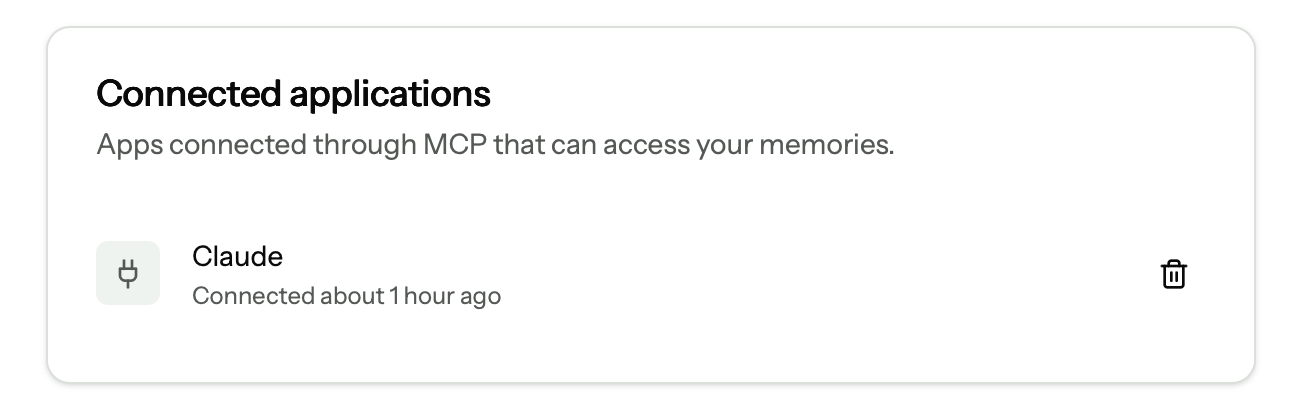
The authorization server is built directly into the Rails app — no external OAuth service, no added dependencies. PKCE instead of shared secrets. Access tokens last one hour; refresh tokens rotate silently, so a connected client stays connected without interrupting you.
Six tools
The server exposes six tools across three read and three write operations, all scoped to your account’s workspaces:
| Tool | Type | What it does |
|---|---|---|
list_workspaces |
read | List the workspaces in your account |
list_memories |
read | List memories; optional FTS5 query and category filter |
read_memory |
read | Read the full content of one memory |
create_memory |
write | Create a memory, with optional tags |
update_memory |
write | Update title, content, category, or tags |
create_version |
write | Append an immutable version, preserving history |
Read tools require the memories:read scope. Write tools — including create_version — require memories:write. Scopes map to the existing read_only / full_access permission tiers, so there’s no parallel auth system to reason about.
create_version is the one worth pausing on. Every memory in recuerd0 already has a versioning model — you can snapshot a decision or convention as it evolves and keep the full history. The MCP tool exposes that directly. If a client updates a memory and you want to preserve what was there before, it can append a version rather than overwrite.
Connect it
The MCP endpoint is at your instance URL:
https://recuerd0.ai/mcp
For self-hosted instances, replace the domain with your own. Any MCP client that supports custom connectors — Claude Desktop, Claude.ai, Cursor, and others — can connect by pointing at that URL. The OAuth handshake runs itself.
Full documentation is at recuerd0.ai/mcp.
The editor
recuerd0 stores knowledge as markdown. The editing experience should match that — not fight it. A plain textarea works, but it asks you to hold the syntax in your head while you write. After using it long enough, the friction starts to matter.
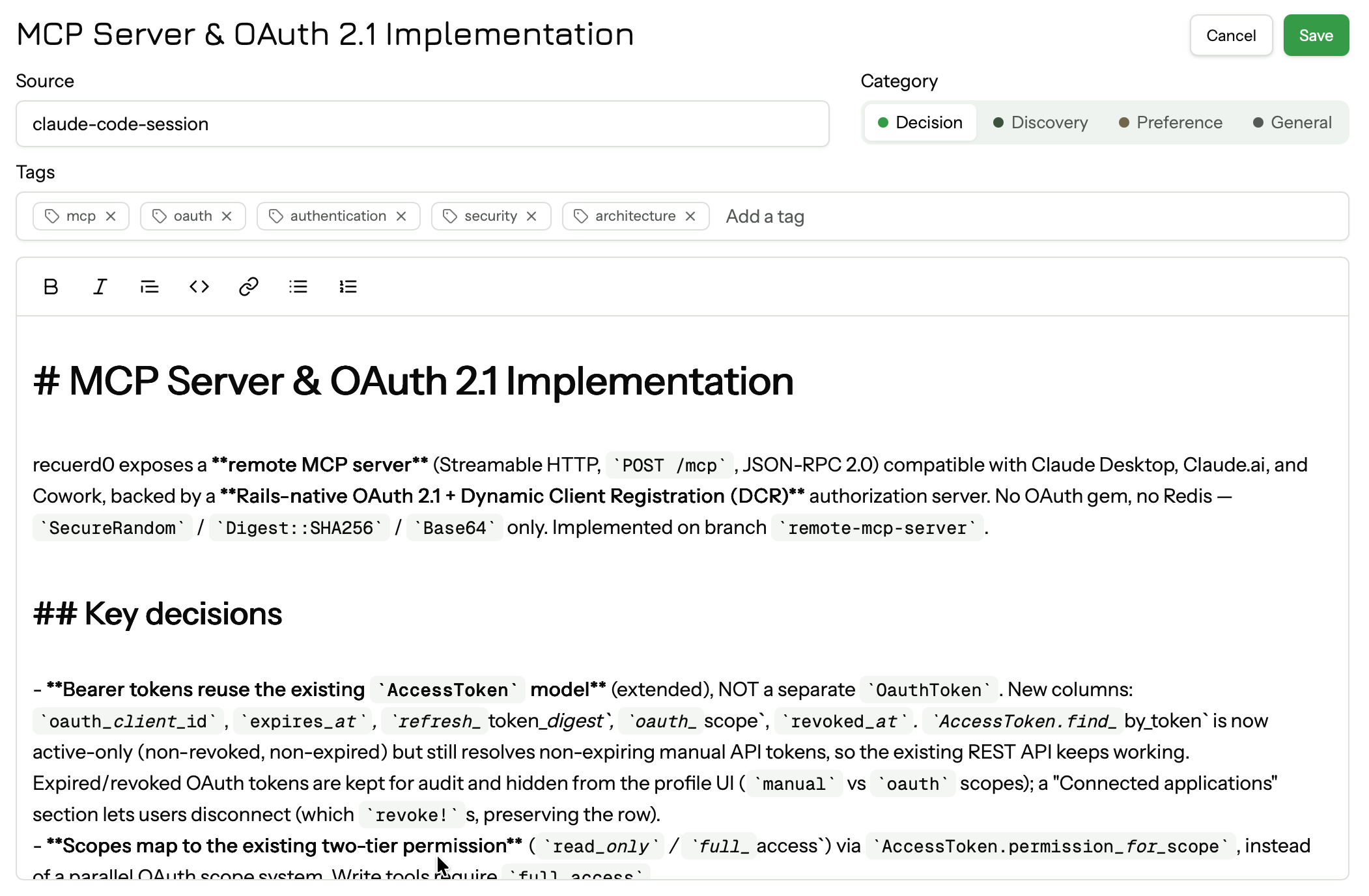
The new editor is based on House MD — the markdown editor 37signals built for Writebook. Minimal toolbar: bold, italic, quote, code, link, bullet list, numbered list. It writes markdown, not HTML. No mode switching, no preview tab — what you see while editing stays close to what the rendered output looks like.
One thing worth being explicit about: everything that reads your memories — the API, the CLI, MCP tools — still gets raw markdown. The editor doesn’t change that contract.
The UI
recuerd0 is built on Maquina Components — a Rails component library with cards, badges, buttons, dialogs, and form elements. The component foundation was already there; this pass refined how those pieces are composed and extended them with patterns specific to what recuerd0 actually is.
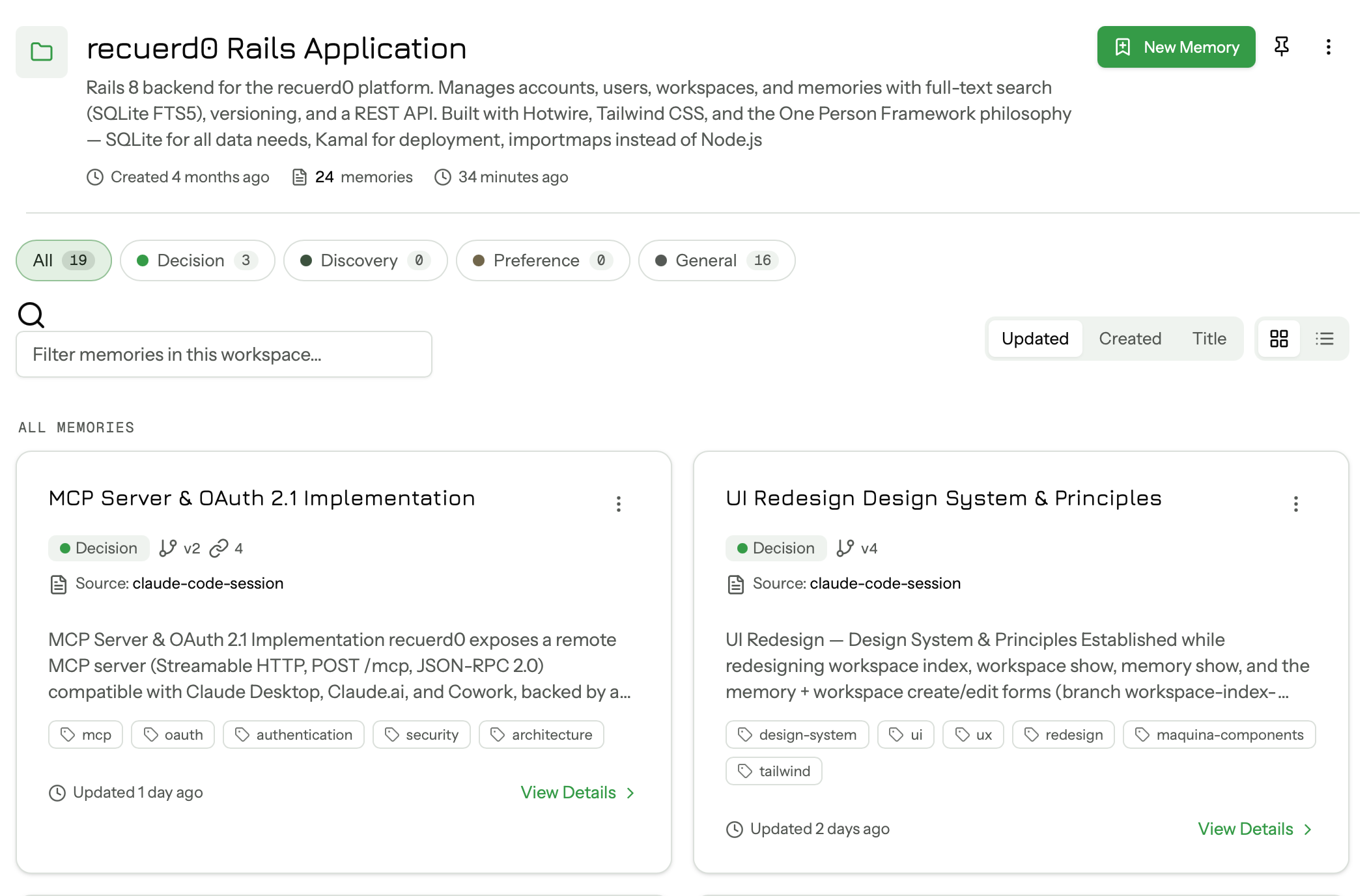
The workspace and memory views got a more deliberate information hierarchy — metadata where you need it, actions reachable on touch and keyboard, pinned items in their own labeled section rather than blended into the list. The color system was tightened so the app reads consistently across every page, and view preferences (list vs grid, cards vs compact) now persist between sessions.
The workspace index and workspace show pages have been updated. Memory show, the editor page, and settings are next.
The MCP server is live. Full documentation at recuerd0.ai/mcp.
recuerd0 is free to self-host. Managed hosting is $15/month.
Related reading
- Recuerd0 Now Reads Like a Filesystem — grep, glob, and ranged read on your memories.
- Announcing Recuerd0 — the original launch and the problem we set out to solve.
- Recuerd0 source code is now available — how to self-host under OSAASY.