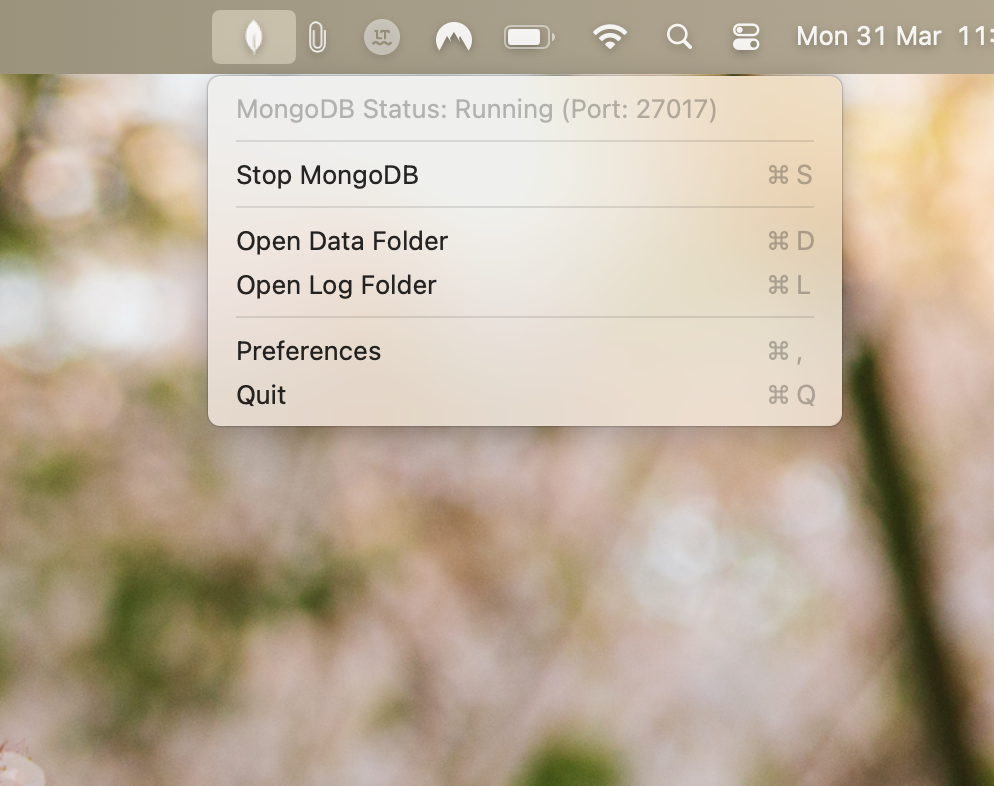
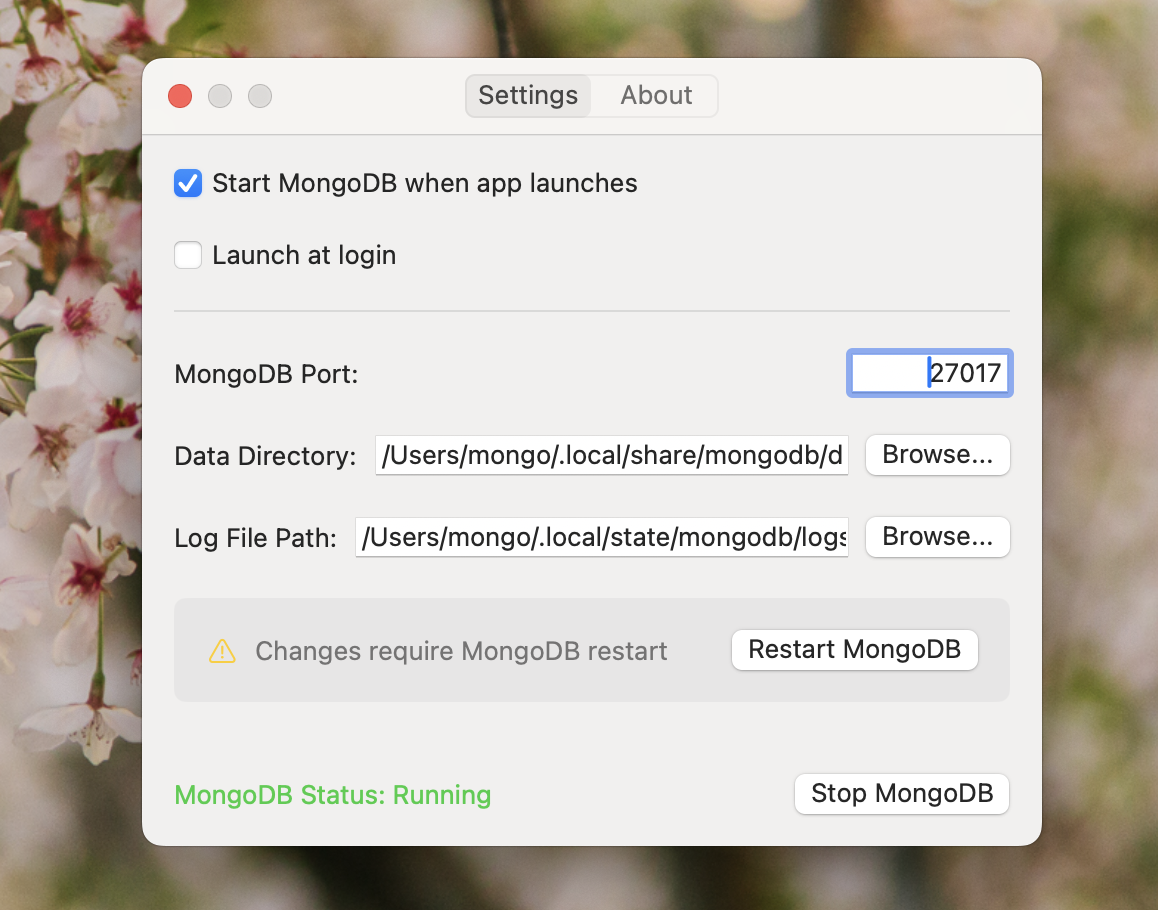
A macOS menu bar application that makes managing local MongoDB instances simple and convenient. Start, stop, and configure MongoDB with a single click.
---
## Overview
Mongo Menu sits in your macOS menu bar, providing easy access to start, stop, and configure MongoDB instances. Designed for developers who need to work with MongoDB locally and want a straightforward way to manage the database without terminal commands.
---
## Features
- **Menu Bar Controls**: Start and stop MongoDB with a single click
- **Visual Status Indicator**: Instantly see if MongoDB is running
- **Custom Configuration**: Configure data directory, log path, and port
- **Auto-start Options**: Start MongoDB automatically when the app launches
- **Launch at Login**: Start Mongo Menu when your Mac boots
- **Lightweight Footprint**: Minimal resource usage in the background
---
## Requirements
- macOS 15.0 (Sequoia) or later
- Admin privileges (for first-time setup)
---
## Installation
### Build from Source
1. Clone the repository:
```bash
git clone https://github.com/maquina-app/mongo-menu.git
cd mongo-menu
```
2. Run the build script:
```bash
./build.sh
```
The build script will:
- Check if MongoDB binaries exist and download them if needed
- Build the application
- Place the built app in `build/Release/MongoMenu.app`
3. Move the built app to your Applications folder
### Build Requirements
- Xcode 16.0 or later
- Command Line Tools for Xcode
- macOS 15.0 (Sequoia) or later
---
## Usage
1. Click the MongoDB icon in the menu bar to see status and control options
2. Use "Start MongoDB" or "Stop MongoDB" to control the service
3. Click "Preferences" to configure settings:
- Data directory location
- Log file path
- MongoDB port (default: 27017)
- Auto-start options
- Launch at login option
---
## Configuration
### Default Locations
Mongo Menu stores data in these default locations:
| Setting | Default Path |
|---------|-------------|
| Data directory | `~/.local/share/mongodb/data` |
| Log file | `~/.local/state/mongodb/logs/mongodb.log` |
| Port | 27017 |
All locations can be customized in the app preferences.
### Bundled MongoDB
Mongo Menu bundles MongoDB binaries (version 8.0.6) specifically for Apple Silicon Macs. You don't need to install MongoDB separately. The app handles downloading the appropriate MongoDB binaries for your Mac.
---
## Troubleshooting
### MongoDB Won't Start
- Check if the port is already in use by another application
- Ensure you have write permissions to the data directory and log path
- Check the log file for specific error messages
### App Won't Launch
- Make sure you have macOS Sequoia (15.0) or later installed
- Try rebuilding from source using the build script
---
## Next Steps